

Pineapple Builder
Pineapple Builder · Image · Coding · Marketing
Pineapple Builder is an AI website builder that turns a short description of your business into a live site, then handles edits, forms, bookings and blog posts in plain English.
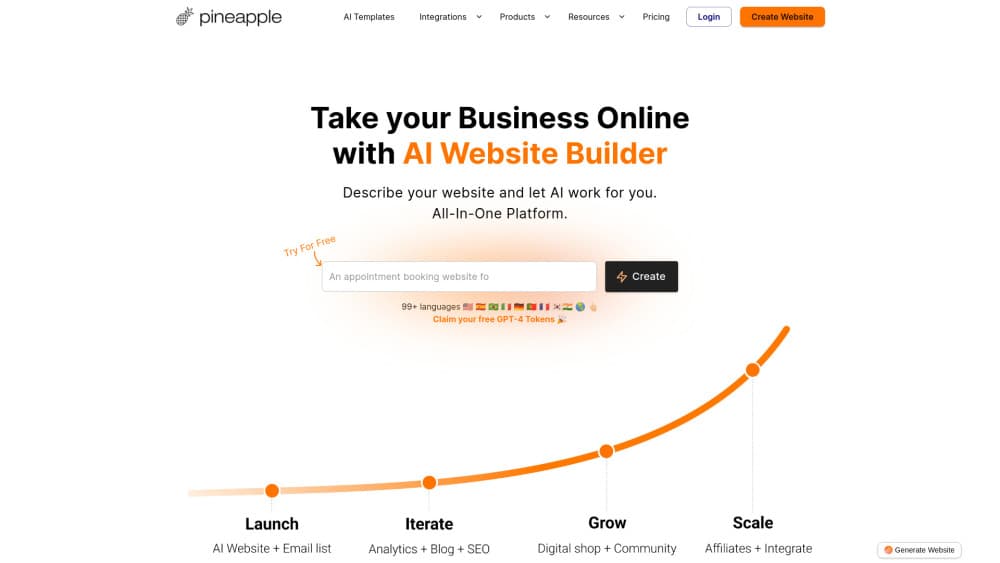
About Pineapple Builder
What Is Pineapple Builder
Pineapple Builder is a website builder for people who need a working business site without hiring a designer or learning a page editor. You describe your services, your customers and the goal of the site, and the tool writes the pages, the copy and the forms. Hosting and SSL come with the subscription, so there is no separate server to configure.
The pitch is an agency in a subscription. After the first version goes live, the AI keeps working: ask for a new section or a rewritten headline, read the plan it proposes, approve it, and the changes ship. The Grow plan adds scheduled tasks that review search performance, fix SEO gaps and publish AI blog posts on a calendar.
Two limits matter before you pay. Every action spends AI credits, and heavy editing will exhaust the monthly allowance, with top ups sold separately. The Free plan behaves more like a demo: one published page on a Pineapple subdomain with Pineapple branding, and no custom domain, analytics or forms.
Getting Started
- Create a free account and answer the setup questions about your business, the services you sell and the customers you want to reach.
- Review the generated pages and copy, then swap images and adjust colors in the visual editor.
- Connect a custom domain on a paid plan so the site moves off the Pineapple subdomain. Hosting and SSL are included.
- Request changes in plain English. Read the proposed plan before approving it, because approved tasks run without further checks.
- Switch on forms, bookings and analytics once pages are live, then check the dashboard each week.
Product Information
A quick look at Pineapple Builder's pricing, supported platforms, and performance.
Best for
The users, tasks, and scenarios where this tool fits best.
Users
- Solo consultants and coaches
- Small service businesses
- Content marketers on a tight budget
- Non-technical founders testing an idea
Tasks
- Turning a service list into a multi-page site with copy, images and contact forms in an afternoon.
- Rewriting a homepage headline or adding a pricing section by describing the change instead of dragging blocks.
- Publishing AI blog posts on a schedule and acting on the SEO fixes the dashboard suggests.
- Translating a site into a second language for another market, which is limited to the Grow plan.
Scenarios
- A freelancer who needs a portfolio and booking page live this week, not next quarter.
- A local business replacing an outdated site that nobody on staff knows how to edit.
- A founder checking whether a landing page converts before paying for a custom build.
Key features
Describe It and Get a Site
You answer questions about the business, then the AI website generator produces pages, headlines and body copy that match the offer. The output is a real site with navigation, sections and working contact forms, not a wireframe. Most of the work happens before you touch the editor.
Approve Before AI Acts
Changes start as a plan. Ask for a new section, a tone shift or a different layout, and Pineapple Builder lists what it intends to change and waits. You approve, the AI executes, then it checks its own work. This review step is the main reason the tool suits owners who want control without editing code.
Business Blocks Without Plugins
Forms, bookings, testimonials, a simple customer CRM and site analytics are part of the paid plans. That combination covers the usual small business stack of a form tool, a scheduler and a spreadsheet, which means fewer logins and one bill. Larger file uploads arrive with Grow.
Blogging and AI Blog Posts
The Grow plan adds a blog editor with categories, tags and clean URLs, plus AI posts that can be scheduled. Posts get social cards generated automatically, and draft pages can be password protected for client-only content. SEO tags are edited in plain fields rather than a plugin panel.
Cookie-Free Analytics
Traffic reports run without cookies, so the site does not need a consent banner for basic measurement, and the vendor states compliance with GDPR, CCPA and PECR. You get top sources, conversion events, funnel tracking and A/B tests for page variants.
MCP and Integrations
The Grow plan includes MCP access, so an AI assistant can work on the site through the Model Context Protocol instead of the dashboard. Third-party integrations and translations also sit on this plan. There is no public REST API documented for custom development.
Pros and cons
Pros
- A usable first draft arrives in minutes, which beats a blank template and a weekend of copywriting.
- Hosting, SSL, forms, bookings and a CRM are bundled at $12 per month, a low entry price for that stack.
- The plan review step keeps a human in the loop before the AI edits live pages.
- Cookie-free analytics removes the usual consent banner work for small sites.
- Grow adds blogging, translations and MCP for $24 per month, still cheaper than stacking four subscriptions.
Cons
- Credits gate everything. A busy editing month can cost more than the sticker price once top ups are added, and purchased credits expire after 12 months.
- The Free plan publishes one page on a subdomain with Pineapple branding, so it works as a trial rather than a home for a real business.
- There is no code editor, which makes unusual layouts, custom scripts or bespoke checkout flows hard to build.
- Copy quality tracks the brief you give it. Thin input produces generic marketing text that still needs a rewrite.
Frequently asked questions
It is an AI website builder for small businesses. You describe what the business does, and it generates pages, copy and forms, then hosts the site with a custom domain on paid plans.
Related content
Explore related tools, skills, and articles for Pineapple Builder.
Pineapple Builder Alternatives

Google EmbeddingGemma 2
Google DeepMind · Writing · Image · CodingGoogle EmbeddingGemma 2 is a 740M-parameter open model that turns text, code, images, audio, and video frames into vectors in one 768-dimension space, running on phones and laptops.

Tractionwave
TractionWave · Image · MarketingTractionWave is an AI attention heatmap tool for static ads. Upload a PNG or JPG and it returns predicted attention, ranked hotspots, and fixes before you spend budget.

Imejis.io
Imejis.io · Image · MarketingImejis.io is an AI design studio for agents and marketing teams. Describe an image in plain words, and it writes the copy, builds the layout, reflows it to every size, then exports a finished file.