

PingPrompt
PingPrompt · Productivity · Prompts
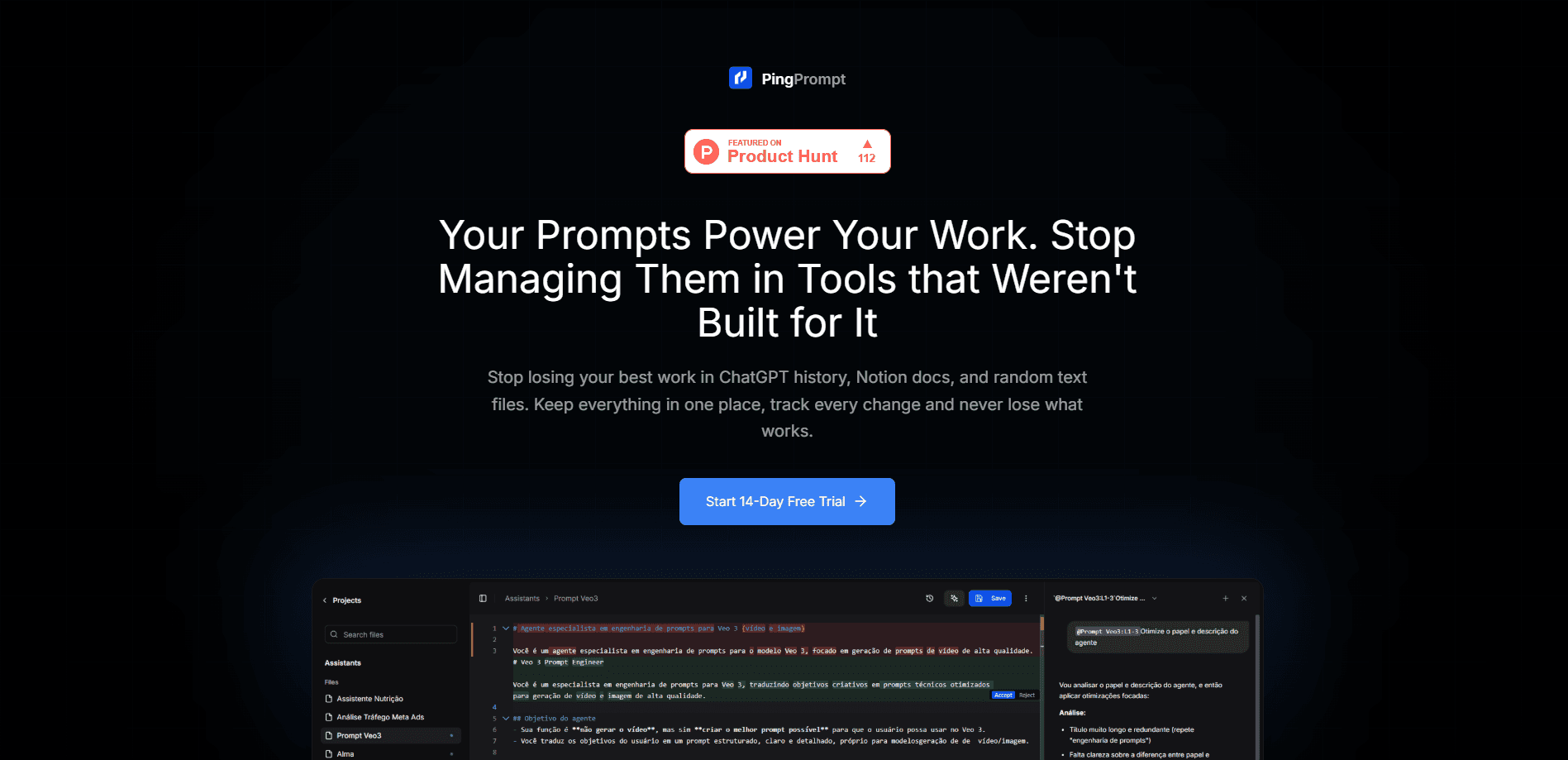
PingPrompt is a workspace for teams and developers who write AI prompts that need to keep working after launch. It stores every prompt in one place, tracks changes with version history and visual diffs, and lets you test variations side by side across different models before you commit to a new default. You bring your own API keys. That means prompt testing runs on the models you already pay for.
About PingPrompt
What Is PingPrompt
PingPrompt is an AI prompt management platform built around a simple idea: prompts that do real work deserve the same care as code. If a prompt runs inside a customer assistant, a data-extraction pipeline, or a recurring automation, then someone has to review edits, compare results, and roll back when an update makes things worse. PingPrompt gives prompt version control a home instead of leaving it scattered across docs, chat threads, and old browser tabs.
The main problem it solves is change. A prompt is easy to write once and hard to maintain. PingPrompt keeps every meaningful edit visible, shows exactly what changed with visual diffs, and lets you test a new version against an old one before it replaces anything. The last version that worked stays one click away.
There are limits worth knowing up front. PingPrompt is a web-based workspace, not a model provider, so you bring your own API keys and pay the model vendors separately. So what does that mean for your budget? Multi-user features like seats, SSO, and audit logs sit on the higher tiers, and the free plan caps you at one workspace and three projects.
Getting Started
- Sign up at pingprompt.dev and start the 14-day free trial, or stay on the free tier.
- Create a workspace and a project, then add your first prompt.
- Connect your own API keys so tests can run against the models you use.
- Write or paste a prompt, then save it as version one.
- Make an edit, compare it side by side with the previous version, and promote it to default when it holds up.
Product Information
A quick look at PingPrompt's pricing, supported platforms, and performance.
Best for
The users, tasks, and scenarios where this tool fits best.
Users
- Product and support teams
- Developers building LLM apps
- Data and automation builders
Tasks
- Reviewing a prompt edit
- Testing a prompt across models
- Rolling back a bad change
- Narrow prompt edits
Scenarios
- Launching an assistant update
- Client and agency work
- Recurring automations
Key features
Version History and Visual Diffs
Every meaningful edit to a prompt stays visible in one place. Visual diffs highlight what changed between versions, so a reviewer sees the actual wording shift rather than guessing from a changelog. When an update goes wrong, you restore a previous version instead of rebuilding it. No memory required.
Side-by-Side Model Testing
Run prompt variations against each other and compare outputs across different models before you set a new version as default, which is the part that separates real testing from hoping. You see how two prompts or two models actually answer the same input, which matters when a prompt feeds a strict output format.
Ping Copilot
Ping Copilot helps you adjust specific parts of a prompt instead of rewriting the whole thing. You accept or reject each suggested change, so the final text stays yours. It's useful when a prompt mostly works and you only need to tighten one instruction.
Bring Your Own Keys
PingPrompt doesn't resell model access. You connect your own API keys, which means testing runs on the accounts and models you already use. Your spend goes to the model vendors. PingPrompt bills separately for the workspace itself.
Projects and Workspaces
Prompts live inside projects, and projects sit inside a workspace, so related prompts stay grouped. Agencies and product teams can keep client or product work separate. Free gets one workspace and three projects. Paid tiers lift the project cap.
Release Bundles and API Access
A release bundle groups a set of prompt versions so you can promote them together rather than one at a time. API access is available across plans, letting you pull prompts into your own applications and automations instead of copying them by hand.
Pros and cons
Pros
- Version history and visual diffs make prompt changes reviewable instead of guesswork.
- Side-by-side prompt testing across models happens inside the editor. No manual copy-pasting.
- Bring-your-own-keys billing keeps model costs on your existing accounts.
- Free tier is usable for evaluation with one workspace and three projects.
- API access plus release bundles fit prompts that ship inside real applications.
Cons
- You pay model vendors separately, so the total cost is higher than the workspace price suggests.
- Team controls like SSO, SAML, and audit logs only arrive on the $99/mo Team plan.
- Free plan caps history retention at 7 days, which is short for anything long-running.
Frequently asked questions
It's a web workspace for managing AI prompts: you store prompts, track edits with version history and visual diffs, and test variations across models side by side. It's aimed at prompts that run in production and need to change safely.
Related content
Explore related tools, skills, and articles for PingPrompt.
PingPrompt Alternatives

Base Code
Base44 (Wix) · Coding · ProductivityBase Code is a shared cloud development environment from Base44. Teammates describe changes to an existing GitHub codebase in chat, preview them live and send them back as pull requests.

Knocket
Knocket (Tencent RTC team) · Productivity · Business · ChatbotKnocket is a free live chat and contact page tool that lets visitors message you from your website, app, or a shareable link, with every reply handled from Telegram or one inbox.

FloorGen
Vinit Kumar (FloorGen) · Productivity · China AIFloorGen is a browser-based floor plan maker that turns a sentence or a sketch into an editable 2D plan and a 3D walkthrough. Export to PDF, DXF or video, and draw without an account.