

Pix Me!
Independent developer (@heristop) · Image
Pix Me! is a free web app that turns a selfie into a Polaroid style AI avatar across more than 50 art styles, with no account needed and instant downloads.
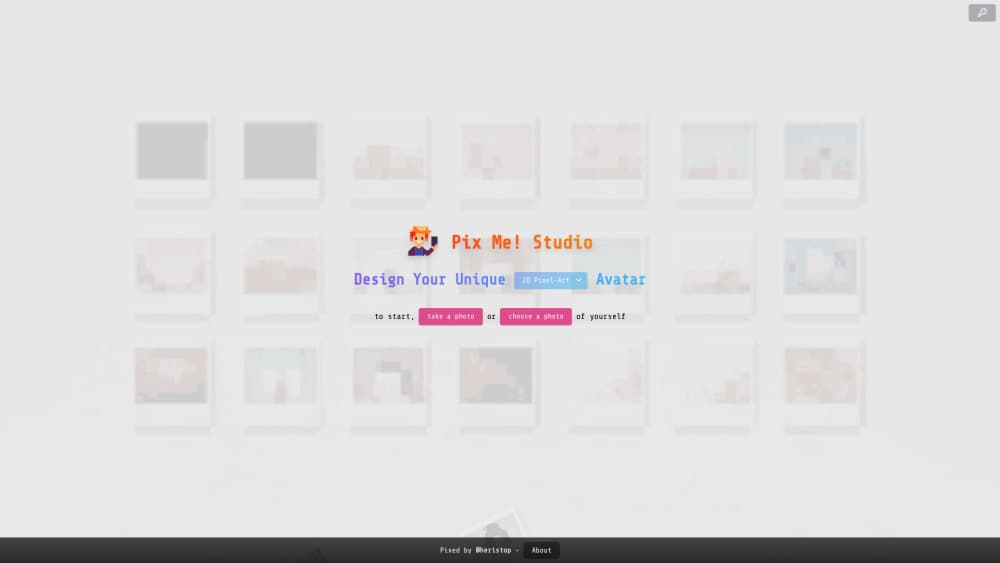
About Pix Me!
What Is Pix Me!
Pix Me! is a browser based avatar maker run by an independent developer who signs the site as @heristop. You upload a photo or take a webcam shot, pick a style, and the app sends a single request to an image model. A few seconds later you get a portrait framed like an instant film print, ready to save. No email, no password, no app install.
The product sits in a small family of sites on the same domain. Pix Me! Studio handles the avatars. Pix Who? is a daily guessing game where a pixelated face clears tile by tile until you name the person. Both share the same light approach to accounts and tracking.
What it solves is mostly cosmetic. Someone needs a new profile picture, a character sheet for a game group, or a joke portrait for a birthday, and hiring an illustrator for that is overkill. Think of it as an AI self portrait booth that never closes. The trade off is control. Style choice is the main decision you make, and the image arrives in one pass with no pose, lighting, or prompt editing.
Getting Started
- Open pix-me.studio in any modern browser. There's nothing to install and nothing to confirm by email.
- Add a photo. You can upload a file from your phone or computer, or take a shot with the webcam if you're on a laptop.
- Pick a style from the library, then narrow it down if the style has variations.
- Hit generate, wait for the render, and download the result. Free downloads keep a small watermark, and buying credits removes it.
Product Information
A quick look at Pix Me!'s pricing, supported platforms, and performance.
Best for
The users, tasks, and scenarios where this tool fits best.
Users
- Casual social users
- Gamers and community members
- Parents and gift givers
Tasks
- Replacing a stale profile photo
- Building a matching set for a group
- Testing a character idea before paying an artist
- Making quick seasonal images
Scenarios
- A last minute profile refresh before a video call or a job application.
- A party or classroom icebreaker where everyone generates the same style and compares results.
- A creator testing thumbnails and channel art directions without opening design software.
Key features
Selfie to Polaroid Print
The core flow is one photo in, one framed portrait out. Pix Me! renders your face in the chosen style and presents the result as an instant photo with the white border and caption strip people associate with Polaroid film. That framing is cosmetic, but it makes the download feel like a finished object rather than a raw render.
More Than 50 Styles
The library covers Pixel-Art, Lego Minifig, Chibi, Manga, Anime, Comics, Cartoon, Disney, Pixar, Ghibli, Minecraft, Mii, South Park, Star Wars, Sci-Fi, Steampunk, Watercolor, Pop Art, Pop Figurine, Play Dough, Low Poly, Art Deco, Noir, Zombie, Medieval, Fantasy, Vintage, Surrealism, Gothic, Tribal, and Cubism, plus themed packs. A Weekly Special slot adds one rotating limited style.
No Signup, No Stored Photos
You can generate an avatar without an account. The site states that uploads aren't stored, that only the generation request travels to OpenAI or Gemini, and that no analytics script or cookie runs. For a throwaway selfie tool, that's a meaningful difference from apps that want your email first.
Watermark Free Downloads by Credit
Free generations come with a watermark. One credit buys one clean download, sold in packs through a Lemon Squeezy checkout: about €2 for 8 credits, €8 for 50, and €18 for 100. There's no subscription, so light users aren't locked into a monthly bill.
Bring Your Own OpenAI Key
A key option in the interface lets you plug in your own OpenAI API key and spend your own quota instead of buying credits. It's aimed at people who already pay for API access, and it skips the checkout entirely.
Pix Who? Daily Game
The same site hosts Pix Who?, a daily deduction game. A pixelated face is revealed square by square, and you guess the person before the picture fills in. It shares the visual style of the avatar studio and works as a playful entry point to the brand.
Pros and cons
Pros
- No account, no install, no email step, which makes it the fastest route from a selfie to a usable avatar.
- Style coverage is unusually wide for a free tool, including niche looks such as Lego Minifig, Mii, and South Park.
- The privacy page is specific: no stored uploads, no analytics, and a named model provider.
- Credit packs remove the watermark for a couple of euros, with no subscription trap.
Cons
- Free downloads keep a watermark, so anything you plan to post will usually cost at least €2 to clean up.
- There's no prompt box, pose control, or background choice, and a weak source photo produces a weak avatar with no retry slider.
- The interface ships in English, French, German, Spanish, Italian, and Portuguese only, so Asian language users work in a second language.
- There's no public API, no batch mode, and no team workspace, which rules out agencies processing dozens of client photos.
Frequently asked questions
It converts one photo into a stylized avatar in a chosen art style and hands it back as a Polaroid style image you can download. The whole job is a single upload and a single render, so it works as an AI avatar generator rather than a photo editor.
Related content
Explore related tools, skills, and articles for Pix Me!.
Pix Me! Alternatives

Google EmbeddingGemma 2
Google DeepMind · Writing · Image · CodingGoogle EmbeddingGemma 2 is a 740M-parameter open model that turns text, code, images, audio, and video frames into vectors in one 768-dimension space, running on phones and laptops.

Tractionwave
TractionWave · Image · MarketingTractionWave is an AI attention heatmap tool for static ads. Upload a PNG or JPG and it returns predicted attention, ranked hotspots, and fixes before you spend budget.

Imejis.io
Imejis.io · Image · MarketingImejis.io is an AI design studio for agents and marketing teams. Describe an image in plain words, and it writes the copy, builds the layout, reflows it to every size, then exports a finished file.