

PixelHaha
Horizon Trading Co., Limited · Image
PixelHaha is a browser-based AI photo and video enhancer that upscales, sharpens, and denoises images and clips up to 2K. It runs in the browser with a credit-based, pay-as-you-go model.
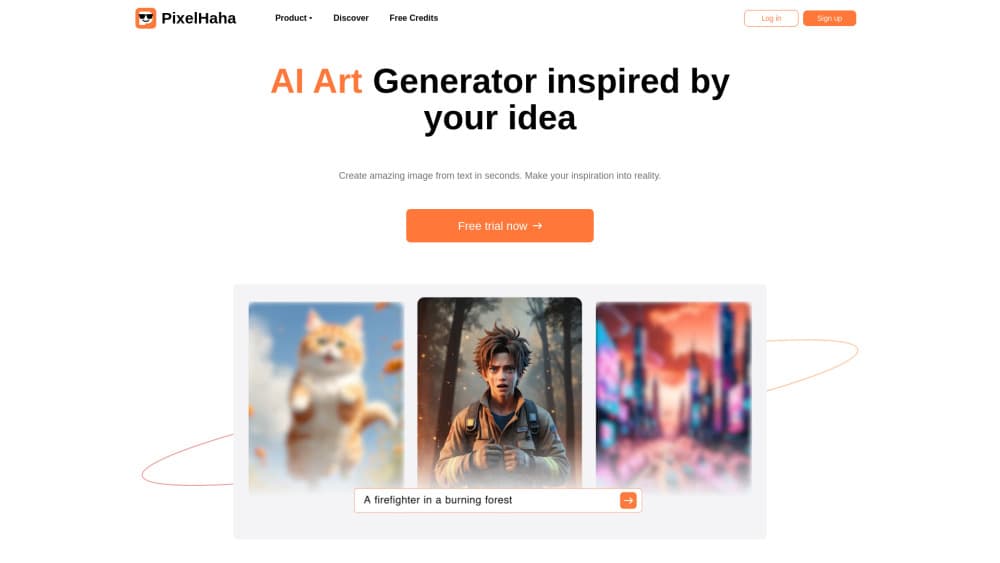
About PixelHaha
What Is PixelHaha
PixelHaha is an online AI photo and video enhancer that runs in a web browser, published by Horizon Trading Co., Limited. It targets one job: taking a low-quality image or clip and returning a cleaner, higher-resolution version. It works as a photo upscaler for stills and a video upscaler for clips. You upload a file, the model upscales it, sharpens the detail, and removes the grain that phone cameras and old scans leave behind.
The product covers two main tools. The photo tool handles stills, from blurry phone shots to faded family prints, with upscaling, sharpening, denoising, and portrait touch-ups. The video tool takes the same idea to clips: it cleans low-resolution footage, reduces noise and motion blur, and pushes resolution up to 2K.
The setup follows a pay-as-you-go model built on credits. You get free credits when you sign up and more for each friend you invite, then buy credit packs when you need heavier use. Credits bought through the pay-as-you-go option stay valid for 180 days. The main limits are worth knowing: it's a browser tool, so you process files online rather than on your device, and the free credits are meant for testing rather than volume work.
Getting Started
- Open pixelhaha.ai in a browser and sign up to claim your free credits.
- Pick a tool, AI Photo Enhancer or AI Video Enhancer, from the product menu.
- Upload a photo or video, or paste a URL, then start the enhancement.
- Preview the result, download it, and use credits for anything past the free previews.
Product Information
A quick look at PixelHaha's pricing, supported platforms, and performance.
Best for
The users, tasks, and scenarios where this tool fits best.
Users
- Social media creators
- Families restoring old prints
- Marketers and small teams
Tasks
- Upscaling a low-resolution photo
- Cleaning up grainy night shots
- Reviving low-res video
- Restyling a portrait
Scenarios
- Fixing an old wedding video before sharing it
- Preparing a product photo for an online listing
- Clearing up vacation footage for a YouTube upload
Key features
AI Photo Enhancer
The photo enhancer upscales an image up to 200% and sharpens detail in one pass. It works as a photo upscaler, built for everyday pics that look soft or low-resolution, and it returns a cleaner file without manual retouching. The result depends on the source: a photo with almost no original detail limits what any upscaler can restore.
AI Video Enhancer
The video enhancer acts as a video upscaler that boosts resolution, reduces noise, and cuts motion blur in low-res clips. It works like a small online video editor for footage that looks rough. It targets 240p, 360p, and 480p video and can push output toward 2K at 30fps. It's a useful fit for old home videos and shaky phone clips. Very damaged footage will still show its limits.
AI Photo Denoiser
The denoiser is a one-click way to denoise photo files taken in low light or with older cameras. It removes grain and digital noise from photos. It's aimed at night shots and scanned prints where noise hides real detail, and it can sharpen image detail that the grain was covering. The tool keeps colors looking natural rather than flattening them, which matters for portraits and family pictures.
Portrait and Night Enhance
These modes focus on faces and low-light scenes. The portrait enhancer touches up skin and clears fine detail, while the night photo tool brightens dark, noisy images. Both sit on top of the main upscaler, so a single pass can lift a dim party photo into something worth posting.
Slow Motion and Frame Smoothing
The video tool raises frame rates and smooths shaky footage to produce slow-motion clips without the usual quality drop. It's useful for sports or action clips where motion blur ruins the shot. The output aims for a smooth, cinematic look rather than a raw frame-by-frame slowdown.
Browser-Based Workflow
Every tool runs online, so you don't install an app or tie the work to one device. You upload, clean up, and download from any modern browser. That convenience is the selling point, but it also means large files take time to upload and you need a steady connection.
Pros and cons
Pros
- Covers both photos and videos in one browser tool, so you don't switch between apps.
- Upscales images and clips, including old 240p and 480p footage that most editors ignore.
- Denoising keeps colors natural, which helps on portraits and scanned family photos.
- Credit model is pay-as-you-go, so light users can buy small and skip a subscription.
Cons
- Browser only, so there's no offline or desktop app and processing waits on your connection.
- Free credits cover testing, not steady work, and heavier use means buying credit packs.
- Results track the source: heavily damaged or very low-detail files set a hard ceiling on what it can recover.
- Public API details aren't documented, so teams that need programmatic access have no clear path.
Frequently asked questions
PixelHaha is used to sharpen and upscale photos and videos in a browser. It cleans blurry images, removes noise, and raises the resolution of low-quality clips, all from one online tool.
Related content
Explore related tools, skills, and articles for PixelHaha.
PixelHaha Alternatives

Google EmbeddingGemma 2
Google DeepMind · Writing · Image · CodingGoogle EmbeddingGemma 2 is a 740M-parameter open model that turns text, code, images, audio, and video frames into vectors in one 768-dimension space, running on phones and laptops.

Tractionwave
TractionWave · Image · MarketingTractionWave is an AI attention heatmap tool for static ads. Upload a PNG or JPG and it returns predicted attention, ranked hotspots, and fixes before you spend budget.

Imejis.io
Imejis.io · Image · MarketingImejis.io is an AI design studio for agents and marketing teams. Describe an image in plain words, and it writes the copy, builds the layout, reflows it to every size, then exports a finished file.