
Pixelied
Pixelied · Image
Pixelied is a browser-based graphic design suite with an AI image generator, one-click background remover, and 4+ million stock assets for fast social media and marketing visuals.
About Pixelied
What Is Pixelied
Pixelied is a free online graphic design tool built for people who never trained as designers. You open it in a browser, pick a template or a blank canvas, and assemble a design from stock photos, icons, illustrations, and mockups. Everything needed to build a social post, a blog header, or a product banner lives inside one editor tab.
The problem it targets is the small visual tasks that pile up. A launch needs five social images, a store needs clean product cutouts, a blog needs a header. Hiring a designer for each one is slow and costly, and jumping between a photo editor, an icon library, and a template site wastes an afternoon. Pixelied folds those steps together so one person can finish the job without leaving the page.
Two limits are worth knowing up front. The free plan is generous for browsing but tight on downloads, so anyone producing volume will hit the paid tier fast. And while the AI tools cover generation and background removal well, the editor is not a Photoshop replacement for pixel-level retouching. If you mainly need quick branded graphics, this fits well.
Getting Started
- Sign up at pixelied.com. You can also create a design first and register when you download.
- Choose a template from the library or start a blank canvas at the size you need, such as an Instagram post or a YouTube thumbnail.
- Build the design by dragging in stock photos, icons, illustrations, or mockups, then edit text, colors, and layout.
- Run AI tools when you need them, like generating an image from a prompt or removing a background in one click.
- Download the file and export it, or open a workspace to share the design with teammates.
Product Information
A quick look at Pixelied's pricing, supported platforms, and performance.
Best for
The users, tasks, and scenarios where this tool fits best.
Users
- Small business owners
- Social media managers
- Bloggers and content creators
- Marketing teams
- Non-designers handling occasional graphics
Tasks
- Making social media graphics
- Removing image backgrounds
- Generating images from a prompt
- Resizing one design for many channels
- Building product mockups
Scenarios
- A launch lands tomorrow and you need a set of branded posts
- A store needs clean product cutouts
- A campaign runs across several channels
Key features
AI Image Generator
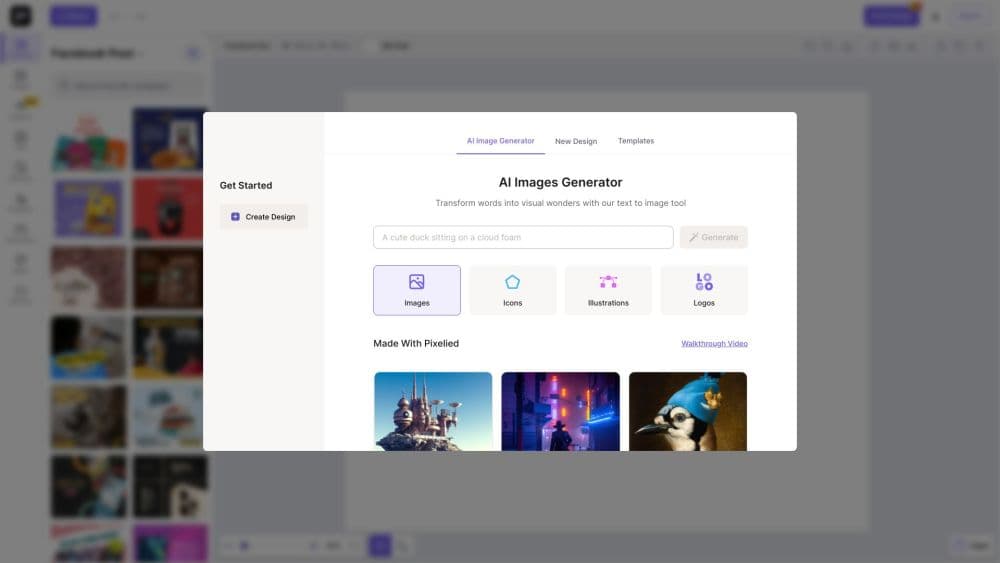
Pixelied turns a written prompt into an image you can drop straight onto the canvas. You describe the subject and style, the tool returns options, and you refine or regenerate until one fits. It covers the moments when the stock library has nothing close to what you have in mind.
One-Click Background Remover
The background remover cuts the subject from a photo in seconds and returns a transparent PNG. You then place people or products on a new scene, a solid color, or a branded backdrop without any manual masking. Free accounts get a small monthly credit allowance for this tool.
Thousands of Templates and Stock Assets
The suite ships with a large template library plus 4+ million royalty-free stock photos, thousands of icons, and hundreds of hand-drawn illustrations. Everything is licensed for commercial use with no attribution, so you can publish finished designs without extra paperwork.
Full Photo Editing Toolkit
Beyond templates, Pixelied offers a working set of editing tools: layers, opacity, borders, shadows, an eyedropper, object grouping, filters, and effects. The mix is aimed at everyday design work rather than professional retouching, which keeps the interface approachable for first-time users.
Vector (SVG) Editor
You can upload vector graphics from programs like Illustrator or Photoshop, then change colors, styles, and backgrounds inside Pixelied. It also includes an SVG icon library and a font generator, so scaling a design up never softens the artwork.
Workspaces and Team Collaboration
Each workspace holds a brand's colors, files, designs, and settings, and you invite specific people to each one. A client account and a side project stay separate, and collaborators edit the same source files instead of passing copies around.
Product Mockups and Print-on-Demand Assets
Pixelied includes mockups for apps, websites, and products, so a screenshot or a logo lands on a realistic device or item in a few clicks. Print-on-demand sellers use the same assets to preview apparel and merch before publishing a listing.
Pros and cons
Pros
- The free plan lets you explore templates, the editor, and most tools before paying anything, and no credit card is required to start.
- The one-click background remover handles the most common product and portrait job without a separate subscription.
- The asset library is large and commercially licensed, so stock photos, icons, and illustrations cost nothing extra inside the editor.
- Workspaces keep multiple brands and projects organized, which suits freelancers and small teams juggling several clients.
- The browser-based tool runs on Chrome, Firefox, and Safari with nothing to install, so you can edit from any machine.
Cons
- The free plan caps downloads at a few per month, so anyone producing steady volume has to move to the paid tier quickly.
- The editor stops short of professional retouching, so pixel-level work still needs a dedicated photo editor.
- Mobile apps are not out yet, which means the tool is desktop and browser only for now.
- There is no public API listed, so teams that want to automate design generation cannot plug it into their own pipeline.
Frequently asked questions
Pixelied is used to create and edit visual content in a browser, such as social media posts, blog headers, thumbnails, banners, and product images. It combines design templates, stock assets, and AI tools like an image generator and a background remover in one editor.
Related content
Explore related tools, skills, and articles for Pixelied.
Pixelied Alternatives

Google EmbeddingGemma 2
Google DeepMind · Writing · Image · CodingGoogle EmbeddingGemma 2 is a 740M-parameter open model that turns text, code, images, audio, and video frames into vectors in one 768-dimension space, running on phones and laptops.

Tractionwave
TractionWave · Image · MarketingTractionWave is an AI attention heatmap tool for static ads. Upload a PNG or JPG and it returns predicted attention, ranked hotspots, and fixes before you spend budget.

Imejis.io
Imejis.io · Image · MarketingImejis.io is an AI design studio for agents and marketing teams. Describe an image in plain words, and it writes the copy, builds the layout, reflows it to every size, then exports a finished file.