

Pixelup - AI Photo Enhancer
Codeway · Image
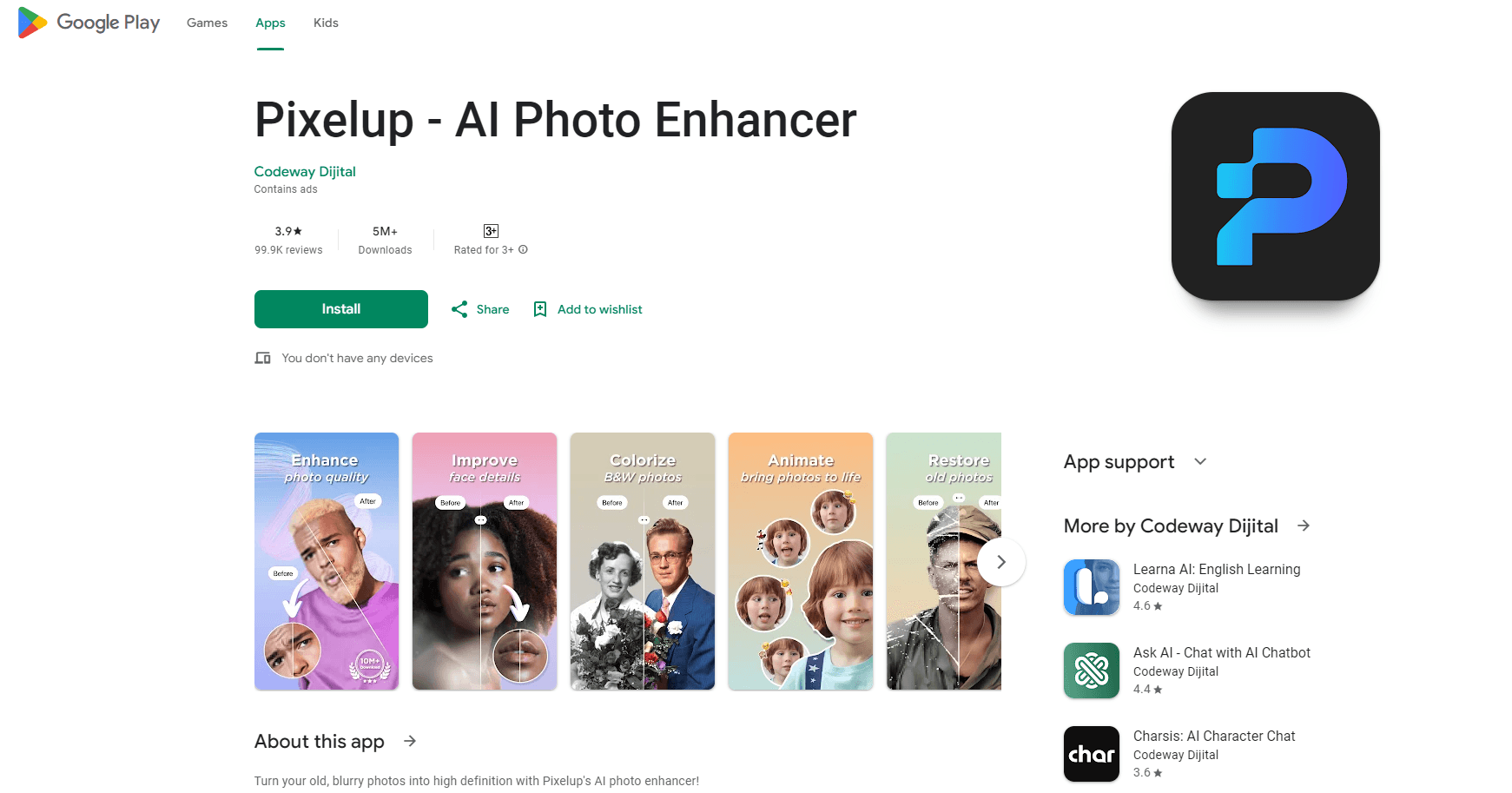
Pixelup is an AI photo enhancer that turns blurry, damaged, or black-and-white pictures into sharp HD shots. It restores vintage photos, colorizes monochrome images, and animates stills into short videos on phone or web.
About Pixelup - AI Photo Enhancer
What Is Pixelup
Pixelup is a photo restoration and enhancement app built by Codeway. You feed it an old, low-resolution, or scratched picture, and its AI models rebuild detail, fix faces, add color, and lift resolution to HD. It also turns a still photo into a short animated clip. The app runs on iPhone, iPad, and Android, with a matching web tool, and it targets one photo at a time.
The people it suits are families with boxes of aging prints, anyone who wants a clearer selfie, and creators who need a striking before-and-after for social feeds. A yellowed wedding portrait can come back with clean tone and readable faces, and a black-and-white family shot can gain natural color in one tap. Animated results export as short videos ready for Instagram, TikTok, Snapchat, or a group chat.
There are limits. Most actions sit behind a subscription, and free use is capped by a small daily allowance. Colorization and animation make creative guesses, so results vary by source, and a badly torn photo may still show gaps. The app handles one image per run rather than a whole album, and it needs a connection to reach the cloud models.
Getting Started
- Install Pixelup from the App Store or Google Play, or open the web version in a browser.
- Upload a photo from your gallery or point the camera at an old print to capture it.
- Pick a mode that fits the problem, such as Enhance, Colorize, Descratch, or Animate, then let the AI process the image.
- Compare the result with the original, save it to your device, and share the photo or animated clip.
Product Information
A quick look at Pixelup - AI Photo Enhancer's pricing, supported platforms, and performance.
Best for
The users, tasks, and scenarios where this tool fits best.
Users
- Families with old prints
- Casual photographers and selfie fans
- Social creators
Tasks
- Enhancing blurry photos
- Colorizing black-and-white photos
- Removing scratches and damage
- Animating a still
Scenarios
- Restoring a grandparent's portrait
- Reviving a scanned wedding photo
- Making a memorial video
Key features
AI photo enhancement to HD
The upgrade mode takes a blurry, compressed, or low-resolution photo and rebuilds it at HD quality. The algorithm targets faces in particular, so a soft selfie or a zoomed-in portrait can come back with cleaner skin and sharper features. This is the first tool most users try.
Colorize black-and-white photos
A dedicated model reads a monochrome image and adds color back. It brings life to old family photos and historical prints, and it runs in a single tap. For a black-and-white portrait, colorization is often the change that makes the picture feel new. You can also use Pixelup to restore old photos and colorize them in the same session.
Descratch and restore vintage photos
The restoration mode recovers photos worn by time. It removes scratches, tear marks, and stains, then rebuilds the damaged areas so the picture looks whole again. Older prints that have yellowed or creased come out cleaner and ready to share with family and friends.
Animate photos
The animation feature turns a still into a short clip. You sharpen and colorize an old photo first, then apply an animation to give the subject a subtle smile or movement. This is what makes a memorial or a nostalgic post feel alive, and the output is a video ready for social apps.
One-tap share to social apps
Every result is ready to share straight from the app. Pixelup exports a clean photo or a finished video for Instagram, TikTok, Snapchat, Facebook, or your favorite chat group, so you can post a before-and-after without a separate editing step.
Works on phone and web
Pixelup runs as an app on iOS and Android and as a browser tool. You can capture an old print with your phone camera on the spot or upload a scan from your computer, then pick up the same project on another device.
Pros and cons
Pros
- Several tools in one app, covering enhancement, colorization, scratch removal, and animation.
- Enhancement, colorization, and animation work in one tap, so no editing background is needed.
- Available on iOS, Android, and the web, with easy capture of physical prints via camera.
- Results export as photos or short videos ready for social apps.
Cons
- Most features sit behind a subscription, and free use is limited by a daily allowance.
- Colorization and animation are creative guesses, so results vary and can look off on some photos.
- Processes one photo at a time, which makes large albums slow to finish.
- No public API is documented, so teams cannot wire it into their own tools.
Frequently asked questions
Pixelup is an AI photo enhancer for iOS, Android, and the web. It upgrades blurry or low-resolution photos to HD, colorizes black-and-white images, removes scratches and damage from vintage prints, and animates a still photo into a short video, all through one-tap AI tools.
Related content
Explore related tools, skills, and articles for Pixelup - AI Photo Enhancer.
Pixelup - AI Photo Enhancer Alternatives

Google EmbeddingGemma 2
Google DeepMind · Writing · Image · CodingGoogle EmbeddingGemma 2 is a 740M-parameter open model that turns text, code, images, audio, and video frames into vectors in one 768-dimension space, running on phones and laptops.

Tractionwave
TractionWave · Image · MarketingTractionWave is an AI attention heatmap tool for static ads. Upload a PNG or JPG and it returns predicted attention, ranked hotspots, and fixes before you spend budget.

Imejis.io
Imejis.io · Image · MarketingImejis.io is an AI design studio for agents and marketing teams. Describe an image in plain words, and it writes the copy, builds the layout, reflows it to every size, then exports a finished file.