

Pixian
Cedar Lake Ventures, Inc. · Image
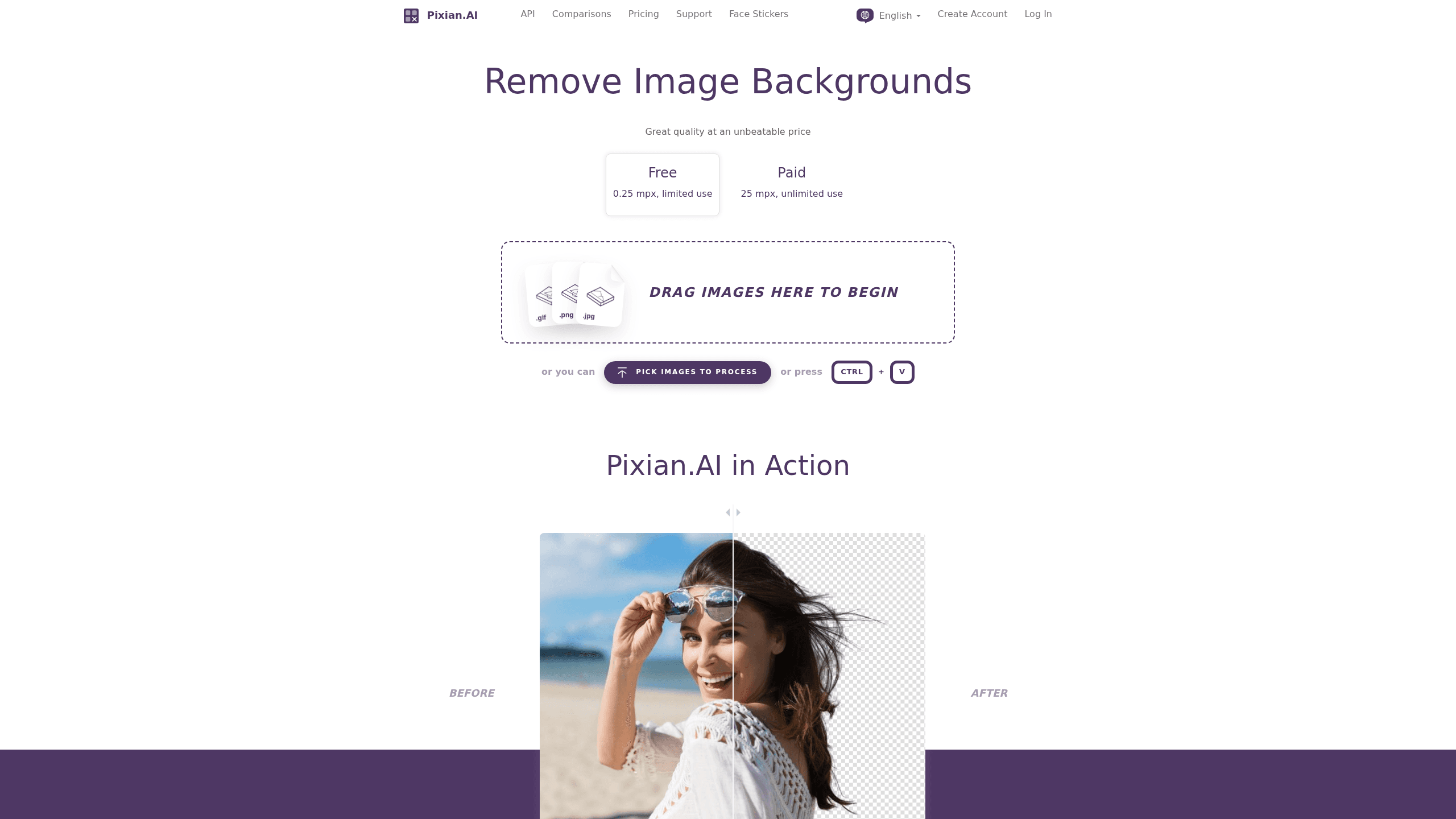
Pixian is an AI background removal tool that strips the backdrop out of a photo and hands back a clean transparent PNG, with no subscription and no signup needed to try it. Need to remove a background from an image? Upload it and the model does the rest. It runs a custom model trained on a proprietary dataset, and it competes on price rather than flash: you pay per image through prepaid credits instead of a monthly plan. It works well on people, and it stands out on objects, artwork, logos, and scans.
About Pixian
What Is Pixian
Pixian is a web-based background remover built by Cedar Lake Ventures, Inc. You upload an image, the service cuts out the subject, and you download a result with a transparent or opaque background. That's the whole product. There's no editor suite attached, no template library, and no upsell funnel trying to move you onto a $20 monthly plan.
The appeal is cost and honesty. Most competitors charge a subscription whether you use the tool twice a month or two hundred times. Pixian charges per image with prepaid credits that never expire, which matters if your background removal needs are spiky rather than constant. The trade-off is scope. It removes backgrounds and does little else. So it won't replace a full design app.
It also runs a full API, which is unusual at this price point. Developers can POST a bitmap and get a background-removed result back through the same model the website uses.
Getting Started
- Open pixian.ai and drop an image onto the page, or paste a URL. No account is required for the free preview.
- Wait for the model to process the upload. It handles JPEG, PNG, BMP, GIF, and WebP files, up to 250,000 pixels on the free tier.
- Preview the cutout and adjust the output options, like keeping the background opaque or exporting a transparent PNG.
- Create an account when you need full resolution. The paid tier raises the limit to 25 megapixels and a 30 MB file size.
- For automation, grab an API key and POST images to the v2 remove-background endpoint.
Product Information
A quick look at Pixian's pricing, supported platforms, and performance.
Best for
The users, tasks, and scenarios where this tool fits best.
Users
- Online sellers who need product photos cut cleanly
- Designers on tight budgets
- Developers building background removal into an app
Tasks
- Making transparent PNGs for websites and social posts
- Cleaning up product shots for a marketplace listing where a white or transparent background is required.
- Batch work through the API when you'd rather script it than click through a web form.
Scenarios
- Cutting a subject out of a personal photo where hair or fur needs to survive the process.
- Turning logo artwork and scanned documents into clean transparent assets.
- Experimenting before committing
Key features
Per-Image Pricing Without a Subscription
Pixian sells prepaid credit packs rather than monthly plans. You're not paying for a service you barely use. A 0.25 megapixel image costs 0.05 credits and the price scales up to 1 credit at 25 megapixels, which works out to roughly CN¥0.007 to CN¥0.14 per image at the smallest pack. Credits don't expire, but you do need a purchase within the last two years to spend them.
Custom-Trained AI Model
The cutout runs on an in-house model trained on a large proprietary dataset, tuned for quality and speed rather than borrowed off the shelf. According to Pixian, it's trained on images with hair and fur, so it preserves those edges instead of hacking them off. The company says it holds up especially well on objects, artwork, logos, and scans, plus clean AI-generated images from tools like Stable Diffusion.
Full Background Removal API
The v2 remove-background endpoint lets you POST an image file or a URL and get a result back, with sample code for cURL, Java, .NET, Node.js, PHP, Python, and Ruby. You can test it and integrate for free, no purchase needed, which is rare among services that gate their API behind a sales call. For anyone wiring background removal into an app, that removes most of the evaluation friction.
Resolution and Format Coverage
Input supports JPEG, PNG, BMP, GIF, and WebP. Output is PNG when you want transparency, and JPEG or PNG when you'd rather keep an opaque background. The free website tier caps images at 250,000 pixels; paid plans jump to 25 megapixels with a 30 MB file size limit, which covers full-resolution product photography. That's a big jump.
Predictable Data Retention
Pixian keeps 10% of uploaded images and all results for 24 hours, then deletes them, mainly so you can re-download without being charged twice. Images sent through the API are never written to non-volatile storage. The company states it claims no rights to your results and won't share images with third parties unless you authorize it.
Pros and cons
Pros
- Costs far less than subscription-based background removers, especially for occasional use. No contest on price.
- No signup required to test the web tool, so you can judge quality before paying anything.
- Credits don't expire and there's no monthly fee to keep the account alive.
- Strong on objects, logos, artwork, and scans, an area where many remover tools struggle.
- Free, well-documented API with code samples for seven languages lowers integration cost.
Cons
- Free web tier caps images at 250,000 pixels, so full-resolution work requires buying credits.
- No editor beyond background removal, meaning cropping, retouching, and compositing happen elsewhere.
- Credit packs are non-refundable and can't be shared between accounts, so a wrong-sized purchase is money stuck in the account.
- No academic or non-profit discounts, which rules out a common request.
Frequently asked questions
No. The website lets you remove a background without signing up, up to 250,000 pixels per image. You only pay when you need higher resolution through prepaid credits.
Related content
Explore related tools, skills, and articles for Pixian.
Pixian Alternatives
Secta AI
Secta Labs · ImageSecta AI is an AI headshot generator that turns ordinary selfies into hundreds of studio-grade professional headshots, usually in under an hour. You upload a set of photos once, pick a style, and the service handles lighting, wardrobe, and backgrounds for you so there's nothing left to retouch on your end. It targets people who need polished business headshots without booking a photographer, and it leans hard on privacy and refund guarantees to win trust.

Artificial Studio AI
Artificial Studio · Image · VideoArtificial Studio AI is a web platform that gathers more than 60 AI tools for image generation, AI video creation, audio, 3D work and marketing design under a single login. It works as an AI image generator, an AI video generator and an AI design tool in one place. It targets agencies, freelancers, e-commerce brands and architects who'd rather pay one bill than juggle five subscriptions. Start free. Run the tools through an API and an MCP server inside Claude. Pick whichever fits.

Ailab Tools
AI Innovate Technology Limited · ImageAILab Tools is an online AI photo editor that bundles dozens of image tools into one browser-based workspace, from background removal to image upscaling and portrait retouching. It pairs that toolkit with a developer-facing API for teams that want the same features inside their own products. Need a fast image fix? You won't install anything here.