

PixieMint
Zemith · Image
PixieMint is an all-in-one AI app that puts GPT, Claude, Gemini and Grok in one chat, then adds image and video tools, web research and agents that finish tasks in the background.
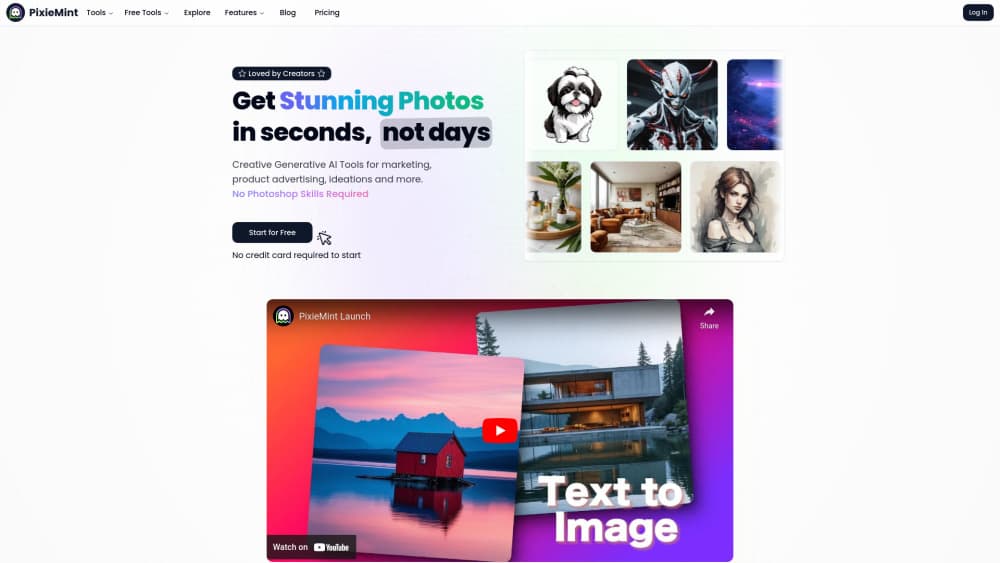
About PixieMint
What Is PixieMint
PixieMint is a subscription app that gathers several AI models behind one login. You pick a model per message, or let the app pick for you, and switch mid conversation when the first answer misses. Text, images, video, documents and voice all run inside the same window.
The company now trades under the Zemith name, and pixiemint.com forwards to zemith.com. Same app, new label. Worth knowing if you go looking for support pages or a store listing and find Zemith instead.
What it solves is subscription sprawl. One plan covers the flagship models from OpenAI, Anthropic, Google and xAI, plus open weight options from DeepSeek, Qwen, Kimi and Mistral. What it doesn't solve is depth. Heavy users hit credit ceilings, and the strongest models sit behind the Professional plan.
Getting Started
- Open pixiemint.com, which lands on zemith.com, and sign up with an email address or a Google account. The free plan needs no card.
- Pick a starting point: chat, Deep Research, Creative Studio or Workflow Studio. Set a default model once and new chats open with it.
- Ask a question and switch models from the message bar when the job changes, for example from a quick summary to a long document read.
- Add context with a file, a link or a screen share. Voice mode can look through your camera or screen on mobile.
- Save the result to the project library, export it as a document, or hand the task to a cloud agent and close the app.
Product Information
A quick look at PixieMint's pricing, supported platforms, and performance.
Best for
The users, tasks, and scenarios where this tool fits best.
Users
- Students and researchers
- Content creators
- Small teams without a technical buyer
Tasks
- Comparing answers from multiple AI models
- Turning a PDF or a YouTube link into notes
- Drafting a slide deck from a spreadsheet
- Running a recurring report
Scenarios
- Late night research before a meeting
- Keeping a client's brand assets consistent
- Covering a launch week alone
Key features
Multiple AI Models in One Chat
Every message lets you choose among GPT, Claude, Gemini, Grok, DeepSeek, Qwen, Kimi, Mistral, GLM and Perplexity Sonar. Switching mid thread keeps the context, which helps when a reasoning model stalls and a faster one can finish the job. Model access is the catch. The strongest options, including Claude Opus and the top GPT family, are reserved for Professional.
Deep Research With Sources
The research tool plans a search, reads the pages it finds, and writes an answer with citations you can open. It runs slower than a plain reply, usually minutes rather than seconds. That trade makes sense when the decision needs a paper trail, such as a vendor comparison or a market summary.
Creative Studio for Images and Video
Image work covers generation, background removal and product shots, drawing on models like Nano Banana, GPT Image, Flux and Recraft. Video adds short clips from Veo, Kling and Seedance, typically a few seconds per render. Video burns on demand credits that sit outside the monthly allowance.
Cloud Agents That Finish the Task
Hand the AI agent a job, close the app, and it keeps working on the server. It can read a launch plan, draft tracker rows, and create the items in your connected apps after asking for approval. What comes back is a document, a deck, a sheet or a PDF, not a chat transcript you still have to format.
Workflow Studio and Scheduling
A visual canvas chains models and tools into a repeatable pipeline, and the scheduler runs it on a cadence. Morning briefings, weekly sales reports and invoice reminders are the obvious uses. Building the first workflow takes patience, since each step needs its own prompt and its own check.
Voice and Screen Sharing
Real time voice mode can look through your camera or a shared screen, so you can point at a page and ask about it. On mobile the app turns into a tutor or a hands free assistant. Accuracy depends on lighting and on how steady you hold the phone.
Project Library and Document Tools
Files, sources and outputs collect in folders capped at 50 sources each, and notes and whiteboards sync without a manual step. Document to podcast and document to flashcards live in the same place. The library is what holds a long project together, instead of leaving you with a pile of single questions.
Pros and cons
Pros
- One bill covers the major model families, which usually costs less than two separate subscriptions.
- Model switching inside a thread keeps long research sessions in one window.
- Cloud agents keep working after you close the app and return finished files.
- The free plan works without a card, and the 4.6 store rating comes from a broad set of daily users.
Cons
- Credits run out faster than the headline usage multipliers suggest, especially with image and video work.
- The best models sit behind the Professional plan, so the cheaper plan shows only part of the catalogue.
- Video renders bill against separate on demand credits, which makes monthly budgeting awkward.
- The interface is dense. New users spend the first session hunting for the tools they came for.
Frequently asked questions
PixieMint is an AI chat app for work that spans several tools: drafting, research, image and video creation, document analysis and scheduled tasks. Instead of paying for one assistant per job, you use a single account and change the model or the tool inside the conversation.
Related content
Explore related tools, skills, and articles for PixieMint.
PixieMint Alternatives

Google EmbeddingGemma 2
Google DeepMind · Writing · Image · CodingGoogle EmbeddingGemma 2 is a 740M-parameter open model that turns text, code, images, audio, and video frames into vectors in one 768-dimension space, running on phones and laptops.

Tractionwave
TractionWave · Image · MarketingTractionWave is an AI attention heatmap tool for static ads. Upload a PNG or JPG and it returns predicted attention, ranked hotspots, and fixes before you spend budget.

Imejis.io
Imejis.io · Image · MarketingImejis.io is an AI design studio for agents and marketing teams. Describe an image in plain words, and it writes the copy, builds the layout, reflows it to every size, then exports a finished file.