

PIXLR
Pixlr Pte Ltd · Image
Pixlr is a browser photo editor that pairs layer based editing with AI image, video, and audio generation, and the core tools stay free.
About PIXLR
What Is Pixlr
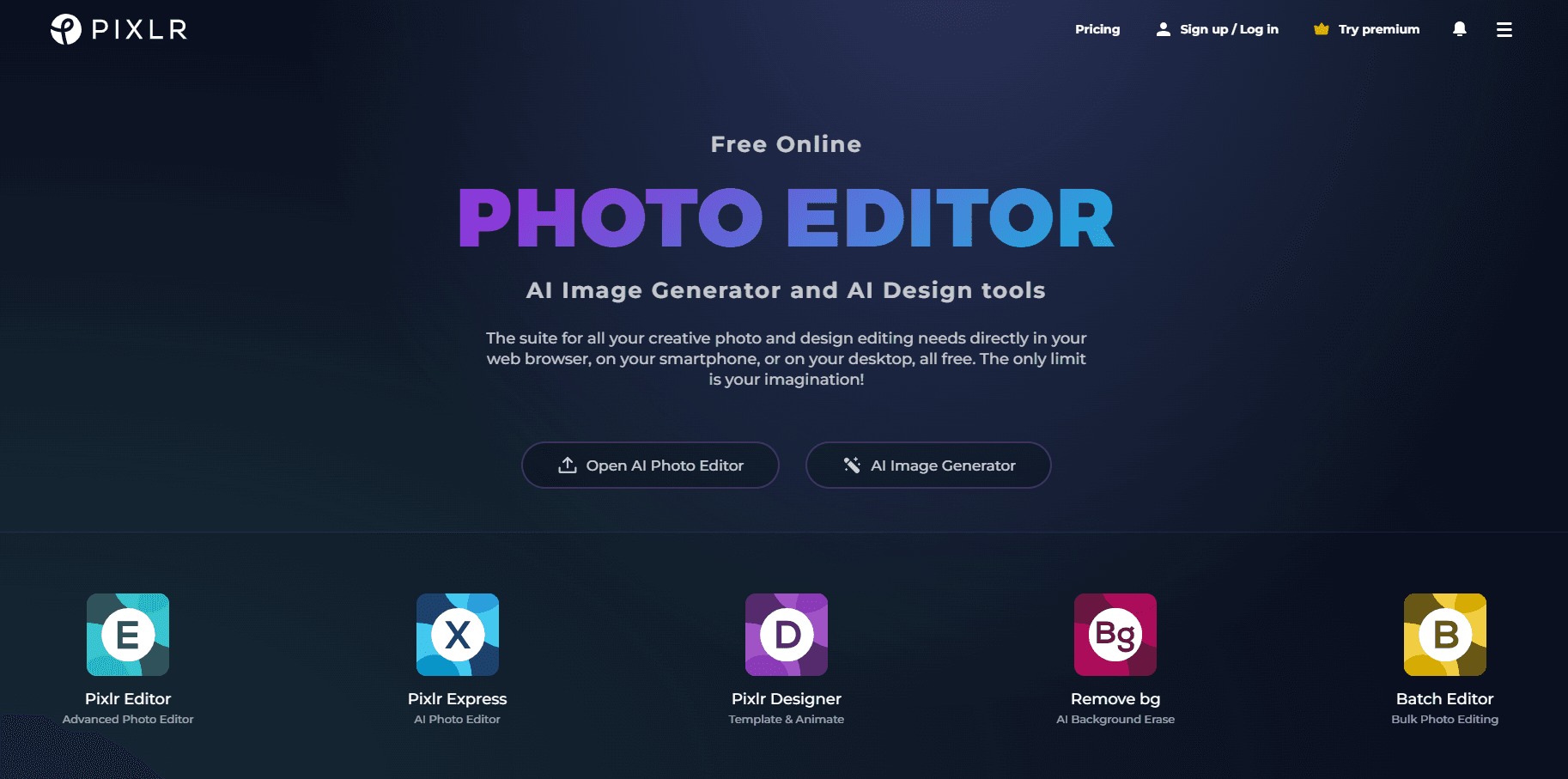
Pixlr is an online photo editor that has been running in a browser tab since 2008. The current version is much broader than the old image cropper people remember. It now bundles a layer based editor, a quick edit app called Pixlr Express, an AI image generator, a video generator, an audio generator, and about 20 cleanup tools under one login at pixlr.com. The site is operated by Pixlr Pte Ltd.
The pitch is convenience. You open a tab, drop in a photo, and start cutting. No install, no license key, no waiting for a desktop app to launch. Files open in seconds, and the layer editor handles the work most people used to open Photoshop for: masking, blending, text, adjustment layers, and export presets.
The limits show up on heavy jobs. Pixlr renders AI images and videos with credits, and each model costs a different amount, so a free account burns through its allowance fast. Print work is another weak spot. There is no CMYK workflow, so anything headed to a press still needs a different tool. Fine retouching with a pen tablet works, but the brush engine is thinner than what a full desktop suite offers.
Getting Started
- Go to pixlr.com and pick a starting point: Pixlr Express for quick edits, Pixlr Editor for layers, or one of the AI tools from the menu.
- Upload a file from your device, drag it onto the canvas, or paste a URL. Free accounts can also open recent work from the dashboard.
- Edit with the tool you need. In Pixlr Editor that means layers, masks, and adjustment panels. In the AI tools it means typing a prompt, brushing a selection, or choosing a style preset.
- Export as JPG, PNG, WebP, or PSD, then save to your device or push the file to a connected cloud account.
Product Information
A quick look at PIXLR's pricing, supported platforms, and performance.
Best for
The users, tasks, and scenarios where this tool fits best.
Users
- Casual editors
- Social media managers
- Students
- Small design teams
Tasks
- Removing a background from a product shot
- Extending a photo for a banner
- Making a quick social graphic
- Generating a short video from a still
Scenarios
- Editing on a locked down work laptop
- Last minute fixes before a client call
- Freelance work on a tight budget
Key features
Layer Based Editing in the Browser
Pixlr Editor gives you layers, blend modes, masks, adjustment layers, and a history panel without an install. It covers the retouching and compositing work that sends most people to a desktop app, and it opens PSD files. The interface will feel familiar if you have used Photoshop, minus the deepest color and automation tools.
AI Image Generator With Model Choice
The generator pulls from several external models, including Flux, Recraft, SDXL, Qwen, and Stable Diffusion, instead of locking you into one. You can generate from a text prompt alone or use a reference image for style transfer. Model choice matters because each one draws differently and each one costs a different number of credits.
Background and Object Removal
Two separate tools handle cleanup. The background remover isolates a subject in one click and exports a transparent PNG. The object remover works like a brush: you paint over a stranger in a holiday photo or a cable across a floor, and the area gets rebuilt from surrounding pixels. Both run in seconds.
Generative Fill, Expand, and Transform
Generative fill lets you select a region and describe what should appear there. Generative expand grows the canvas in any direction and fills the new space. Generative transform moves, resizes, or rotates an object and rebuilds whatever it uncovers. Together they turn a cropped photo into something you can reframe for a different format.
Pixlr Agent for Multi Step Jobs
Pixlr Agent chains generation, editing, and effects into a repeatable workflow instead of a single prompt. You pick a template for social posts, branding, or product shots, or build a session from scratch. It is the closest thing here to an automation layer, and it saves the manual step hopping on recurring jobs.
AI Video and Audio Tools
The video generator turns text or a still image into a short clip using models such as Kling, Veo, and Seedance. The audio tools cover speech generation and music from providers like ElevenLabs. Both live in the same credit pool as image generation, so a heavy video day eats the allowance that would have gone to images.
Pros and cons
Pros
- The free plan is genuinely usable, with the full editor and 20 plus tools rather than a crippled demo.
- Everything runs in a browser, so Chromebooks, locked down work laptops, and borrowed machines all work.
- Model variety in one place means you can compare Flux, Recraft, and SDXL output without paying three subscriptions.
- PSD import and export keep existing layer files usable instead of forcing a rebuild.
- Entry pricing is low at $2.49 a month, and you can cancel without a phone call.
Cons
- Credits, not features, are the real ceiling. A single pro image can cost several credits, so the 80 credits on Plus disappear quickly.
- Free accounts see ads and hit save and export limits, which gets annoying on a deadline.
- There is no CMYK support or soft proofing, so print shops will reject files that look fine on screen.
- The desktop app is a packaged version of the web editor rather than a native build, and offline work is limited.
Frequently asked questions
Yes, for the core editor. You get the full Pixlr Editor, Pixlr Express, and access to the AI tools with a small credit allowance. Ads and limits on saves and exports are the tradeoff, and the Plus plan at $2.49 a month removes both.
Related content
Explore related tools, skills, and articles for PIXLR.
PIXLR Alternatives

Google EmbeddingGemma 2
Google DeepMind · Writing · Image · CodingGoogle EmbeddingGemma 2 is a 740M-parameter open model that turns text, code, images, audio, and video frames into vectors in one 768-dimension space, running on phones and laptops.

Tractionwave
TractionWave · Image · MarketingTractionWave is an AI attention heatmap tool for static ads. Upload a PNG or JPG and it returns predicted attention, ranked hotspots, and fixes before you spend budget.

Imejis.io
Imejis.io · Image · MarketingImejis.io is an AI design studio for agents and marketing teams. Describe an image in plain words, and it writes the copy, builds the layout, reflows it to every size, then exports a finished file.