

Pizi AI
Pizi · Productivity
Pizi AI, branded as Maya, is an AI file assistant you text on WhatsApp. It pulls answers out of multiple PDFs, drafts and sends documents, and makes phone calls for you.
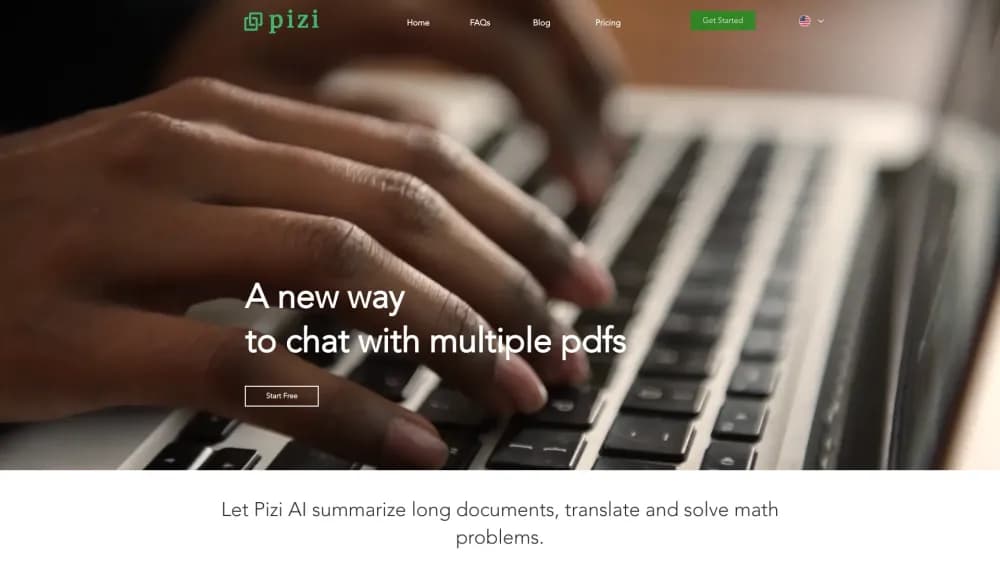
About Pizi AI
What Is Pizi AI
Pizi AI is an AI file assistant built on top of WhatsApp, and the assistant has a name: Maya. There's no app to install and no dashboard to learn. You open a chat, send the first message, and that message counts as the signup. Everything after it works like text messaging a colleague.
The job it solves is the one that eats an afternoon: finding the number buried in page 40 of a contract, comparing an invoice against a payslip, keeping track of who owes you a reply. Pizi is set up to handle those requests across more than one PDF at a time, rather than one document per conversation. Ask a question about three quotes and it works across all three. The assistant also drafts emails, writes messages to other people, sets reminders, and places real phone calls on a regular line.
The catch is scope and permission. Every message, email and call that goes out in your name waits for your approval, which adds a step to anything urgent. Calls are recorded and kept in your account. And the service runs on a credit system, so usage costs money past the two week trial.
Getting Started
- Send a WhatsApp message to Maya. The first message you type is your signup, so there's no separate form to fill in.
- Send or snap a document. An invoice, a payslip, a contract: Maya accepts a photo or a file and reads it.
- Ask for what you need in plain words. "What's the payment deadline on this one" or "Compare the totals in these three quotes" both work.
- Review the draft before it leaves. Maya prepares the email, the reply or the booking and waits for your OK.
- Approve it, and she handles the rest. You get a confirmation, plus a transcript and summary if a call was involved.
Product Information
A quick look at Pizi AI's pricing, supported platforms, and performance.
Best for
The users, tasks, and scenarios where this tool fits best.
Users
- Freelancers and small business owners
- Lawyers and paralegals
- People who avoid new apps
Tasks
- Extracting numbers from a stack of PDFs
- Turning a document into an email
- Sorting out a booking or a service line
- Keeping track of replies and errands
Scenarios
- Month end at a one person business
- Comparing supplier quotes before a purchase
- A busy day away from a desk
Key features
Chat Across Multiple PDFs
This is the core of the AI file assistant: you can chat with multiple PDFs at once. Send more than one document into the conversation and ask questions that span them: which invoice is highest, whether two contracts disagree, where a payment date differs. Working across files in one thread saves you from opening each one on a phone screen and holding numbers in your head.
Document Data Extraction
Think of it as a PDF data extraction tool that runs in a chat. Snap an invoice, a payslip or a receipt and Maya reads the fields you care about. The output stays in the chat, so you can copy a figure straight into your own records or ask a follow up question about the same document. For invoice extraction and payslip checks, it replaces retyping, not bookkeeping.
Real Phone Calls in Her Own Voice
As an AI phone call assistant, Maya dials restaurants, clinics and service lines on a regular phone line, introduces herself as an AI assistant, waits on hold and comes back with a confirmation. You get the transcript and a summary on WhatsApp, and the recording stays in your account. That's the part most AI assistants skip.
Draft and Approve Messages
Every email, WhatsApp message or booking that goes out under your name waits for approval first. Reply "yes" and it ships. The approval gate is what keeps an assistant this hands-on from embarrassing you in front of a client.
Reminders and Memory
As a document analysis assistant, she also remembers who Dana is, when the appointment is and what you took, and returns reminders on time. Ask "What's on today?" and you get the whole day in one message instead of three tabs.
Email and Calendar Connection
Connect a mailbox and calendar if you want them in the loop. After that, Maya can tell you who's waiting on a reply and what's urgent. Connections stay optional, so the assistant works without them if you'd rather keep work mail separate.
Credit Based Usage
Every action draws on credits, calls included. Plans start with 700 credits a month, and extra credits you buy never expire. You get a warning at 80% of your balance, and Maya pauses at zero until the plan renews.
Pros and cons
Pros
- Runs inside WhatsApp, so there's no app to install and no new interface to learn.
- Handles questions across several PDFs in one conversation, which is more than most chat with PDF tools offer.
- Real phone calls with a transcript turned into a summary, useful for bookings and service lines.
- Approval before anything goes out in your name keeps mistakes from reaching clients.
- The 14 day trial includes every capability and 300 credits, with no card needed.
Cons
- The approval step adds friction to urgent sends, since nothing leaves until you reply.
- Credits don't roll over at the end of a billing period, so a quiet month wastes part of the plan.
- Calls are recorded and stored in your account, which some workplaces won't accept for client conversations.
- There's no published developer API, so teams that want document extraction inside their own software can't wire it in.
- Phone call features lean on Hebrew language markets, which limits usefulness if your contacts aren't there yet.
Frequently asked questions
It's an AI file assistant that lives in WhatsApp. You send documents, ask questions about them, and the assistant returns answers, drafted emails, reminders and phone call results, with your approval before anything goes out.
Related content
Explore related tools, skills, and articles for Pizi AI.
Pizi AI Alternatives

Base Code
Base44 (Wix) · Coding · ProductivityBase Code is a shared cloud development environment from Base44. Teammates describe changes to an existing GitHub codebase in chat, preview them live and send them back as pull requests.

Knocket
Knocket (Tencent RTC team) · Productivity · Business · ChatbotKnocket is a free live chat and contact page tool that lets visitors message you from your website, app, or a shareable link, with every reply handled from Telegram or one inbox.

FloorGen
Vinit Kumar (FloorGen) · Productivity · China AIFloorGen is a browser-based floor plan maker that turns a sentence or a sketch into an editable 2D plan and a 3D walkthrough. Export to PDF, DXF or video, and draw without an account.