

Planable: social media app
Planable · Productivity · Marketing
Planable is a collaboration-first social media management tool where teams draft, review, approve, and schedule posts together. Analytics and engagement add-ons extend it.
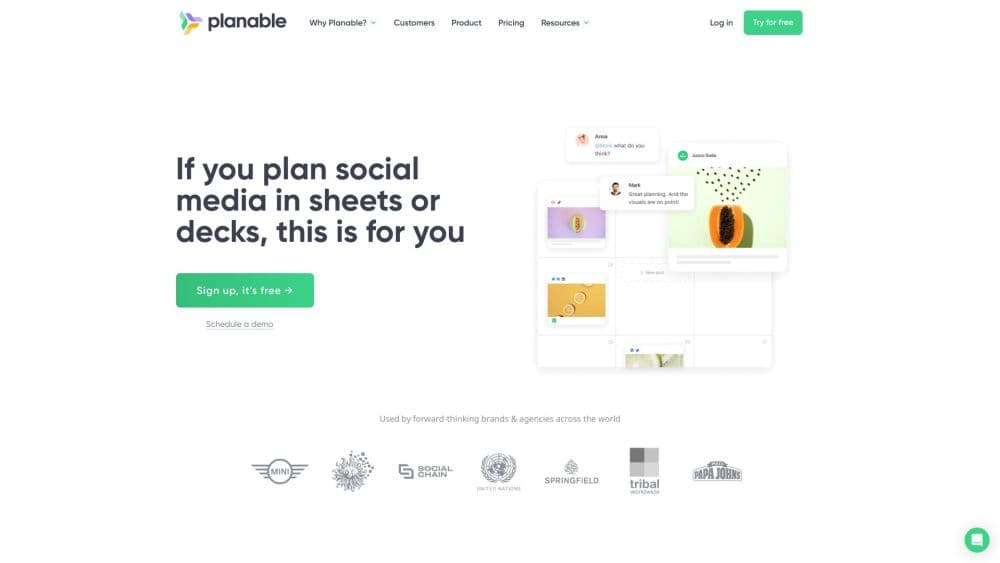
About Planable: social media app
What Is Planable
Planable is a social media collaboration platform built around a single idea: content should get signed off before it goes live. Instead of passing drafts through email threads and spreadsheets, teams work inside shared workspaces where every post shows a live preview that looks like the native social app. Comments, edits, and approvals sit right next to the content, so nothing gets lost between tools.
The product solves a common bottleneck for agencies and in-house teams. A post usually touches several people: the person who writes it, the designer who adds visuals, the manager who checks the brand, and the client who gives the final green light. Planable turns that chain into a visual, step-by-step flow. Most social tools treat approval as an afterthought. Here it's the starting point.
The limits are fairly clear. Each workspace carries a cap on posts and connected social pages, so high volume publishers need a larger plan. A workspace maps to one brand or client, which keeps things tidy but means a growing roster adds up. The AI writing help focuses on rewriting and generating posts rather than full campaign strategy, so it assists rather than replaces the person planning the calendar.
Getting Started
- Sign up at planable.io and start the free trial, which includes 50 posts and needs no credit card.
- Create a workspace for one brand or client, then connect the social pages you manage.
- Draft the first post, add visuals from the media library, and set a publish date on the calendar.
- Invite teammates and clients, then route the post through an approval flow you define.
- Approve the post, let it publish on schedule, and track results if you've added analytics.
Product Information
A quick look at Planable: social media app's pricing, supported platforms, and performance.
Best for
The users, tasks, and scenarios where this tool fits best.
Users
- Social media managers
- Marketing agencies
- Small brand teams
Tasks
- Routing posts for approval
- Planning a content calendar
- Giving precise feedback
- Tracking performance
Scenarios
- A weekly client review
- A multi brand agency sprint
- An established posting rhythm
Key features
Collaboration-First Approval Workflows
Approval is the core of the product, not a side feature. You choose an approval workflow per workspace, from no approval needed to optional review to a required multi-level sign-off, and posts move through it step by step with a clear green light before publishing. A kanban approvals tab shows what's still waiting, so no post quietly slips past review.
Live Post Previews
Every draft renders as it will appear on the destination platform, in a feed, grid, or calendar view. Reviewers see the real layout without clicking through to a preview tool. That shared picture is what makes feedback specific, because everyone is looking at the same thing at the same time.
Multiple Content Views
Planable offers feed, calendar, grid, and list views depending on your plan. The calendar carries actual post previews, the grid planner mirrors an Instagram profile layout, and the list view enables bulk actions. Teams pick the view that matches how they think about the month.
Labels, Campaigns, and Media Library
Labels group posts by campaign or content pillar, and campaigns keep a push together across channels. A shared media library holds the assets everyone draws from, so the same visual isn't uploaded twice. Custom views and filters save the slices a manager checks most often.
Analytics and Social Inbox Add-Ons
Two optional add-ons extend the core tool. Analytics brings cross channel performance data, page and post metrics, audience insights, and customizable client ready reports. The social inbox gathers comments and direct messages from connected pages into one place, with AI suggested replies and sentiment sorting.
Public API and MCP Connector
The Pro plan includes a public API for building custom integrations, plus an MCP connector that links an AI assistant to Planable so it can create and manage content across workspaces. Teams that want to wire social planning into their own stack have a documented path rather than a workaround.
Pros and cons
Pros
- The approval workflow is the foundation, so drafts, comments, and sign-off stay in one place instead of spread across email and chat.
- Live previews of posts in the native platform layout make client feedback concrete and cut revision back and forth.
- A public API and an MCP connector on the Pro plan let teams extend the tool and connect AI assistants.
- Unlimited users on every paid plan means you can invite clients and stakeholders at no extra seat cost.
Cons
- Each plan caps posts and connected social pages per workspace, so heavy publishers hit the ceiling and need a bigger tier.
- Workspaces map one-to-one to brands or clients, which adds up in cost for agencies juggling a large roster.
- Analytics and the social inbox are paid add-ons rather than part of the base plan, so a full feature set costs more than the headline price.
- The free trial runs on a fixed 50 posts that don't reset monthly, so it tests the tool rather than supporting ongoing free use.
Frequently asked questions
Planable is a social media management tool built around team collaboration and a shared content calendar. Teams use it to draft, review, approve, and schedule posts for social media platforms including Facebook, Instagram, LinkedIn, X, TikTok, YouTube, Pinterest, Threads, and Google Business Profile, all from shared workspaces.
Related content
Explore related tools, skills, and articles for Planable: social media app.
Planable: social media app Alternatives

Base Code
Base44 (Wix) · Coding · ProductivityBase Code is a shared cloud development environment from Base44. Teammates describe changes to an existing GitHub codebase in chat, preview them live and send them back as pull requests.

Knocket
Knocket (Tencent RTC team) · Productivity · Business · ChatbotKnocket is a free live chat and contact page tool that lets visitors message you from your website, app, or a shareable link, with every reply handled from Telegram or one inbox.

FloorGen
Vinit Kumar (FloorGen) · Productivity · China AIFloorGen is a browser-based floor plan maker that turns a sentence or a sketch into an editable 2D plan and a 3D walkthrough. Export to PDF, DXF or video, and draw without an account.