

PlanEat AI
Valery Torianyk · AI Assistant
PlanEat AI is an AI meal planner that turns a short list of preferences into a full 7-day menu, calorie targets, and a grouped grocery list. It's built for people who want weekly meal planning to take a few minutes instead of eating up an evening of scrolling recipes and second-guessing dinner. You tell it your goals, the foods you won't eat, and how much time you have to cook, then it fills the week with meals you can realistically make on an ordinary weeknight.
About PlanEat AI
What Is PlanEat AI
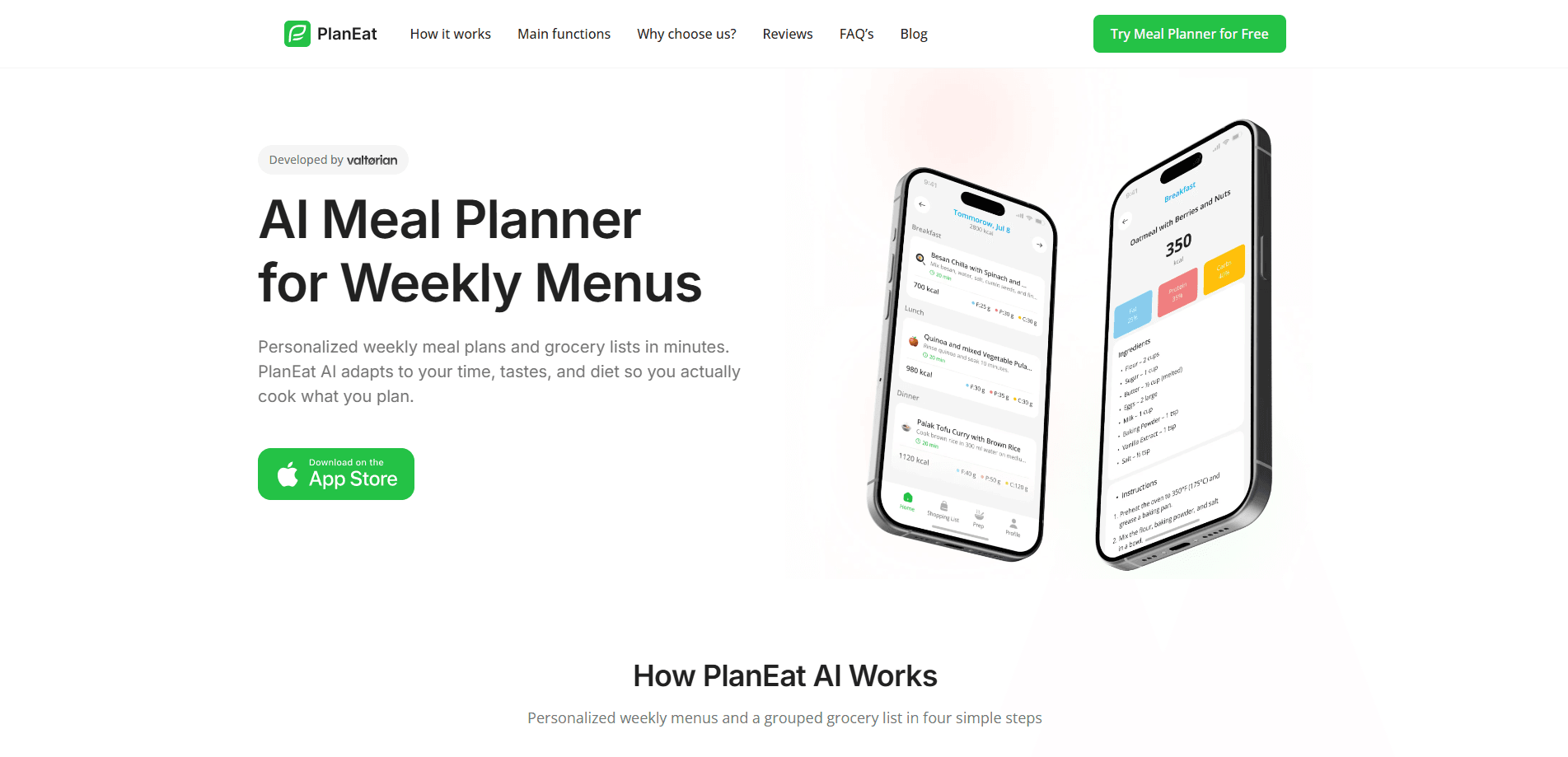
PlanEat AI is a mobile meal planning app for iOS. Think of it as a dinner planner that runs on your own inputs. It sits in the same slot as a paper planner or a saved recipe folder, except the menus come from you. Pick a goal, list dislikes and allergies, set a rough budget and time limit. The app returns a weekly plan with matching recipes and a shopping list that follows the menu.
The appeal is that it doesn't pretend you'll follow a food-blog diet. Menus lean on common supermarket ingredients and short cooking steps, so the plan is one you can actually keep. Calorie and protein targets are handled in the background for people working toward weight loss, weight gain, or a training goal.
The main limitation is scope. PlanEat AI is iOS-only right now, it runs as an app rather than a full web dashboard, and there's no public API to wire it into other tools. If you plan meals on a laptop or want your menu to sync through a third-party service, you'll hit a wall.
Getting Started
- Download PlanEat AI from the App Store and create an account.
- Enter your preferences: dietary style, ingredients to avoid, allergies, budget, and how long you're willing to cook.
- Set a goal such as losing weight, gaining weight, or maintaining, and let the app suggest calorie and protein targets.
- Generate your weekly or monthly plan and review the menus it produces.
- Pull up the grouped grocery list, shop once, and cook through the week.
Product Information
A quick look at PlanEat AI's pricing, supported platforms, and performance.
Best for
The users, tasks, and scenarios where this tool fits best.
Users
- Busy professionals
- Families and couples
- People with weight or training goals
- Picky eaters
Tasks
- Building a weekly meal plan
- Making a grocery list
- Meal prep and batch cooking
- Hitting a macro target
Scenarios
- Sunday planning sessions
- Weeknight dinners after work
- Training weeks
- Starting out with meal planning
Key features
Personalized weekly menus
PlanEat AI builds a 7-day meal plan from your preferences instead of handing you a generic list. You set dislikes, allergies, budget, and cooking time, and the menus respect those limits. The result reads closer to something a person would actually cook on a Tuesday. Not an aspirational diet sheet.
Calorie and protein targets
For people tracking weight or performance, the app folds calorie and protein goals into the plan rather than leaving them as separate numbers. Menus aim at the target across the week. You don't do the arithmetic yourself. It won't replace a food log if you want precise tracking. Still, it keeps the plan on course.
Grouped grocery lists
Every plan comes with a shopping list grouped by category, which is the part most meal planners skimp on because it's the tedious half of the job. The list follows the menu, so you shop once and skip extra trips. This is also where the waste savings show up. You buy what the week actually needs.
Meal prep and batch cooking
The app supports batch-friendly scheduling, so staples get cooked once and reused across meals. If you like the "meal prep Sunday" approach, it lays out what to prepare ahead. What does that buy you? Fewer decisions on weeknights. That structure is what makes the week hold together. Busy evenings fall apart without it.
Recipe cards with simple steps
Recipes favor common supermarket ingredients and short instructions. There's no hunt for a rare product or an hour-long method you'll abandon after one try. For beginners, that lower bar matters. It's the difference between finishing the week and giving up by Wednesday.
Monthly planning option
Beyond the weekly menu, PlanEat AI can generate a longer monthly plan with a matching shopping list and instructions. It's useful when you want less week-to-week thinking. A month is a lot of food to commit to if your schedule shifts, so treat it as a rough guide.
Pros and cons
Pros
- Turns a full 7-day menu, calorie targets, and a grocery list into a few minutes of setup.
- Strong preference handling, including dislikes and allergies, so menus stay edible for picky households.
- Recipes rely on everyday supermarket ingredients, which keeps shopping and cooking realistic.
- Grouped shopping lists reduce waste and cut return trips to the store.
- Supports both weight loss and weight gain goals with practical targets.
Cons
- iOS-only, so Android users and anyone planning meals on a laptop are left out.
- A month of planning can lock you into menus before your schedule settles, since plans aren't built for last-minute swaps.
- No public API means you can't connect the menus or shopping lists to other apps or a shared family calendar.
Frequently asked questions
It builds personalized weekly meal plans and a matching grocery list from your preferences, goals, and cooking constraints. You get menus, recipes, and calorie targets in one place instead of juggling several apps.
Related content
Explore related tools, skills, and articles for PlanEat AI.
PlanEat AI Alternatives

Iplan AI
Iplan AI · Productivity · AI AssistantIplan AI is an AI travel planner that turns a few trip details into a full day-by-day itinerary in seconds. You answer questions about your destination, interests, budget, and travel companions, and the tool builds a plan you can edit, share, and carry with you on any device. It targets travelers who want a solid draft without spending hours in spreadsheets and browser tabs. Think of it as an itinerary generator that does the tedious part for you.

Screenhelp
Screenhelp · Productivity · AI AssistantScreenhelp is an AI screen assistant that turns a single keyboard shortcut into real-time help. You press Ctrl+Shift+Space, it captures what's on your screen, and it streams an answer into a private panel in about two seconds. Think of it as an AI screenshot helper you trigger on demand. It runs on Mac, Windows, and the web, starts free with 30 answers a month, and stays invisible during screen sharing on Zoom, Teams, and Google Meet.

Rainbow
Rainbow · AI AssistantRainbow is an AI weather forecast app built around short-term precipitation nowcasting. Its engine pushes min-by-min rain and snow predictions up to four hours ahead, blending live satellite and radar feeds into hyperlocal forecasts. The app adds live rain radar, a seven-day outlook, precipitation alerts, home-screen widgets, and a hurricane tracker, and it runs on both Android and iOS with a free tier plus paid upgrades.