

Plansera AI
Plansera · AI Assistant
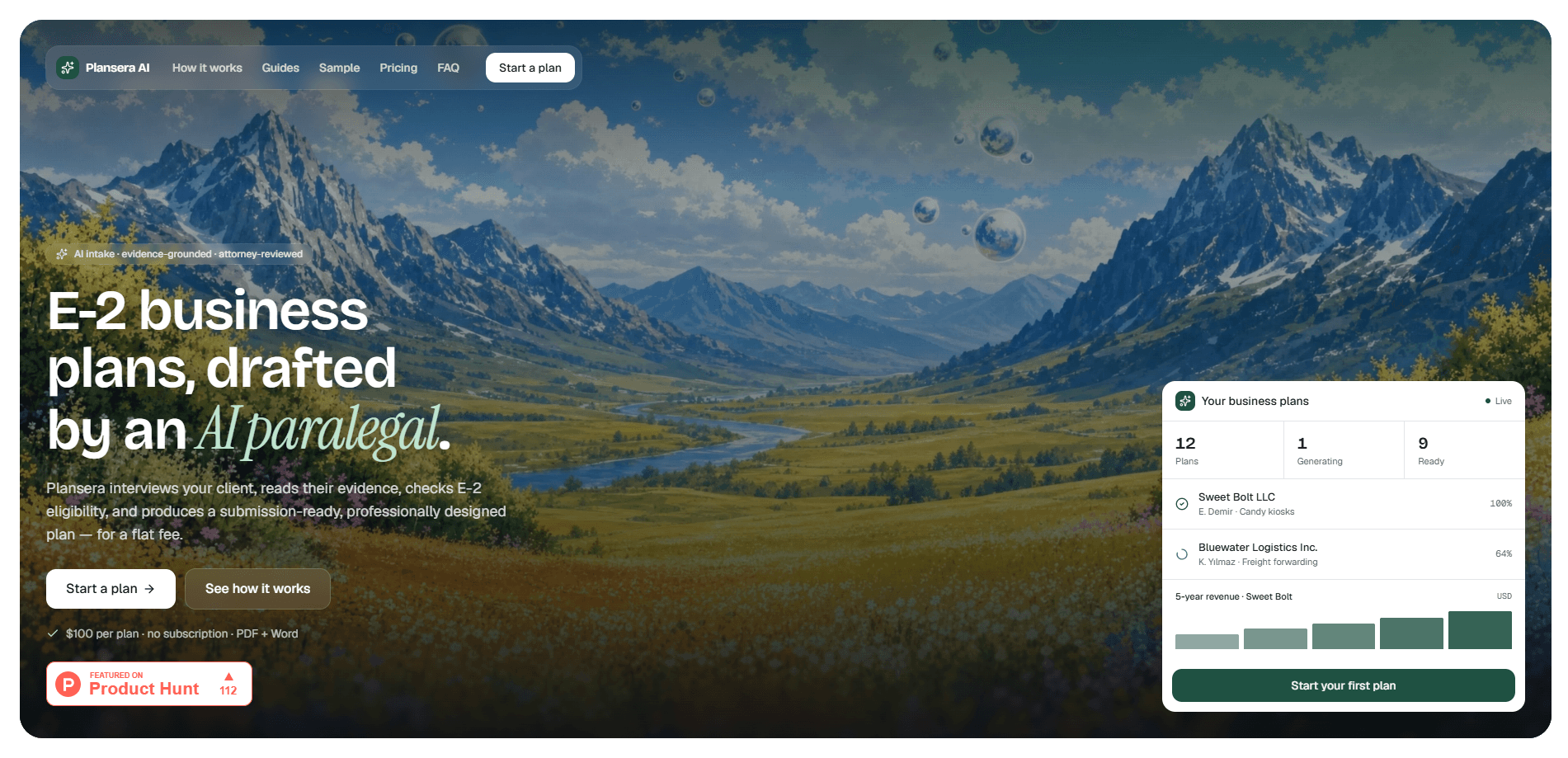
Plansera AI is an AI paralegal for U.S. immigration attorneys who file E-2 treaty-investor cases. It works as an E-2 business plan generator: it interviews a client in plain language, reads the documents they upload, runs an E-2 eligibility check, and produces a submission-ready business plan as a designed PDF plus an editable Word file. Pricing is a flat $100 per plan, with no seats and no subscription.
About Plansera AI
What Is Plansera AI
Plansera AI builds the business plan that sits at the center of an E-2 treaty-investor filing. Instead of hiring a consultant or writing from scratch, an attorney starts a plan, drops in the client's evidence, and lets the tool assemble the document.
The product targets the messy part of E-2 work. Client intake, source-of-funds tracing, and five-year financial projections usually eat hours of billable time. Plansera AI pulls those into one flow, then hands back a file you can review and submit. That's the pitch.
The biggest limit is scope. It covers E-2 treaty-investor plans and nothing else. If you handle EB-5, L-1, or general business planning, this won't replace your current process. The other limit is human review: the output still needs an attorney's eyes before it goes to a consular officer. No exceptions.
Getting Started
- Create your account and start a new plan by entering the company and investor basics.
- Pay the flat $100 fee through Stripe to open the case file.
- Chat with the assistant and upload the client's documents, such as bank statements, leases, and invoices.
- Review the E-2 eligibility check and the categorized use-of-funds breakdown, then approve the figures.
- Generate the plan and download it as a PDF and an editable Word document.
Product Information
A quick look at Plansera AI's pricing, supported platforms, and performance.
Best for
The users, tasks, and scenarios where this tool fits best.
Users
- Immigration attorneys handling E-2 treaty-investor filings
- Paralegals and case managers
- Law firms that file E-2 cases in volume
Tasks
- Drafting an E-2 visa business plan
- Checking E-2 eligibility
- Building five-year financial projections
- Preparing a submission-ready file
Scenarios
- An attorney with a client whose bank statements and lease need to be turned into a coherent funding story.
- A firm that wants a first draft ready for review the same day it finishes intake.
- A client call where you need to explain the eligibility gaps before committing to a full plan.
Key features
Conversational Intake That Reads Documents
The assistant interviews the client in everyday language, then reads the files they upload, like bank statements, leases, and invoices, and fills the case file from them. That means the client answers a short set of questions instead of completing a long intake form, and the evidence lands in the plan without manual rekeying. Less typing. Fewer typos.
E-2 Eligibility Check
Before anything ships, the tool checks the five pillars of an E-2 case: substantial investment, capital at risk, a traceable source of funds, a non-marginal enterprise, and a directing role for the investor. Attorneys get a read on weak spots early, which matters when a gap means a refusal rather than a delay. Fix it before you file.
Deterministic 5-Year Financials
Plansera AI generates five-year projections, cash flow, and break-even as tables and charts, and it does so deterministically, so the same inputs produce the same numbers. You can defend the figures because they follow from the assumptions you approved, not from a model guessing at values. Same case, same math.
Use-of-Funds Breakdown
The plan includes a categorized use-of-funds breakdown that the client reviews and approves before generation. Getting a client to sign off on how the money is allocated up front reduces back-and-forth later, and it lines the document up with the source-of-funds evidence in the file.
Submission-Ready PDF and Editable Word
Every plan comes out as a professionally designed PDF for filing and an editable Word document for tweaks. The Word file matters when a case needs a small wording change that doesn't justify regenerating the whole plan. Small edits, no rebuild.
Flat $100 Pricing
Each business plan costs a flat $100, paid through Stripe, with no subscription and no per-seat charge. For a firm that files occasionally this avoids a monthly commitment, and for a busy practice the per-plan cost stays easy to pass through or absorb. Simple as that.
Pros and cons
Pros
- Flat $100 per plan with no subscription or seat fees, so cost is predictable.
- Reads client documents and builds the plan from them instead of a generic template.
- Runs an E-2 eligibility check before generating, catching weak points early.
- Delivers both a designed PDF and an editable Word file.
- Deterministic financials are easy to explain and defend to a client.
Cons
- Only covers E-2 treaty-investor plans, so firms with EB-5 or L-1 work still need other tools.
- No free plan or trial, meaning you pay $100 before you can test the output on a real case.
- Output still requires attorney review, which adds time for anyone expecting a finished filing.
- No public API, so it won't slot into an existing case-management system automatically.
Frequently asked questions
It's used to produce E-2 treaty-investor business plans. An attorney starts a plan, the client's documents are read automatically, and the tool outputs a submission-ready PDF and an editable Word file.
Related content
Explore related tools, skills, and articles for Plansera AI.
Plansera AI Alternatives

Iplan AI
Iplan AI · Productivity · AI AssistantIplan AI is an AI travel planner that turns a few trip details into a full day-by-day itinerary in seconds. You answer questions about your destination, interests, budget, and travel companions, and the tool builds a plan you can edit, share, and carry with you on any device. It targets travelers who want a solid draft without spending hours in spreadsheets and browser tabs. Think of it as an itinerary generator that does the tedious part for you.

Screenhelp
Screenhelp · Productivity · AI AssistantScreenhelp is an AI screen assistant that turns a single keyboard shortcut into real-time help. You press Ctrl+Shift+Space, it captures what's on your screen, and it streams an answer into a private panel in about two seconds. Think of it as an AI screenshot helper you trigger on demand. It runs on Mac, Windows, and the web, starts free with 30 answers a month, and stays invisible during screen sharing on Zoom, Teams, and Google Meet.

Rainbow
Rainbow · AI AssistantRainbow is an AI weather forecast app built around short-term precipitation nowcasting. Its engine pushes min-by-min rain and snow predictions up to four hours ahead, blending live satellite and radar feeds into hyperlocal forecasts. The app adds live rain radar, a seven-day outlook, precipitation alerts, home-screen widgets, and a hurricane tracker, and it runs on both Android and iOS with a free tier plus paid upgrades.