

PlantIn Plant Identifier, Care
Vortemol Limited · Image · Leaning
PlantIn is an AI plant identifier and care app that names species from a photo, diagnoses disease, and builds a care schedule with watering and light reminders.
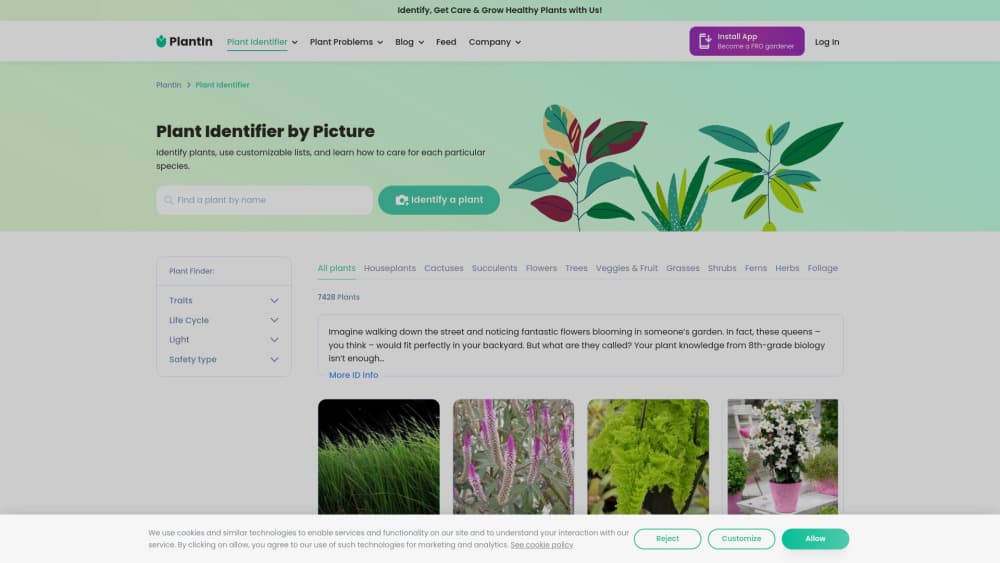
About PlantIn Plant Identifier, Care
What Is PlantIn
PlantIn is an AI plant care and identification app for phones and the web. You point your camera at a plant, and the app tells you what it is, what might be wrong with it, and how to keep it alive. It launched in 2020, built by brothers Mykhaylo and Dmytro Grynets, and it now reports more than 40 million users.
The app leans on machine learning and a database that covers over 17,000 species. PlantIn states a 98% identification accuracy rate for its own model. Alongside identification sits a disease diagnosis tool, a care planner with reminders, a light meter and a water calculator, plus a human botanist you can message when the automated answer isn't enough. Mushroom, tree, and weed identification round out the set.
The main catch is the paywall. Identification works on a free account, but the care plans, the botanist access, and the diagnostic tools sit behind a subscription. The app also depends on photo quality, so a blurry or poorly lit shot can throw off the result.
Getting Started
- Download the PlantIn app for iOS or Android, or open the website in a browser.
- Create a free account so your plants sync across devices.
- Take a photo of a plant, or upload one from your camera roll, and let the identifier name it.
- Add the plant to your list and set its care schedule, with watering and light reminders.
- Snap a photo of a sick plant to run diagnosis, or send a question to a botanist if you need a human answer.
Product Information
A quick look at PlantIn Plant Identifier, Care's pricing, supported platforms, and performance.
Best for
The users, tasks, and scenarios where this tool fits best.
Users
- New plant owners
- Hobby gardeners
- Mushroom foragers
- Students and teachers
Tasks
- Naming an unknown plant
- Diagnosing a sick plant
- Scheduling care
- Measuring light
- Finding fungi on a walk
Scenarios
- Rescuing a wilting plant
- Building a first collection
- Foraging season
Key features
AI plant identification
The identifier turns a photo into a species name, working from a database of more than 17,000 plants. You take a shot or upload one, and the app returns the match with photos and a care page attached. PlantIn reports a 98% accuracy rate for its own model. A clear, well-lit photo of a single plant gives the best result.
Disease and pest diagnosis
Send a photo of a sick plant and the diagnostic tool points to a likely disease or pest, then suggests how to treat it. It draws on a database of plant symptoms built alongside the identification model. For someone who can't tell an overwatered leaf from a fungal spot, that first read saves a lot of trial and error.
Personalized care plans
Each plant gets its own schedule based on the species and its environment. The app sets watering and light reminders, and tracks tasks so nothing slips. You adjust the plan as you learn what a plant actually needs, which matters because two plants of the same species can want different care in different rooms.
Botanist help
When the automated answer falls short, you can send a question to a real botanist through the app. You fill out a form describing the plant and the problem, and a specialist replies with advice. It's the human backstop for the cases a model gets wrong, and it comes with a paid subscription.
Light meter and water calculator
The light meter measures the light in a spot so you can match a species to a window. The water calculator works out how much water a plant needs instead of leaving you to guess. Both turn vague advice into a number, which suits anyone who's overwatered a plant by accident.
Mushroom, tree, and weed identification
Separate tools identify mushrooms, trees, and weeds, aimed at foragers and gardeners rather than houseplant owners alone. The mushroom identifier shows species details and background while you're outdoors. It's a wider net than most plant apps cast, and it makes the product useful past the windowsill.
Pros and cons
Pros
- One app covers identification, diagnosis, and a care schedule, so you don't juggle several tools.
- The database spans over 17,000 species, and the identifier handles houseplants, weeds, trees, and mushrooms.
- Care reminders and plans keep a routine on track, which helps people who forget to water.
- A free account lets you test identification before you pay, and academic users get Premium free.
- Botanist access adds a human check when the model's answer doesn't fit.
Cons
- The care plans, diagnosis, and botanist help need a paid subscription, so the free tier is limited.
- Identification leans on photo quality, and a blurry or cluttered shot can return the wrong species.
- Mushroom identification should never replace expert verification before you eat anything you find.
- The product is strong on plant care but thin on deep horticultural data, so serious growers may want a reference beyond it.
Frequently asked questions
PlantIn is an app for identifying and caring for plants. You take a photo, and it names the species, checks for disease, and sets a care schedule with watering and light reminders. It runs on iOS, Android, and the web.
Related content
Explore related tools, skills, and articles for PlantIn Plant Identifier, Care.
PlantIn Plant Identifier, Care Alternatives

Google EmbeddingGemma 2
Google DeepMind · Writing · Image · CodingGoogle EmbeddingGemma 2 is a 740M-parameter open model that turns text, code, images, audio, and video frames into vectors in one 768-dimension space, running on phones and laptops.

Tractionwave
TractionWave · Image · MarketingTractionWave is an AI attention heatmap tool for static ads. Upload a PNG or JPG and it returns predicted attention, ranked hotspots, and fixes before you spend budget.

Imejis.io
Imejis.io · Image · MarketingImejis.io is an AI design studio for agents and marketing teams. Describe an image in plain words, and it writes the copy, builds the layout, reflows it to every size, then exports a finished file.