

PlantNet Plant Identification
Pl@ntNet (CIRAD, INRAE, INRIA, IRD) · Image
Pl@ntNet is a free plant identifier online and app that names tens of thousands of species from a photo. It runs on a citizen science database shared worldwide for botanical identification.
About PlantNet Plant Identification
What Is Pl@ntNet
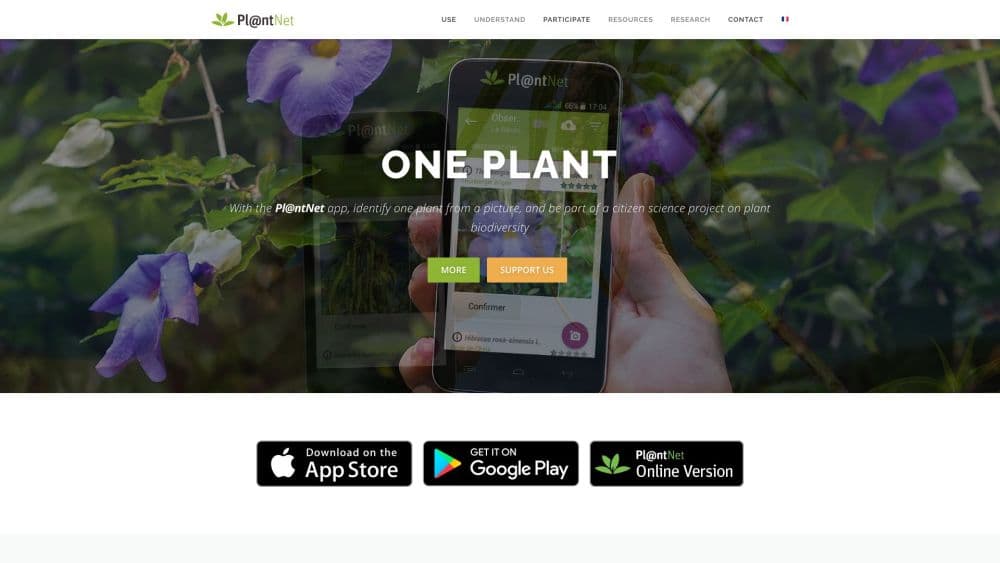
Pl@ntNet is an AI plant identifier built by a group of French research institutes, and it does one job very well: you take a picture of a plant, and it tells you the species. It works as a mobile app on Android and iOS, and as a web tool you can open in a browser. A separate developer API lets apps and services tap the same identification engine.
The project started in 2009 as a research effort and put out its first app in 2013. Since then it has grown into one of the largest biodiversity observatories anywhere, with several million contributors across more than 200 countries. Every photo you confirm gets reviewed by the community, and the strongest observations feed back into the model. The AI is retrained roughly once a month to fold in new data.
Two things set Pl@ntNet apart from the flood of plant ID apps. First, it is genuinely non-profit and research-backed, so the free tier is generous and the data flows back into open biodiversity databases. Second, it depends on photo quality. A sharp close-up of a flower, leaf, or fruit identifies far better than a wide shot of a whole bush. Blurry or cluttered images get filtered out before they ever reach the database.
Getting Started
- Download the Pl@ntNet app for Android or iOS, or open the web version at identify.plantnet.org.
- Create a free account if you want to save observations and take part in the community review.
- Photograph one plant organ at a time, focusing on a flower, leaf, fruit, or bark so the model has clean detail to work with.
- Review the suggested species and confidence scores, then confirm the match or propose a correction.
- Share the observation to add your geo-located record to the public database.
Product Information
A quick look at PlantNet Plant Identification's pricing, supported platforms, and performance.
Best for
The users, tasks, and scenarios where this tool fits best.
Users
- Hikers and nature lovers
- Gardeners and growers
- Students and teachers
Tasks
- Identifying plants from photo
- Contributing to citizen science
- Building a plant app
Scenarios
- A walk in the park or woods
- Garden and yard work
- Teaching botany outdoors
Key features
Photo-Based Identification
The core of Pl@ntNet is image recognition. You photograph a single organ, such as a flower, leaf, fruit, or bark, and the model returns a ranked list of candidate species with confidence scores. Focused close-ups identify far better than wide shots, and the app guides you toward the images that work.
Community Review and Cooperative Learning
Every observation can be checked by other users. You can confirm a suggested name or propose a different one if you know some botany. The system weighs expert users more heavily than novices, and only observations that reach a solid level of agreement get added to the public database and used to retrain the AI.
Regular AI Retraining
New observations and community corrections are folded back into the model on a roughly monthly cycle. That cadence is deliberate: retraining less often than daily keeps energy use and carbon emissions down while still keeping the identifier fresh.
Broad Species and Language Coverage
The identification engine covers tens of thousands of plant species and gives names in dozens of languages, so you can look up a plant in the language you actually read. Pl@ntNet reports 50,000+ identifiable species in its free plan and more than 70,000 in its database.
Developer API
The Pl@ntNet API exposes the same identification engine to developers. The free tier allows 500 identifications per day, and paid plans scale up with decreasing per-identification costs for high volume. Non-profits and research users can request higher daily limits at no charge.
Open Data and GBIF Contributions
Confirmed, geo-located observations flow into open biodiversity portals such as GBIF, making Pl@ntNet one of the largest contributors to that international database. The data supports public research on conservation, agro-ecology, and climate change.
Pros and cons
Pros
- Free plan covers 500 identifications a day, plenty for personal use.
- Research-backed and non-profit, so the data feeds open biodiversity science rather than a walled garden.
- Community review and cooperative learning improve accuracy over time, with expert users weighted more heavily.
- A documented API with a free tier makes it usable inside your own apps and services.
- Available on Android, iOS, and the web, with names in dozens of languages.
Cons
- Accuracy depends heavily on photo quality, so a blurry or cluttered shot of a whole plant often returns a weak match.
- It does not guarantee reliable identification of ornamental and garden plants, which is a real gap for indoor growers.
- The most accurate results need a clean, well-lit close-up of a specific organ, which takes more care than a single snapshot.
Frequently asked questions
Pl@ntNet identifies plants from a photo. You upload an image of a flower, leaf, fruit, or bark, and it returns a ranked list of likely species with confidence scores.
Related content
Explore related tools, skills, and articles for PlantNet Plant Identification.
PlantNet Plant Identification Alternatives

Google EmbeddingGemma 2
Google DeepMind · Writing · Image · CodingGoogle EmbeddingGemma 2 is a 740M-parameter open model that turns text, code, images, audio, and video frames into vectors in one 768-dimension space, running on phones and laptops.

Tractionwave
TractionWave · Image · MarketingTractionWave is an AI attention heatmap tool for static ads. Upload a PNG or JPG and it returns predicted attention, ranked hotspots, and fixes before you spend budget.

Imejis.io
Imejis.io · Image · MarketingImejis.io is an AI design studio for agents and marketing teams. Describe an image in plain words, and it writes the copy, builds the layout, reflows it to every size, then exports a finished file.