
Plask Motion
Plask USA Inc. · Image · Video
Plask Motion is a browser based AI motion capture tool that turns any video into 3D character animation you can edit, render, and export as FBX, BVH, or GLB.
About Plask Motion
What Is Plask Motion
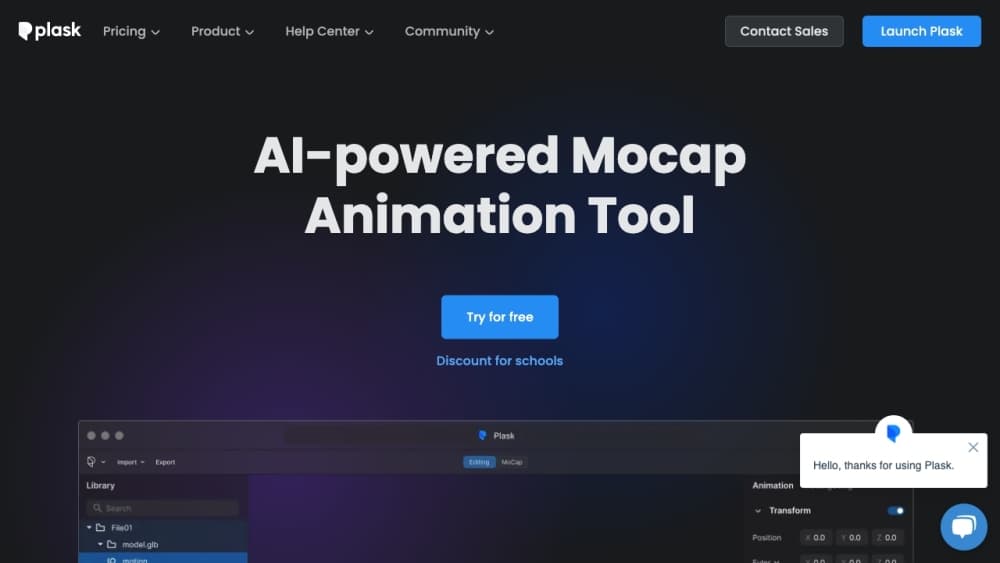
Plask Motion is a web app for turning recorded movement into animation for a 3D character. Upload a clip shot on a phone, a webcam, or pulled from a reference video, and the AI estimates body pose frame by frame, then maps that motion onto a model you choose. Editing, camera work, lighting, and export all happen in the same browser workspace.
AI motion capture from video is the job, and the problem it targets is cost. Suit based capture needs a studio, markers, and a crew. Markerless motion capture needs only a camera. Plask replaces that with a single RGB video, which is why solo animators and small teams use it to get a usable first pass before they refine keyframes by hand. Output stays editable, so the result acts as a starting point rather than a finished take.
Accuracy is the tradeoff. Markerless capture from one camera view struggles with occlusion, fast action, and contact with the ground, so anything close to a hero shot still needs cleanup in Blender or Maya. The 100 MB upload cap and the credit system also shape how much footage you can process in one month.
Getting Started
- Sign up at motion.plask.ai with an email address or a Google account. The free plan needs no card and gives 15 seconds of capture per day.
- Upload a video up to 100 MB, or capture directly with your camera. Choose V1 for fluid movement or V2 for steadier results with foot correction.
- Set the extraction options. Turn on hand animation for finger data, enable multi person tracking for group clips, or start from a T pose if the animation is heading into a game engine.
- Import your character. Plask opens GLB, FBX, VRM, and PMX files up to 50 MB, and the model needs a mesh plus a skinned skeleton in T pose.
- Apply the motion, arrange the camera and lighting, then render a video or export FBX, BVH, or GLB for Blender, Unity, Unreal, or another animation tool.
Product Information
A quick look at Plask Motion's pricing, supported platforms, and performance.
Best for
The users, tasks, and scenarios where this tool fits best.
Users
- Indie animators and solo 3D artists
- VTubers and MMD creators
- Small game studios and previs teams
Tasks
- Turning a dance reference into character animation
- Capturing finger movement for close shots
- Animating several people from one clip
- Rendering a social clip without 3D software
Scenarios
- Blocking a scene before committing to full animation
- Motion capture inside a game engine session
- Building a pose stream into an app
Key features
Video to 3D Body Motion
The core job is estimating a full body pose from ordinary footage and applying it to a rigged character. Plask runs two extraction engines: V1 favors smooth, flowing movement, while V2 adds ground recognition with foot correction and compensates for a moving or rotating camera. Both handle vertical video, and V2 lets you pick which person to track when several appear on screen. Extracted animation stays editable in the workspace, so you can nudge timing after the AI finishes rather than re-shooting.
Hand Capture and Multi Person Tracking
Body tracking alone leaves hands locked in a default grip, which reads as stiff in close shots. The hand animation option adds finger joints on the V1 engine, and multi person mode animates up to a small group from one clip. Both cost credits, and multi person runs at three credits per frame. For a podcast clip or a street scene with extras, that turns a single recording into several animated characters.
Character Import with VRM and PMX Support
Plask opens GLB, FBX (version 7100 or later), VRM 0.0, and PMX files up to 50 MB. Models need a mesh and a skinned skeleton, and a T pose as the rest state, with a minimum of 24 source bones. Retargeting is tuned for a 52 bone structure covering hips through fingers. VRM and PMX models keep physics simulation through Babylon MMD, so hair and clothing follow the body, and automatic blinking adds a layer of life that plain rigs lack.
Plask Live for Blender and Unreal Engine
Plask Live brings realtime capture into the tools animators already use. In Blender, you preview the movement, record a take, and save it as an action you can animate against. In Unreal Engine, the Live Link plugin receives the pose stream and saves a take directly. Setup needs macOS 14 or later, Python 3.12, and API credits, and the camera helper is built locally from source. Setup takes patience. Once it runs, the export and import round trip that breaks the flow of a take disappears.
Camera, Lighting, and Video Rendering
The workspace includes cinematography controls that many mocap tools leave out. You position the camera, add lighting, and apply effects such as motion blur and depth of field, then render a finished video. That matters for creators who need the clip rather than the animation file: a dance video or a product teaser comes out of the browser without a trip through a separate render package.
Plask API for Developers
The Plask API exposes video job processing and realtime pose streaming for your own application. Video jobs run through batch GPU workers, with progress events over server sent messages and download of the finished result. Realtime sessions stream JPEG frames over WebSocket and return poses on a standard 24 joint skeleton in metres. Usage is metered in credits, with a separate test allowance for development keys. Fitness apps, dance trainers, and motion studies are the obvious fits.
Pros and cons
Pros
- Any phone or webcam clip becomes usable motion, which takes the studio and suit out of the budget.
- Export formats cover FBX, BVH, and GLB, so video to FBX, BVH, or GLB is a direct download into Blender, Unity, Unreal, or Maya without a converter step.
- PMX and VRM models keep hair physics and auto blinking, a combination that matters for VTuber and MMD work.
- Motion capture for Blender and Unreal runs through Plask Live, which records takes in the engine and skips the file shuffle between tools.
- All animation rights belong to the user, and the free plan needs no payment details to start.
Cons
- Single camera capture breaks down on self occlusion, fast spins, and floor contact, so anything polished needs cleanup by hand.
- The free plan allows 15 seconds of capture per day and 1 GB of storage, so paid plans arrive quickly for anyone doing daily work.
- Multi person extraction costs three credits per frame, which burns a monthly allowance fast on group footage.
- Plask Live requires macOS 14 or later and a source build, so Windows users are left with video workflow only.
Frequently asked questions
Plask Motion converts video into 3D character animation. You upload footage of a person moving, the AI extracts the body pose, and you apply that motion to a 3D model, then render a video or export the animation for Blender, Unreal, Unity, or another tool. It also runs realtime capture inside Blender and Unreal through Plask Live.
Related content
Explore related tools, skills, and articles for Plask Motion.
Plask Motion Alternatives

Google EmbeddingGemma 2
Google DeepMind · Writing · Image · CodingGoogle EmbeddingGemma 2 is a 740M-parameter open model that turns text, code, images, audio, and video frames into vectors in one 768-dimension space, running on phones and laptops.

Tractionwave
TractionWave · Image · MarketingTractionWave is an AI attention heatmap tool for static ads. Upload a PNG or JPG and it returns predicted attention, ranked hotspots, and fixes before you spend budget.

Imejis.io
Imejis.io · Image · MarketingImejis.io is an AI design studio for agents and marketing teams. Describe an image in plain words, and it writes the copy, builds the layout, reflows it to every size, then exports a finished file.