

Playbook
Playbook · Productivity
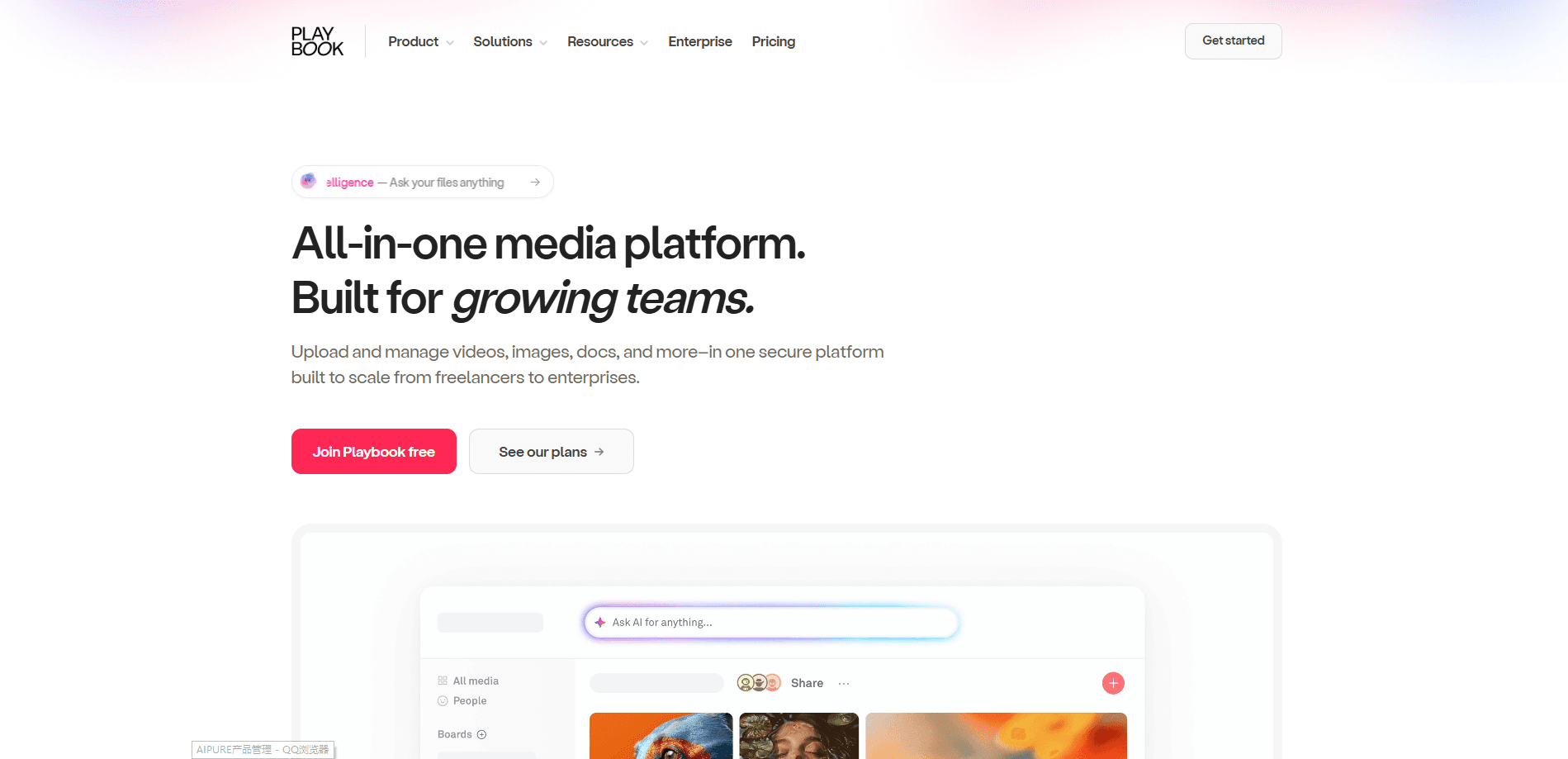
Playbook is an AI media management platform that stores, tags, and searches your images, videos, 3D models, GIFs, and PDFs in one place. Creative teams use it to keep every asset versioned and findable, then share files with clients and hand them to AI tools through an API and MCP server. A free plan covers personal files, while paid tiers add scale and collaboration.
About Playbook
What Is Playbook
Playbook is a media library and digital asset management (DAM) tool built for people who work with more images and video than any folder structure can hold. It sits between your raw files and the places you publish them, giving every upload a preview, an automatically written description, and a version history.
The main problem it solves is finding things again. Instead of hunting through folders named by date or person, you describe what you want and Playbook searches the visual content of your library. It also handles the messy back-and-forth of review. A client can comment on an exact frame. No separate email thread needed.
The biggest limitation is scale on the free tier. You get 100GB or roughly 300 assets, which is fine for trying the platform but not for a working studio. The company is also a smaller player than legacy DAM vendors, so if you need deep custom contracts or on-premise deployment, you'll want to talk to their sales team before committing.
Getting Started
- Sign up for the Free plan with an email address, no credit card needed.
- Import existing work from Dropbox, Google Drive, or OneDrive, or upload files directly.
- Let Playbook generate previews and tags, then create boards to group assets by project or type.
- Search by describing an asset in plain language, and invite members or guests to collaborate.
- Share a board with a client through a password-protected link, or publish a gallery.
Product Information
A quick look at Playbook's pricing, supported platforms, and performance.
Best for
The users, tasks, and scenarios where this tool fits best.
Users
- Creative teams and studios
- Freelance designers and photographers
- Brand and marketing teams
Tasks
- Visual search across a large library
- Client review and approval
- Feeding assets to AI tools
Scenarios
- Wrapping up a shoot
- Running a campaign review
- Building a brand portal
Key features
Visual Content Search
Playbook indexes what's actually inside your files, not just what someone named them. You can search a library by describing the scene, the product, or the color. It's visual asset search in plain language. That's what makes a large archive usable again. It matters most when several people upload to the same project with their own naming habits.
Automatic Tagging and Descriptions
Every file arrives tagged and described as it lands, so a new upload doesn't sit unnamed in a folder. Images, video, 3D models, GIFs, and PDFs all get previews. No one files by hand. The library stays organized anyway.
Frame-Accurate Review and Approvals
Reviewers can pin comments to an exact frame, timecode, or pixel, which removes the "which shot do you mean" round trip. Teams mark notes as internal-only so clients see a clean version. One reaction approves a file or flags it. Trust me, that saves meetings. Share links support passwords and expiration dates.
Version History
Playbook keeps every iteration of an asset together and lets you compare versions side by side. Nothing gets overwritten. Not once. You can always trace which cut you approved and when.
MCP Server and API
Playbook speaks MCP, so the AI tools your team already uses can search, tag, and move assets without anyone leaving a chat window. Setup is one URL pasted into Claude's connector settings. For developers, a REST API and SDK let you build a gallery, client portal, or full DAM on the same infrastructure.
Enterprise Controls Without the Rollout
The Enterprise tier adds SSO and SCIM, granular permissions, audit trails, brand guideline controls, and desktop sync, all without the seat minimums and migration fees that make legacy DAMs hard to adopt. You can import from Dropbox, Drive, or your current DAM, and export every asset, tag, and version if you leave.
Pros and cons
Pros
- Visual search finds assets by content, which beats digging through date-named folders on a big library.
- Review, versioning, and approvals live in one place, cutting the email and chat back-and-forth.
- The MCP server and API connect Playbook to AI tools and custom apps without heavy engineering.
- Import and export are open, so you're not locked into the platform once your files are in.
- A free plan lets you test the workflow before paying, and Pro starts at a low per-member rate.
Cons
- The free plan caps you at 100GB or about 300 assets, which runs out fast for real studio work.
- AI tagging, conversational search, and video scene insights sit behind the Team tier, so the AI features you came for cost more than entry pricing suggests.
- The platform is a smaller vendor than established DAMs, so very large enterprises may want to check support and contract terms first.
Frequently asked questions
Playbook is a media management platform for storing, tagging, searching, and sharing visual assets. It's built for teams dealing with lots of images and video, and it adds review, versioning, and publishing on top of basic file storage.
Related content
Explore related tools, skills, and articles for Playbook.
Playbook Alternatives

Base Code
Base44 (Wix) · Coding · ProductivityBase Code is a shared cloud development environment from Base44. Teammates describe changes to an existing GitHub codebase in chat, preview them live and send them back as pull requests.

Knocket
Knocket (Tencent RTC team) · Productivity · Business · ChatbotKnocket is a free live chat and contact page tool that lets visitors message you from your website, app, or a shareable link, with every reply handled from Telegram or one inbox.

FloorGen
Vinit Kumar (FloorGen) · Productivity · China AIFloorGen is a browser-based floor plan maker that turns a sentence or a sketch into an editable 2D plan and a 3D walkthrough. Export to PDF, DXF or video, and draw without an account.