
PNG Maker
pngmaker.io · Image
PNG Maker is an AI PNG generator that turns a text prompt into a transparent PNG you can drop into a slide, a store listing or a design file. Free tier: 9 credits a day.
About PNG Maker
What Is PNG Maker
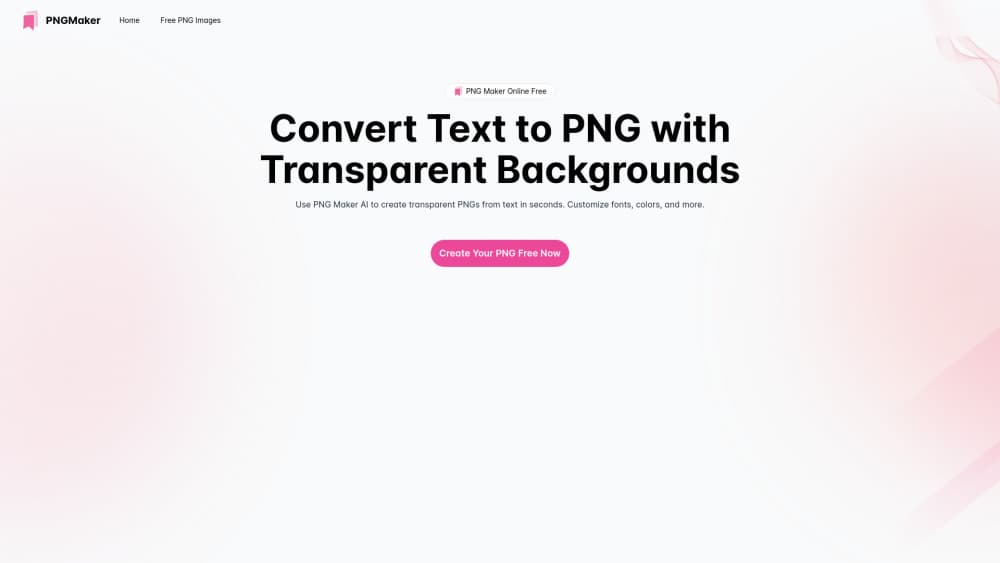
PNG Maker is a browser based AI PNG generator from pngmaker.io. You describe an image in words, and the text to PNG converter returns a file with a transparent background, ready to download without a watermark. No install, no plugin, no design software.
The transparent background is the part that matters. Most AI image tools hand you a rectangle with a background baked in, so you end up in a cutout tool before the asset is usable. Here the alpha channel comes straight out of the generator, which saves a step for logos, stickers, icons and product cutouts.
The engine behind it is GPT-Image-1, and the same account also handles image to image edits. What you get for free is limited: 9 credits a day, one image at a time, and files stored for 7 days. Paid plans lift the credits, the batch size and the storage cap.
Getting Started
- Open pngmaker.io and click Create Your PNG Free Now. The editor loads in the browser, so there's nothing to download.
- Sign in with an email or a Google account. The free plan starts at 9 credits a day, and one generation costs about one credit.
- Describe the image. Name the subject, the style and the background you want empty, then choose text to image or image to image if you're starting from a photo.
- Generate, pick the frame you like, and download the PNG. Free plan files stay available for 7 days, so move anything you want to keep into your own storage.
Product Information
A quick look at PNG Maker's pricing, supported platforms, and performance.
Best for
The users, tasks, and scenarios where this tool fits best.
Users
- Designers who need quick transparent assets
- Social media managers
- Small store owners
Tasks
- Making a transparent logo or wordmark
- Building sticker sets for chat apps
- Creating slide and thumbnail graphics
- Cleaning up a photo with image to image
Scenarios
- A campaign asset is due in an hour and the designer is booked
- You're drafting ten listing images for a marketplace
- You need a consistent icon set for a side project
Key features
Text to PNG With an Alpha Channel
The core job is a straight text to PNG conversion, and the file lands with a transparent background image already in place. You skip the masking step that usually follows generation. Complex edges, hair or thin type still need a cleanup pass.
Image to Image Editing
Upload a photo and describe the change you want. The tool restyles it, swaps backgrounds or extends a composition. This is the mode to use when you already have a product shot and only need the surroundings changed.
GPT-Image-1 Engine
Generation runs on GPT-Image-1, the same model family behind many current AI image generator tools. Prompt following is the strong point: colors, layout hints and style words usually land close to what you asked for.
Four Image Batches on Paid Plans
Free accounts render one image at a time with one concurrent job. Pro and Max raise that to four images per run, with two and four concurrent jobs. More tries per prompt matters, since a usable result is often the third or fourth attempt.
Credit System With a Daily Free Allowance
Free users get 9 credits a day. Pro carries 600 credits a month, roughly 240 images, and Max carries 2,000 credits, roughly 800 images. Credits reset each billing cycle and don't roll over.
Watermark-Free Downloads and Storage Rules
Every download is watermark-free, including on the free plan. The difference sits in storage and privacy: free files are public and cleared after 7 days, paid files stay private and uncapped. The site markets itself as a PNG maker online free, and the daily allowance makes that hold for light use.
Pros and cons
Pros
- Transparent output arrives without a separate cutout step.
- Free tier is usable, with 9 credits a day and no watermark.
- Runs in the browser on any desktop or laptop, nothing to install.
- Paid plans start low, at $5.94/mo on yearly billing.
- Commercial rights are included once you subscribe.
Cons
- Credits expire at the end of each cycle, so unused allowance is lost.
- Free plan images are public, which rules the tier out for client work.
- Thin strokes and hair edges still need manual cleanup after download.
- No public API is documented, so there's no way to wire it into a pipeline.
Frequently asked questions
Yes. The free plan gives 9 credits a day, one image at a time, watermark-free downloads and 7 days of storage. You can generate text to image and image to image without paying.
Related content
Explore related tools, skills, and articles for PNG Maker.
PNG Maker Alternatives

Google EmbeddingGemma 2
Google DeepMind · Writing · Image · CodingGoogle EmbeddingGemma 2 is a 740M-parameter open model that turns text, code, images, audio, and video frames into vectors in one 768-dimension space, running on phones and laptops.

Tractionwave
TractionWave · Image · MarketingTractionWave is an AI attention heatmap tool for static ads. Upload a PNG or JPG and it returns predicted attention, ranked hotspots, and fixes before you spend budget.

Imejis.io
Imejis.io · Image · MarketingImejis.io is an AI design studio for agents and marketing teams. Describe an image in plain words, and it writes the copy, builds the layout, reflows it to every size, then exports a finished file.