

pre.dev
pre.dev Labs (Pre Dev Corp) · Productivity
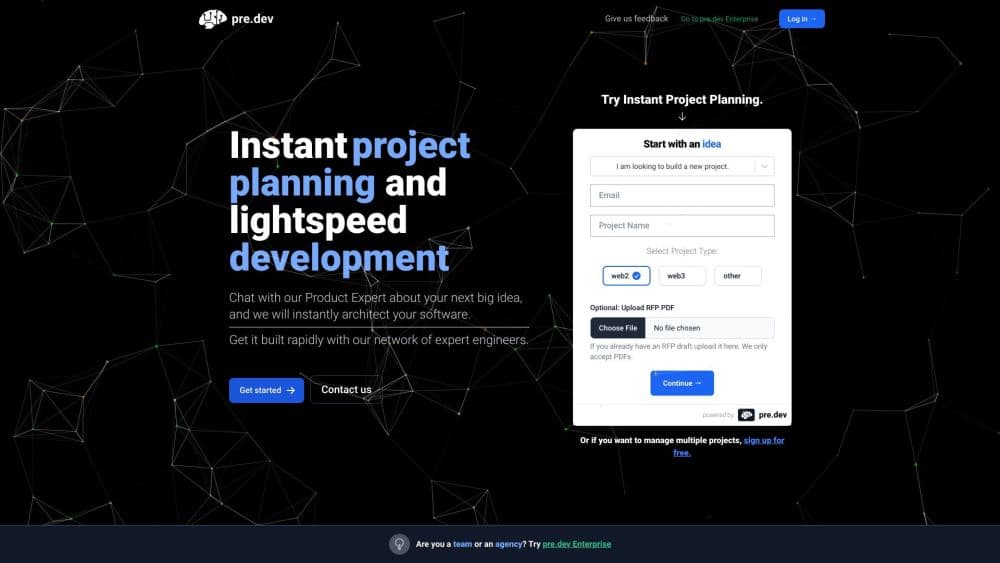
pre.dev is a long horizon coding agent that plans a project before writing code, builds it in the browser or terminal, verifies the result and opens pull requests in GitHub.
About pre.dev
What Is pre.dev
pre.dev is a coding agent built for work that runs longer than a chat reply. Instead of spitting out one file at a time, it breaks a request into an architecture, a roadmap and a dependency graph, then works through that plan across a long session. Each finished task lands as its own branch and pull request in a connected GitHub repository.
The company describes it as model-agnostic. You can point it at different model providers depending on the job, and the pricing page sells access through credits rather than by locking you into a single model. pre.dev also ships side products under the same account: an Architect API that turns a description into a software spec, browser agents that run tasks on websites, and an OpenAI-compatible AI Gateway for calling models from apps you build.
The limits matter as much as the features. It's an AI coding agent for developers and technical founders, not for people who've never opened a terminal. Your existing repo needs to be on GitHub or GitLab to get the pull request workflow. And the credit system means long runs cost real money, with one credit priced at $0.10.
Getting Started
- Sign up at pre.dev. The Free plan gives you 20 credits a month and needs no card.
- Describe what you want built, or import an existing GitHub repository. The agent decides whether to tackle a small change directly or plan a larger one first.
- Open the integrations page and connect what the project needs: GitHub, Supabase, Vercel, API keys, MCP servers or standing instructions called agent skills.
- Kick off the build. You can follow the session in the browser workspace, or install the CLI with a single curl command and work from your terminal.
- Review the diff, the verification report and the live preview, then publish the app or open a pull request against your repo.
Product Information
A quick look at pre.dev's pricing, supported platforms, and performance.
Best for
The users, tasks, and scenarios where this tool fits best.
Users
- Developers with an existing repo
- Technical founders building a first version
- Engineering leads juggling several codebases
- Teams that want their conventions respected
Tasks
- Multi-file refactors
- Turning a spec into milestones
- Scaffolding with auth and payments
- Extracting structured data from websites
Scenarios
- You have a backlog of small features and no time
- A prototype demo is due tomorrow
- You're evaluating models for a product
- You inherited a codebase written in unfamiliar patterns
Key features
Plan First, Code Second
Before it touches a file, pre.dev works out the architecture and a roadmap, then splits the job into a dependency graph of tasks. That prep step is the main difference from prompt-and-pray assistants. You can read the plan, argue with it and change it before any code exists. On bigger asks, the agent runs for hours rather than minutes, which is what the long horizon label refers to.
Verified Pull Requests
Nothing gets marked done until it has passed. Type checks, lint and browser verification all run, and the agent reports what it actually confirmed. Finished work arrives as its own feature branch and pull request, never as a push to main, so your review process stays intact. If you'd rather have it merge clean branches automatically, that's an option in the session settings.
Model-Agnostic Setup
The agent isn't tied to one model provider. You can switch models depending on the task, and the company positions this as a way to avoid overpaying on harder jobs. Credits are the single currency across coding, planning, verification, image generation and API calls, priced at $0.10 each, so cost tracking stays in one place.
Integrations, API Keys, and MCP
One OAuth per service covers 25 connections across 9 categories, including GitHub, Slack, Notion, Linear, Figma, Vercel and Supabase. Separately, you can store keys for 195 external providers, encrypted and injected at build time, so the agent can wire up services without you pasting secrets each session. MCP servers can be attached over stdio, HTTP or SSE when a tool set isn't on the list.
Built-In AI, Payments, and Auth
Apps created in the web workspace come with AI model access, Stripe checkout and Clerk sign-in already connected. No webhook registration, no key pasting on day one. For prototypes and internal tools this removes most of the setup that normally eats the first day of a build.
Architect API and Browser Agents
The Architect API converts a written description into a Fast Spec (milestones and stories, about a minute) or a Deep Spec (subtasks too, three to five minutes), returned as Markdown, JSON and an architecture graph. Browser agents handle the other direction: point one at a website and get structured data back. Both are reachable over REST, Node and Python SDKs, and an MCP server.
Pros and cons
Pros
- The planning stage produces something you can review before a single line of code exists, which cuts down on wasted runs.
- Every task lands as a separate pull request, so teams keep their existing review and merge rules.
- Model choice is open, and the credit system makes cost per run visible instead of hidden in a subscription.
- The free plan includes the browser and terminal agent plus 20 credits, enough to judge whether the workflow suits you.
- The CLI, REST API and MCP server mean it slots into an existing toolchain rather than replacing it.
Cons
- It's a developer tool. Setup assumes GitHub access, API keys and comfort with pull requests, which leaves out non-technical users.
- Credits burn faster on long runs and on heavier models, so a big task can cost several dollars before you see output.
- Apps published on the Free plan go offline after 7 days, and staying live requires the Premium plan at $49 a month or higher.
- Continuous verification is thorough but slow, so small changes can take longer than in a simple autocomplete tool.
Frequently asked questions
It's an autonomous coding agent that builds software from a description. You give it a request, it plans the architecture, writes the code across a repo, verifies the result and opens a pull request. The browser workspace and the CLI both run the same agent, so you can start on the web and continue in your terminal.
Related content
Explore related tools, skills, and articles for pre.dev.
pre.dev Alternatives

Base Code
Base44 (Wix) · Coding · ProductivityBase Code is a shared cloud development environment from Base44. Teammates describe changes to an existing GitHub codebase in chat, preview them live and send them back as pull requests.

Knocket
Knocket (Tencent RTC team) · Productivity · Business · ChatbotKnocket is a free live chat and contact page tool that lets visitors message you from your website, app, or a shareable link, with every reply handled from Telegram or one inbox.

FloorGen
Vinit Kumar (FloorGen) · Productivity · China AIFloorGen is a browser-based floor plan maker that turns a sentence or a sketch into an editable 2D plan and a 3D walkthrough. Export to PDF, DXF or video, and draw without an account.