

Presentations.AI
Presentations.AI · Productivity
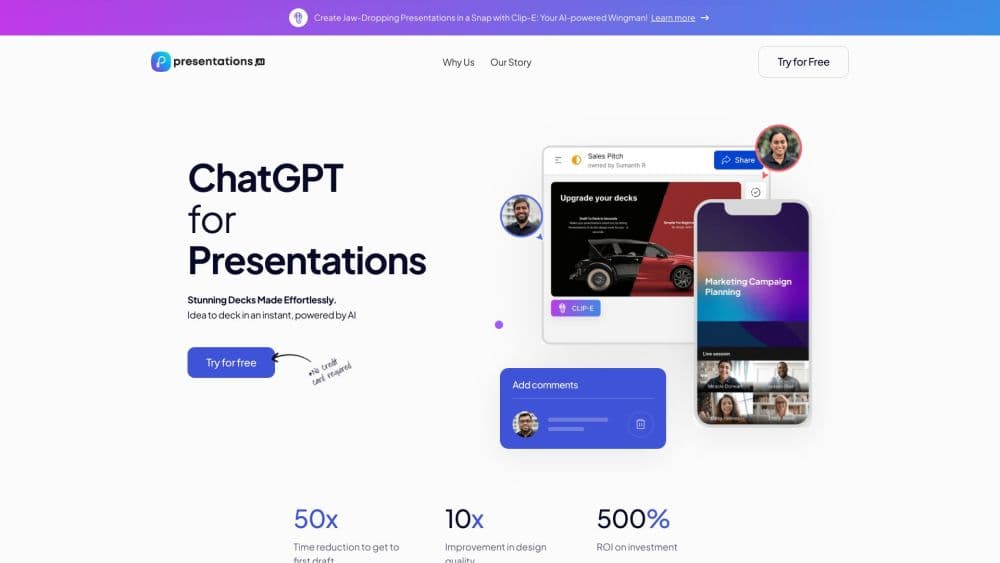
Presentations.AI is an AI presentation maker that turns a prompt, document, or URL into a branded slide deck in minutes, then exports it as an editable PowerPoint file.
About Presentations.AI
What Is Presentations.AI
Presentations.AI is an AI presentation platform aimed at people who build decks for a living or build them under pressure. You feed it a topic, a PDF, a Word doc, or a website link, and it returns a full slide deck with structure, flow, and design already handled. The output exports as a native PowerPoint file, so the slides stay editable instead of arriving as flat images.
The pitch is less about speed and more about what happens after the first draft. Decks that matter get rebuilt every week: the quarterly review, the sales proposal, the investor update. Presentations.AI connects a master deck to business data and refreshes the numbers on a schedule, so you stop copy-pasting and start presenting.
Its limits show up in the same places as other AI deck tools. The AI drafts content you still have to review, and a free account caps you at 20 slides. Slide quality depends on how clearly you describe what the deck should achieve, so vague prompts return vague slides.
Getting Started
- Sign up at presentations.ai with Google, email, LinkedIn, or Apple. The Starter plan is free and includes 100 credits.
- Pick an entry point: build a full deck from a prompt, or start slide by slide if you want tighter control over each page.
- Paste your website URL to trigger Brand Sync, which pulls your logo, fonts, and colors onto every slide automatically.
- Generate the deck, then refine it with the AI assistant or edit text, layouts, and charts by hand.
- Export to PowerPoint as an editable .pptx file, or download PDF and Google Slides versions.
Product Information
A quick look at Presentations.AI's pricing, supported platforms, and performance.
Best for
The users, tasks, and scenarios where this tool fits best.
Users
- Founders and startup teams
- Sales and customer success teams
- Consultants, agencies, and marketers
Tasks
- Building a deck from a document
- Converting a ChatGPT conversation
- Refreshing recurring reports
- Generating decks at scale
Scenarios
- Pitching investors with live metrics
- Preparing a quarterly business review
- Customizing a proposal for a new prospect
- Embedding presentation generation in a product
Key features
AI Presentation Maker
Describe what the deck should achieve and this AI PowerPoint generator returns a complete presentation with structure, flow, and design handled. It sequences content differently for an investor pitch, a sales deck, and a board update, so you get a narrative shaped to the goal rather than a generic template fill. A built-in pitch deck generator even preloads the slide order investors expect.
Brand Sync
Paste your website URL and Brand Sync detects your logo, colors, and fonts, then applies them across every slide. It skips the manual work of building a theme from scratch, which matters most for agencies and teams presenting under several brand identities.
Native PowerPoint Export
The platform exports a fully editable .pptx file that opens cleanly in PowerPoint or Google Slides, with text, shapes, layouts, and charts still modifiable. This is what keeps the deck usable inside teams that already work in PowerPoint, since nothing arrives locked or flattened.
Presentation Refresh Agent
Refresh links a master deck to a business data source and rebuilds it on a schedule. Connect Salesforce, HubSpot, Google Sheets, Tableau, or one of 50+ integrations, set daily, weekly, or monthly rules, and define what stays fixed against what adapts, such as the data, the recipient, or the numbers.
AI Slide Creator, Presentation Templates and Slide Templates
Start with the AI slide creator when you want to shape one slide at a time, since it drafts each page as you work and leaves full manual control of the layout. A library of 1000+ full-deck templates covers specific jobs like sales, board meetings, and product launches, while single-slide layouts handle a specific gap such as a timeline or comparison. Pick one and fill it in, or drop a single layout into a deck that is mostly finished.
API and White-Label Generation
Teams can embed the presentation engine in their own product by calling the REST API, using webhooks, or connecting through Zapier and Make. White-label mode shows your brand to users rather than Presentations.AI's, which fits software companies adding deck creation as a feature.
Pros and cons
Pros
- Renders on-brand decks quickly by pulling logo, fonts, and colors straight from a website URL, which removes the usual theme setup.
- Exports native, fully editable PowerPoint files, so output drops into existing team workflows without reformatting.
- The Refresh agent keeps recurring decks, such as quarterly reviews and proposals, current by connecting to live business data on a schedule.
- Offers a genuinely free Starter tier with 100 credits, enough to judge output quality before paying.
- Scales from a single deck to hundreds of personalized ones through the API, webhooks, and integrations like Zapier and Make.
Cons
- The free plan limits decks to 20 slides, so longer presentations and investor decks require a paid plan.
- AI-generated slides still need a human pass for accuracy and tone, which adds review time instead of removing work entirely.
- The best results depend on clear, detailed prompts and brand inputs, so thin instructions return generic output.
Frequently asked questions
This presentation generator builds decks from prompts, documents, and URLs, then exports them as editable PowerPoint files. Teams use it for pitch decks, sales proposals, quarterly reviews, and any deck they rebuild on a regular basis.
Related content
Explore related tools, skills, and articles for Presentations.AI.
Presentations.AI Alternatives

Base Code
Base44 (Wix) · Coding · ProductivityBase Code is a shared cloud development environment from Base44. Teammates describe changes to an existing GitHub codebase in chat, preview them live and send them back as pull requests.

Knocket
Knocket (Tencent RTC team) · Productivity · Business · ChatbotKnocket is a free live chat and contact page tool that lets visitors message you from your website, app, or a shareable link, with every reply handled from Telegram or one inbox.

FloorGen
Vinit Kumar (FloorGen) · Productivity · China AIFloorGen is a browser-based floor plan maker that turns a sentence or a sketch into an editable 2D plan and a 3D walkthrough. Export to PDF, DXF or video, and draw without an account.