

PRIZ Guru
PRIZ Guru Inc. · Productivity
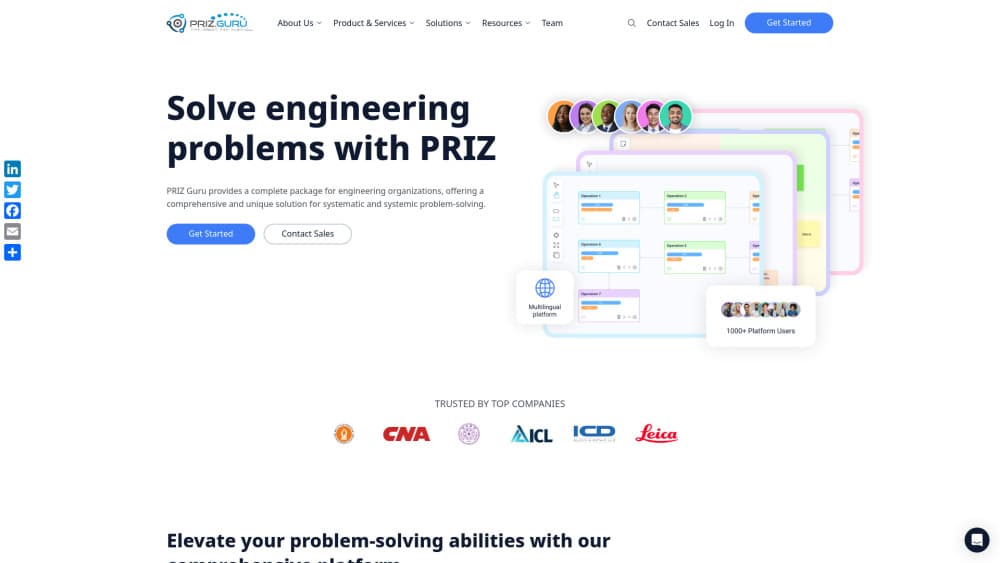
PRIZ Guru is an engineering problem-solving platform that guides teams from evidence to root cause analysis, solution development, and reusable project learning.
About PRIZ Guru
What Is PRIZ Guru
PRIZ Guru is a web platform for engineering teams that need to work through hard technical problems without losing the reasoning behind each decision. It calls itself an engineering operating system: one place where evidence, analysis, ideas, and decisions stay connected from the first investigation to the final report.
The product grew out of TRIZ, the theory of inventive problem solving developed in the former Soviet Union. PRIZ Guru turns those methods into guided workflows, so a quality engineer can run functional modeling, 5+ Whys, or a cause and effect chain without memorizing the theory first. That puts it closer to innovation management software than to a generic whiteboard.
The limits are worth knowing up front. PRIZ Guru is built for engineering, manufacturing, and process work, not marketing campaigns or design sprints. Pricing sits behind a sales conversation, and the method-heavy approach asks for some patience in the first week.
Getting Started
- Create a free account at app.priz.guru and confirm your email.
- Set up a workspace, then invite the engineers and reviewers who need access.
- Open a project and describe the technical situation you want to investigate.
- Work through the guided stages, adding evidence and notes as the team goes.
- Export the generated report and share it with stakeholders.
Product Information
A quick look at PRIZ Guru's pricing, supported platforms, and performance.
Best for
The users, tasks, and scenarios where this tool fits best.
Users
- Quality and process engineers
- R&D and innovation leads
- Engineering consultants and educators
Tasks
- Root cause analysis
- Process improvement
- Systematic innovation
- Design and failure reviews
Scenarios
- A defect that keeps coming back
- Evidence spread across sites and documents
- Handing a project to a new engineer
Key features
Five Stages That Keep the Work Connected
The platform organizes work into Shape, Align, Guide, Develop, and Learn. Shape turns scattered context into a reviewable opportunity, Align sets the evidence and open questions, Guide carries the analysis, Develop tracks solutions and tests, and Learn stores what the team should carry forward. You can start at any stage, which matters when a project is already halfway done.
A Full Set of TRIZ and Engineering Thinking Tools
Twelve tools are built in, including Change Flow Thinking, Process Functional Modeling, System Functional Modeling, Perception Mapping, the 40 Inventive Principles, Round-Robin Ranking, the Urgency-Importance Matrix, 5+ Whys, 9 Windows, the Cause and Effect Chain, Effective Brainstorming, and Action Preventing Action. Most TRIZ software stops at a principle list. Here the tools feed the same project record, so a functional model and the resulting ideas stay linked.
Guided Facilitation With Optional AI
Guided facilitation walks a team through each step and keeps the method consistent across projects. An optional AI assistant can pull references, prompt checks, and draft notes, and teams that can't send data to a third-party model can leave it switched off. The method still works without the assistant, which is the right default for regulated industries.
Reports That Write Themselves
Every project builds a report as it moves, covering the situation, the evidence, the analysis, and the chosen direction. Engineers stop rebuilding the story in slides at the end of a long investigation. The output is a document a plant manager or a customer can read without a walkthrough.
Idea Management With a Visible Decision Trail
Ideas, rankings, and the reasons for rejecting an option stay in the project. That record turns idea management software into something closer to an audit trail, which helps when someone asks six months later why a cheaper fix was ruled out.
Projects and Collaboration in the Same Workspace
Tasks, comments, and project status sit next to the problem-solving work rather than in a separate tracker. Reviewers can comment on a specific piece of evidence, and the team can see which tasks depend on an open technical question.
Pros and cons
Pros
- The method is built into the interface, so a team can run a structured investigation without a trained TRIZ facilitator on site.
- Evidence and decisions stay attached to the project, which shortens handovers and makes reviews easier to defend.
- Twelve creative thinking tools cover root cause work, process analysis, and idea generation in one place.
- Reports generate from the work itself, which removes a tedious step at the end of every project.
- AI is optional, so teams with data restrictions can still use the platform.
Cons
- There is no public price list. You have to talk to sales before you can budget, which slows down small teams.
- The AI assistant is tied to AI-enabled plans or sold as an add-on, so legacy customers may pay extra for it.
- It runs in a browser only. Engineers who need to capture evidence offline have to wait until they are back on a network.
- The TRIZ vocabulary takes time to learn. Teams that want a quick checklist will find the guided flow heavier than they expect.
Frequently asked questions
PRIZ Guru is used to investigate engineering problems and run innovation projects in a structured way. Teams collect evidence, analyze causes, generate and rank solutions, and keep a record of why each decision was made.
Related content
Explore related tools, skills, and articles for PRIZ Guru.
PRIZ Guru Alternatives

Base Code
Base44 (Wix) · Coding · ProductivityBase Code is a shared cloud development environment from Base44. Teammates describe changes to an existing GitHub codebase in chat, preview them live and send them back as pull requests.

Knocket
Knocket (Tencent RTC team) · Productivity · Business · ChatbotKnocket is a free live chat and contact page tool that lets visitors message you from your website, app, or a shareable link, with every reply handled from Telegram or one inbox.

FloorGen
Vinit Kumar (FloorGen) · Productivity · China AIFloorGen is a browser-based floor plan maker that turns a sentence or a sketch into an editable 2D plan and a 3D walkthrough. Export to PDF, DXF or video, and draw without an account.