

Publicview
PublicView · Coding · Business
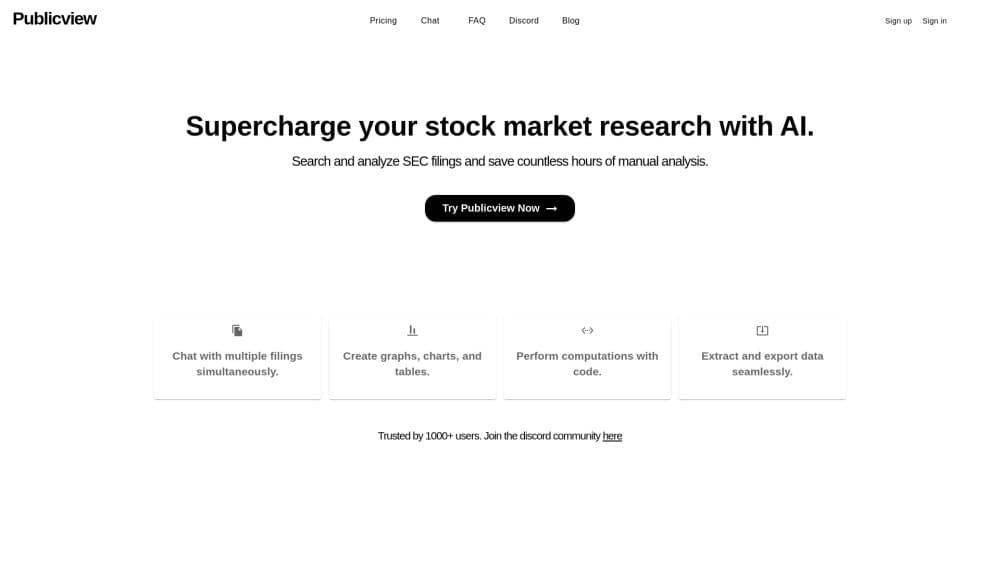
PublicView is an AI research workspace for SEC filings. It answers questions with cited excerpts, maps company relationships, and alerts you to new 10-K, 8-K, and Form 4 filings.
About Publicview
What Is PublicView
PublicView is a web app that reads SEC filings for you. You pick a company by ticker, CIK, or name, ask a question in plain English, and get an answer tied to the exact filing passage it came from. The product targets people who already work with 10-Ks, 10-Qs, 8-Ks, S-1s, and Form 4s but don't want to spend an afternoon skimming legal boilerplate.
The pitch is narrow on purpose. PublicView isn't a full AI stock research tool in the screen-and-chart sense. It handles one job: turning long, unstructured filings into searchable evidence, then keeping that evidence connected through a knowledge graph, a relationships table, and an event timeline. Everything sits in one workspace, so a question about an executive's departure can lead straight to the 8-K that announced it and the Form 4 that followed.
The limits matter before you sign up. Coverage is built on SEC EDGAR, so non-US issuers with no US filings are outside its reach. Every plan carries daily caps on analyses, AI calls, and charged tokens, which suits individual research better than a team running dozens of company deep dives each day. There's also no documented public API, so anything you want outside the workspace has to be copied by hand.
Getting Started
- Create an account and start the three-day trial. A card is required, and the trial converts to $9.99 per month unless you cancel.
- Search for companies by ticker, CIK, or name, then add the ones you care about.
- Pick Quick mode for fast fact-finding or Deep mode when you need the full knowledge graph, relationships table, and timeline.
- Ask questions in the chat, open the cited excerpts to check them, and save the company to a watchlist so new filings show up as alerts.
Product Information
A quick look at Publicview's pricing, supported platforms, and performance.
Best for
The users, tasks, and scenarios where this tool fits best.
Users
- Individual investors
- Equity analysts
- Journalists and compliance reviewers
Tasks
- 10-K filing analysis
- Form 4 insider tracking
- Competitor research from S-1s
Scenarios
- Earnings season triage
- Pre-investment due diligence
- Supply chain monitoring
Key features
Cited Chat Over Filings
You ask a question the way you'd ask a colleague, and PublicView retrieves relevant filing excerpts before writing an answer. Every claim carries an inline citation, and you can open the source passage to verify it. Follow-up questions keep the context, so a session can move from revenue mix to a specific legal matter without restating the company. This is the core of its SEC filing AI research, and it's what separates cited AI answers from a general chatbot asked about a stock.
Quick, Deep, and Track Modes
Three processing modes set how much work the system does. Quick mode handles fast Q&A and single-fact lookups. Deep mode adds the visual knowledge graph, the relationships table, and the event timeline for full company research. Track mode runs continuously in the background, watching for new filings and insider trades. Choosing wrong is the main source of disappointment here: Quick answers won't come with a relationship map, and Deep mode takes longer to finish.
Visual Knowledge Graph
Deep mode extracts entities and connections from filings and lays them out as an explorable network. Companies, people, products, ownership stakes, strategic priorities, and risk topics all become nodes you can click for details. Each relationship links back to the filings it came from, so the map works as an index rather than a decorative graphic. It's the fastest way to see who is connected to a company and why, which is hard to reconstruct from separate documents.
Relationships Table
The connections table answers a narrower question than the graph: who is linked to whom, and through what. You can search extracted relationships, filter by category, and inspect the underlying passage without reading the full legal text. Insider activity and ownership tracking sit in the same view. For anyone doing public company research across suppliers, subsidiaries, or executives, this replaces a lot of manual cross-referencing.
Event Timeline
The timeline places dated relationships and material events in filing order. Executive changes, corporate events, and risk disclosures line up against the dates they were filed, which makes a strategy shift or a leadership shake-up easier to follow. You can see what changed and when, without rebuilding the chronology yourself from a stack of PDFs.
Filing Alerts and Watchlists
Add companies to a watchlist and PublicView monitors new 8-K, 10-Q, and Form 4 filings. When something lands, you get an AI summary rather than a bare link. Alert management lets you decide which filing types deserve attention. Filing alerts are the part of the product that keeps working while you're away from the dashboard, and they're the reason Track mode exists as a separate tier of service.
IPO Calendar and IPO Stream
The IPO calendar lists upcoming and recently priced offerings, with each S-1 and prospectus structured from SEC EDGAR data and market figures sourced from Finnhub. The companion IPO Stream publishes AI-drafted briefs that an analyst fact-checks before release. Both pages show their sources, so you can trace a number back to the filing. It's a useful entry point if your research starts before a company has a trading history.
Pros and cons
Pros
- Answers stay attached to filing text, so verifying a claim takes one click instead of another search.
- One workspace covers chat, entity mapping, relationships, timelines, and alerts, which cuts down on tab switching.
- At $9.99 per month, it costs less than most data terminals and needs no annual commitment.
- Watchlists turn a constant filing stream into a reviewable list, which helps with Form 4 insider tracking.
Cons
- Coverage depends on SEC EDGAR, so companies that don't file in the US are effectively invisible.
- Daily limits of 5 Quick analyses, 5 Deep analyses, 50 AI calls, and 250k charged tokens cap heavy research days.
- Deep mode takes noticeably longer than Quick, and the knowledge graph is unavailable in Quick mode.
- There's no documented public API, so results can't be piped into your own tools or models.
Frequently asked questions
It's used for public company research on SEC filings. You ask questions about a 10-K, 10-Q, 8-K, S-1, or Form 4 and get an answer with the filing excerpt attached, plus optional visual maps, timelines, and filing alerts.
Related content
Explore related tools, skills, and articles for Publicview.
Publicview Alternatives

Udon
Udon · Coding · ProductivityUdon turns an Apple Silicon Mac into a home server you run from a browser, with container controls, file shares, and an optional AI sysadmin.

offstage
offstage cloud · Coding · Productivityoffstage gives AI coding agents and CI jobs a real Mac: a fresh macOS account on Apple silicon, driven over an API and billed by the second.

BotBus
Chengdu Tuyang Tusen Technology Co., Ltd. · Coding · ProductivityBotBus lets you control AI coding agents from your phone and watch: approve commands, start tasks and read results while the code stays on your desktop.