

Publora
Creative Content Crafts · Productivity · Marketing
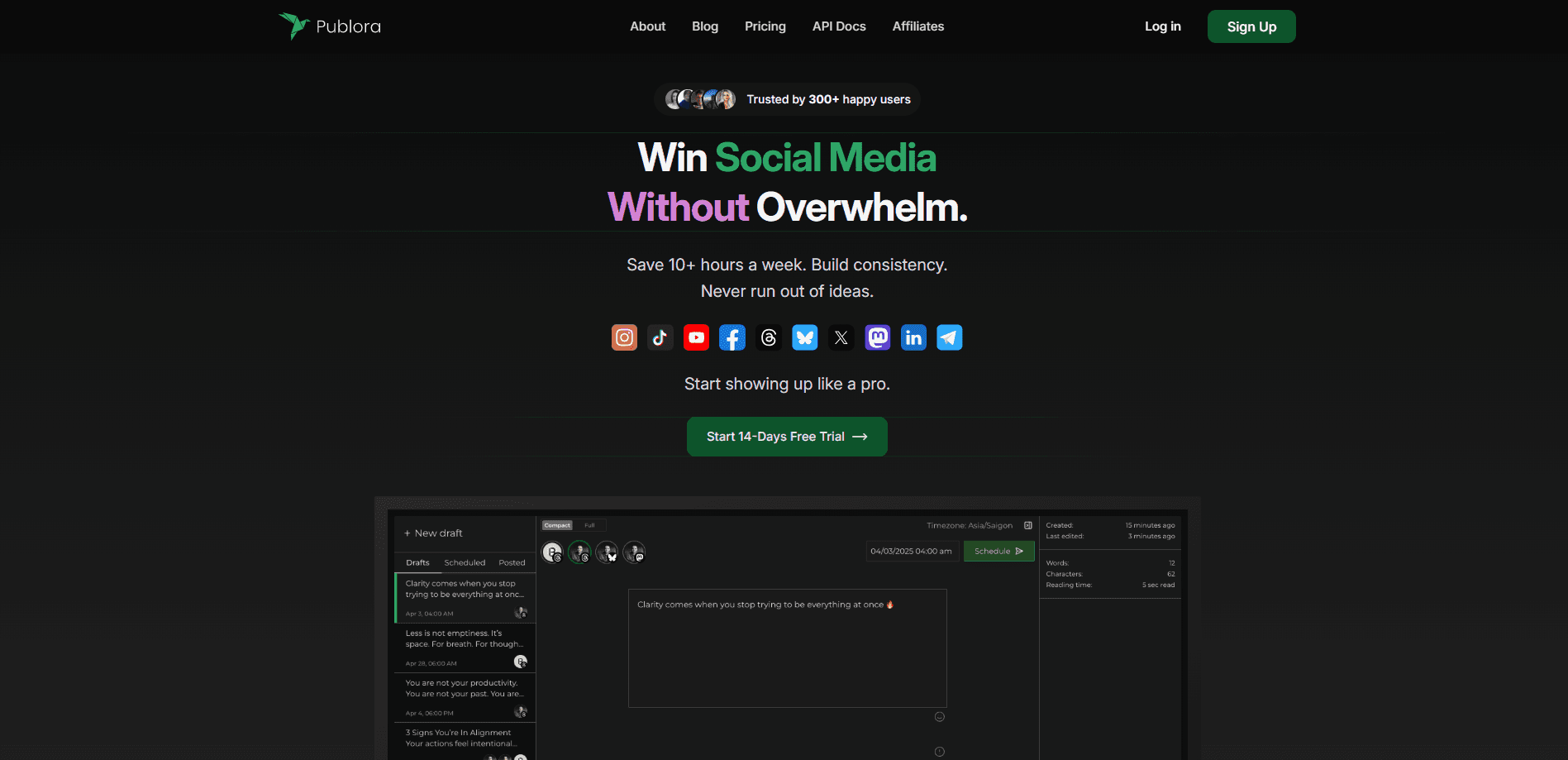
Publora is a social media scheduler and posting API built for AI agents. It schedules and publishes posts to 10 networks from a calendar, one REST call, or an MCP server.
About Publora
What Is Publora
Publora is an AI social media management tool that treats the API and the MCP server as the product, not as add-ons locked behind a top plan. You connect your social accounts once, then push posts to them from a web calendar, a single HTTPS request, or an AI assistant that talks to Publora over the Model Context Protocol.
It reaches 10 networks: LinkedIn, X, Instagram, Threads, TikTok, YouTube, Facebook Pages, Bluesky, Mastodon, and Telegram. One request can fan a post out to any mix of connected accounts, with per-network settings like YouTube titles or TikTok privacy set in the same call. If social media automation is the goal, that single call replaces the copy-paste routine of posting to each network by hand. That makes it a fit for consultants who live on LinkedIn, creators juggling several feeds, agencies running many clients, and developers wiring social posting into their own agents. Publora says more than 2,200 people use it, and it was the number one Product of the Day on Product Hunt.
The biggest limit is structural, and it's the one thing to weigh before you commit to any social media scheduling tool. Publora holds the platform approvals for you, so you never register your own developer apps or sit through a platform review. The trade-off is that you post through Publora's accounts, not your own, and you work within whatever each network allows. Instagram and TikTok still restrict some post types, and Pinterest can be connected but not published to.
Getting Started
- Create a free account and connect your social profiles through OAuth in the Publora dashboard.
- Grab an API key from the dashboard sidebar, or connect Claude, Cursor, or another MCP client to the hosted server at mcp.publora.com.
- Write a post in the web editor, or send one request to the create-post endpoint with your text, media, and a list of connection IDs.
- Pick a time to schedule, or leave the time out to save the post as a draft and publish it later.
- Track results with the post-logs endpoint or subscribe a webhook to post.scheduled, post.published, and post.failed events.
Product Information
A quick look at Publora's pricing, supported platforms, and performance.
Best for
The users, tasks, and scenarios where this tool fits best.
Users
- Founders and consultants
- Content creators
- Agencies and social media managers
- Developers and AI builders
Tasks
- Cross-posting one update to several networks
- Scheduling a week of LinkedIn posts in one sitting
- Handing social posting to an AI assistant
- Watching a post after it goes live
Scenarios
- A solo consultant who posts to LinkedIn twice a week
- A creator pushing the same clip to TikTok, Instagram, and YouTube
- An agency onboarding a new client
- A developer shipping a product with built-in social sharing
Key features
One Request, Ten Networks
Publora publishes to LinkedIn, X, Instagram, Threads, TikTok, YouTube, Facebook Pages, Bluesky, Mastodon, and Telegram from a single create-post call. You pass your text, up to 10 media URLs, and the connection IDs you want, and it handles the rest. Per-network options such as YouTube titles, TikTok privacy, and Instagram Reels covers live in the same request.
Hosted MCP Server
The company runs an MCP server for social media at mcp.publora.com, so Claude, Cursor, VS Code, and other MCP clients manage social media in plain English. You can ask an assistant to schedule a post, check how the last one performed, or edit a draft. The server exposes 20 personal tools on every plan and 12 more Agency tools for workspace accounts.
Managed Platform Approvals
Publora holds the app approvals for every network it supports, so you skip developer registrations and platform reviews. Users connect accounts once through OAuth, and your code only sees a Publora API key and connection IDs. That setup is what lets a small team publish to 10 networks without ten separate API projects.
Scheduling and Drafts
Posts can go out at a time you choose or be saved as drafts first. The API supports create, update, delete, get, and list operations, plus an optional idempotency key so retries don't double-post. The web calendar shows everything queued across accounts in one view.
Media and Per-Network Limits
You hand Publora up to 10 public HTTPS URLs and it downloads and attaches them in the same call. Local files upload through a pre-signed URL, and dedicated endpoints cover Instagram Reel covers and YouTube thumbnails. A platform-limits endpoint returns each network's media rules as JSON.
Analytics and Webhooks
LinkedIn post stats cover impressions, reach, reactions, comments, and reshares, and you get follower counts and profile summaries. Mastodon and Bluesky stats need a Pro plan. Webhooks push post.scheduled, post.published, post.failed, and post.demoted events to your endpoint instead of making you poll.
Workspaces for Agencies
The Workspace API lets one key manage many users. You create managed users, hand each client a connection link, and act on their behalf with a user-id header. Combined with isolated client workspaces and role-based access, it targets agencies and SaaS products that publish for others.
AI Editor
A built-in editor helps draft and polish posts before they go out, and it's included on Pro plans. It rounds out the writing side for people who want help with copy, not just scheduling.
Pros and cons
Pros
- The API and MCP server are included on every plan, even the free Starter tier.
- API pricing scales per account, so a one-person setup pays a few dollars a month.
- One request publishes to up to 10 networks with per-network settings in the same call.
- The hosted MCP server means an AI assistant can run scheduling without custom code.
- Managed platform approvals remove developer-app setup and platform reviews.
Cons
- The free Starter plan tops out at 15 posts a month, 3 accounts, and no X publishing, so active users hit the paywall fast.
- Analytics are uneven across networks: Mastodon and Bluesky stats require Pro, and non-LinkedIn coverage is thin.
- Pinterest accounts can be connected but not published to, which limits visual-first workflows.
- There's no mobile app, so posting on the go means the web calendar or an API call.
Frequently asked questions
Publora schedules and publishes social media posts to 10 networks. You can drive it from a web calendar, a REST API call, or an AI assistant connected over MCP.
Related content
Explore related tools, skills, and articles for Publora.
Publora Alternatives

Base Code
Base44 (Wix) · Coding · ProductivityBase Code is a shared cloud development environment from Base44. Teammates describe changes to an existing GitHub codebase in chat, preview them live and send them back as pull requests.

Knocket
Knocket (Tencent RTC team) · Productivity · Business · ChatbotKnocket is a free live chat and contact page tool that lets visitors message you from your website, app, or a shareable link, with every reply handled from Telegram or one inbox.

FloorGen
Vinit Kumar (FloorGen) · Productivity · China AIFloorGen is a browser-based floor plan maker that turns a sentence or a sketch into an editable 2D plan and a 3D walkthrough. Export to PDF, DXF or video, and draw without an account.