

Realtime FLUX Image Generator
8PixLabs · Image
Realtime FLUX Image Generator is a free web tool that turns text prompts into high-quality images in seconds using FLUX models, no signup needed.
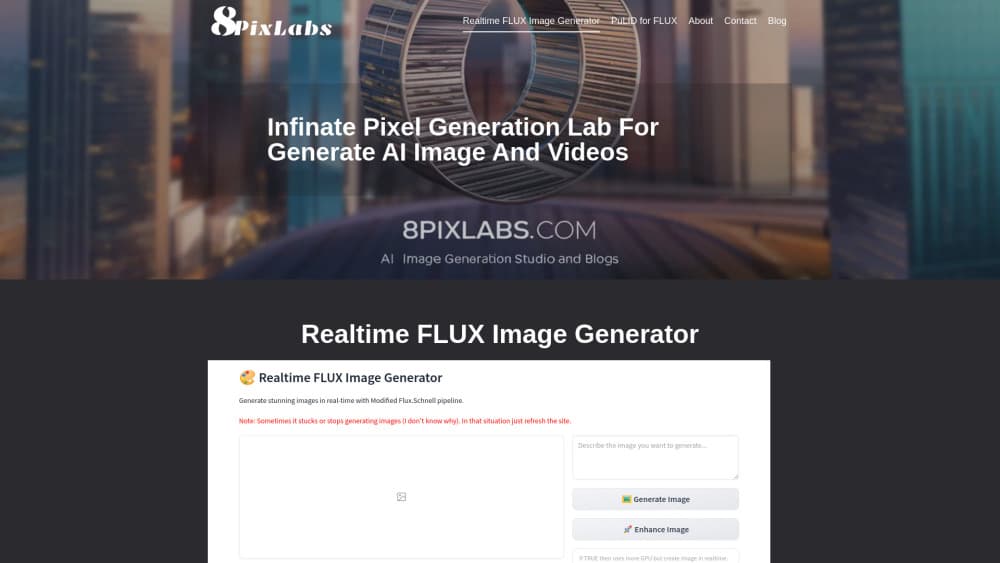
About Realtime FLUX Image Generator
What Is Realtime FLUX Image Generator
Realtime FLUX Image Generator is a browser-based AI image generator from 8PixLabs. You type a description, hit generate, and get a finished picture in seconds. No account, no credit card, and no install. That's the whole draw, and it's the reason people bookmark the page instead of another generator that asks for an email first.
Most free text to image tools make you wait through a queue or cap you at a handful of tries. This one pushes speed as the headline feature, and its FLUX.1 [dev] backbone is a 12 billion parameter model from Black Forest Labs built for detailed, prompt-accurate output. That matters for a simple reason. A model that reads your description closely gives you fewer wasted attempts, and every failed attempt you skip is time you get back over the course of a long evening spent chasing one specific image.
The tradeoffs are real. It's a web-only tool. There's no mobile app, no API you can wire into your own project, and no editor for touching up results afterward. What you generate is what you get.
I couldn't pull firm pricing, team, or launch details from the site. Some pages still show placeholder text, which is common for a young tool that launched before its marketing copy was finished. Treat the specifics below as the pattern this category follows, and confirm anything that affects your wallet on the live site.
Getting Started
- Open 8pixlabs.com in any modern browser. No signup or login is required to start.
- Type a text prompt describing the image you want, and add a negative prompt for anything you want to keep out.
- Pick a model variant and your output size, then hit generate.
- Wait a few seconds for the finished image to appear.
- Download the result or tweak your wording and regenerate.
The workflow is deliberately short: describe, generate, download. There's no canvas, no layer system, and no project files to manage. If you've used a chat app, you already know how to use this AI art generator without reading a manual.
Product Information
A quick look at Realtime FLUX Image Generator's pricing, supported platforms, and performance.
Best for
The users, tasks, and scenarios where this tool fits best.
Users
- Casual creators
- Prompt tinkerers
- Budget-conscious users
Tasks
- Turning text prompts into images
- Roughing out visual ideas
- Making simple illustrations
Scenarios
- Filling a blog or social post with a custom image when a stock photo won't fit.
- Brainstorming a character or scene design before you write about it or brief an artist.
- Testing how a prompt change affects the output, without burning credits to find out.
Key features
Prompt to Image in Seconds
Type a description and the tool returns a finished image within seconds. For anyone used to minutes-long waits on other text to image tools, this is the feature that reframes how you work in a way no settings menu ever could. You try more ideas because each attempt costs you almost no time, and the fast loop is where good prompts come from. That's the real product.
FLUX.1 Model Backbone
The generator runs on FLUX.1 [dev], a 12 billion parameter model known for detailed results and strong prompt adherence. In plain terms, it pays attention to what you actually typed rather than inventing the rest. That shows up most in hands, faces, and legible text inside an image, which older text to image models tended to turn into mush.
Negative Prompts
You can list what you don't want to see, such as "blurry, low quality, boring," and steer the model away from common problems. It's a small input box that makes a real difference in how many attempts you need before one lands, especially when you're chasing a specific look that a plain description struggles to capture on its own.
No Signup, No Login
There's no account wall between you and the first image. That's rarer than it should be. You open the page, type, and generate. For a free AI image tool you want to try on a whim, and only on a whim, removing the signup step removes most of the friction that stops people from ever starting.
Model Variants
The site points to FLUX variants like Pro, Dev, and Schnell, which balance quality against speed depending on the job you're doing. Schnell is tuned for the fastest output, while the higher-fidelity variants favor detail and closer prompt adherence. Pick the one that matches whether you need the image now or need it sharp enough to print.
Downloadable High-Resolution Output
Generated images can be downloaded at high resolution, ready for a post, a mockup, or a quick print. There's no export wizard or format puzzle, just the file you asked for in the size you chose.
Pros and cons
Pros
- Free to use, with no login or payment step before your first image.
- Generation is fast enough to iterate on a prompt several times in a minute.
- Built on FLUX.1, a strong model for detail and following your description closely.
- Negative prompts and model variants give you real control without a steep learning curve.
Cons
- Web only: no mobile app and no API, so you can't embed it in your own tools.
- No built-in editor, meaning you'll need a separate app to retouch or crop results.
- Public pages still carry placeholder text, so pricing and feature details aren't fully settled.
- Free tools like this change or add limits without warning, so don't build a workflow that depends on it staying the same.
Frequently asked questions
It's a free web tool from 8PixLabs that turns text prompts into images using FLUX.1 models. You describe what you want, and it generates a picture in seconds without requiring an account. Why do people pick it over the alternatives? Speed and the missing signup wall, mostly.
Related content
Explore related tools, skills, and articles for Realtime FLUX Image Generator.
Realtime FLUX Image Generator Alternatives

Google EmbeddingGemma 2
Google DeepMind · Writing · Image · CodingGoogle EmbeddingGemma 2 is a 740M-parameter open model that turns text, code, images, audio, and video frames into vectors in one 768-dimension space, running on phones and laptops.

Tractionwave
TractionWave · Image · MarketingTractionWave is an AI attention heatmap tool for static ads. Upload a PNG or JPG and it returns predicted attention, ranked hotspots, and fixes before you spend budget.

Imejis.io
Imejis.io · Image · MarketingImejis.io is an AI design studio for agents and marketing teams. Describe an image in plain words, and it writes the copy, builds the layout, reflows it to every size, then exports a finished file.