

Pulse
Pulse · Productivity · Leaning
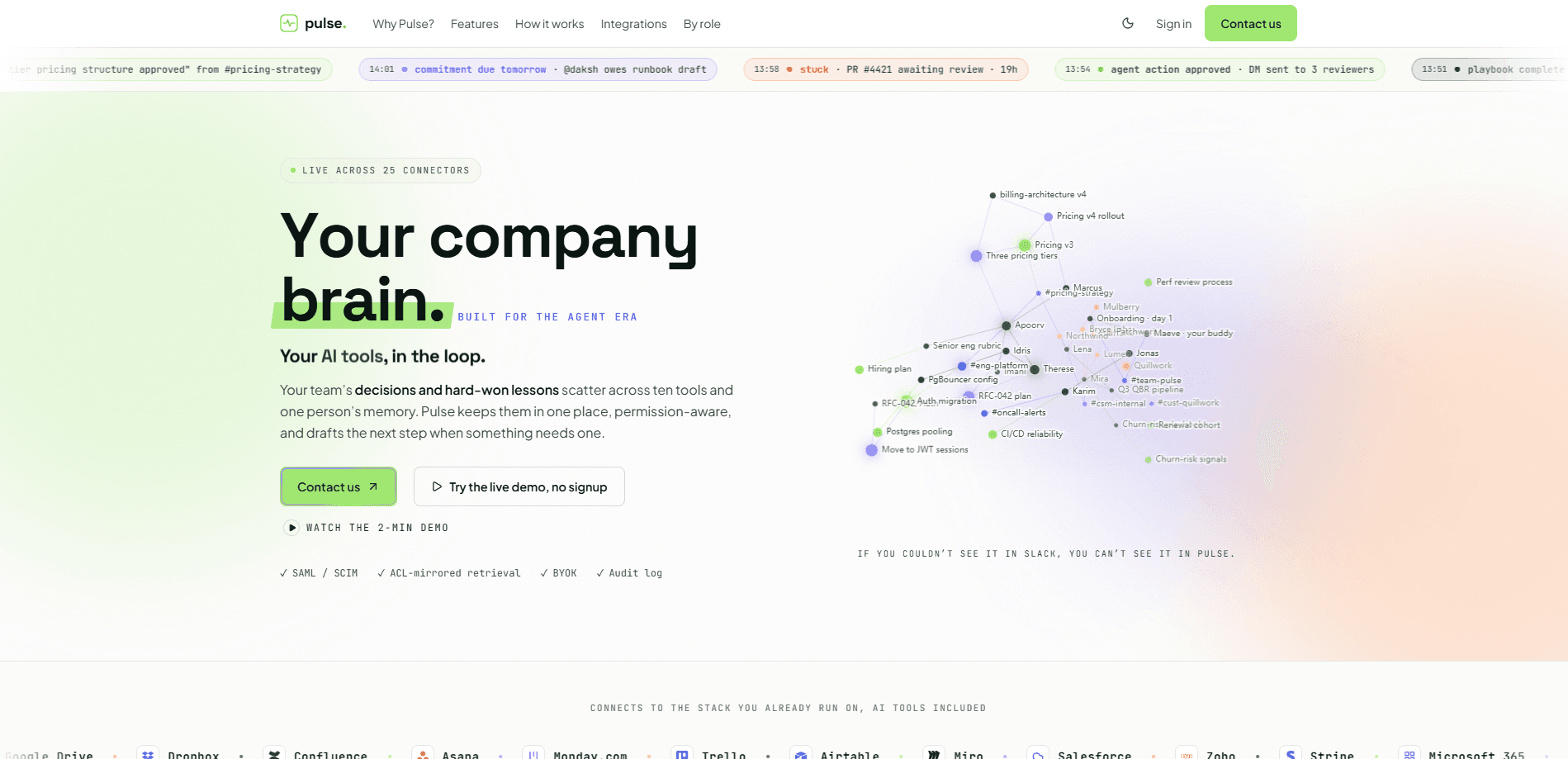
Pulse is a permission-aware "company brain" that connects 25+ workplace tools into one shared memory. It answers plain-English questions with a citation on every line, captures the decisions your team makes, and drafts the next step with human approval before anything goes out. Built for teams that have scattered their context across Slack, GitHub, Notion, and a dozen other apps, Pulse pulls that context back into one place your newest hire and your most senior engineer can both draw from.
About Pulse
What Is Pulse
Pulse is best understood as a team memory tool. Its whole premise comes from a simple problem. The decisions that actually run a company rarely live in a document. They live in a Slack thread from eight months ago, in someone's head, or in a meeting nobody wrote down. Pulse connects to your existing tools, reads that scattered context, and turns it into one searchable memory.
The part that separates Pulse from a generic document search tool is the permissions. If you can't see a file in Slack, you can't see it in Pulse. Answers are scoped to whoever is asking, so marketing doesn't accidentally read the salary spreadsheet through a cleverly worded question. That permission-aware search is the whole pitch.
The catch is maturity. Pulse is in early access, pricing only happens through a sales call, and there's no self-serve signup you can complete on a credit card. It's a tool you evaluate with a founder on the line, not one you spin up on a Friday afternoon. Budget accordingly.
Getting Started
- Book a demo through the Pulse site and connect at least three tools, such as Slack and GitHub. Each connector starts streaming in read-only, and Pulse never writes back to them.
- Sit through the guided onboarding interview, roughly a 30-minute conversation that teaches Pulse your team's vocabulary and processes.
- Review the 8 to 12 recent decisions Pulse extracts from the last 90 days, and edit any of them that came out wrong.
- Let it run overnight, then check the approval inbox where the first drafted nudge or ticket lands.
- Ask your first question and confirm the citations point to the right sources.
Product Information
A quick look at Pulse's pricing, supported platforms, and performance.
Best for
The users, tasks, and scenarios where this tool fits best.
Users
- Small startup teams
- Growing companies with a knowledge problem
- Operations and product leads
- Enterprise security reviewers
Tasks
- Answering "why did we do X" questions
- Onboarding new hires
- Catching stalled work
- Drafting routine actions
Scenarios
- Morning standup prep
- Cross-tool research
- Rolling out team AI mid-sprint
Key features
Permission-Aware Answers
Every response is scoped to whoever's asking. Pulse mirrors your tool permissions, so if a document is hidden from you in Slack, it stays hidden here too. This is the feature that makes it safe to point a company brain at sensitive channels, and it's the one buyers ask about first. It matters.
Line-by-Line Citations
Pulse doesn't just answer your question, it shows its sources sentence by sentence. You can trace any claim back to the Slack message, file, or commit it came from, which matters because most AI assistants still expect you to take their word for it. Big difference. For teams tired of AI tools that confidently make things up, that traceability is the whole reason to trust it.
Decision Capture
The tool watches for decisions buried in everyday work and records who made them and why, which is why people often describe it as decision capture software rather than plain search. Six months later, when the same debate resurfaces, you can point at the record instead of re-arguing it. No more circular debates. It's the most distinctive thing Pulse does, and the hardest for a competitor to copy.
Proactive Alerts
Rather than waiting for you to ask, Pulse surfaces what changed and where work has stalled. Ever find out a project slipped only after the deadline passed? That's the gap this closes. It flags the thing that's about to cost you a deadline, so problems get caught before they compound quietly.
Human-Approved Agent Actions
Pulse can draft a message or file a ticket on its own, but a person approves every step. Nothing fires into your workspace unattended. That keeps the automation useful without turning it into a risk.
Reports, Decks, and Dashboards
Ask for a report, a slide deck, or a dashboard and Pulse builds it from your live data with sources attached, so the numbers on the slide trace back to the same records the rest of the company trusts. That covers a lot of the ad-hoc reporting knowledge workers otherwise assemble by hand.
Connects to 25+ Tools
Pulse links up with Slack, GitHub, and the rest of your stack, and because it also works inside Claude, Cursor, and ChatGPT, you can query your company's memory without leaving the AI assistant you already keep open all day. Connections are read-only by default.
Pros and cons
Pros
- Permission mirroring means answers never leak past what the asker can already see, which solves the biggest worry about company-wide AI search.
- Citations on every line make it easy to verify a claim instead of trusting a black box.
- Decision capture turns scattered context into a record, cutting down on repeated debates.
- Read-only connectors and human-approved actions keep the automation from running wild.
- Enterprise controls like SAML, SCIM, audit logs, and BYOK are listed from day one.
Cons
- No public pricing and no self-serve signup mean you have to talk to sales before you can try it, which slows down evaluation.
- It's in early access, so it's not yet proven under heavy load. SOC 2 is still in preparation. If a certification is a hard requirement today, you'll have to wait.
- The 30-minute onboarding interview is what makes it work, so a rushed rollout won't get the same results.
- API availability isn't clearly documented, so developers hoping to build on top of Pulse have no confirmed path yet.
Frequently asked questions
It connects your workplace tools into one shared memory and answers questions about your company with a citation on every line. It also captures decisions and drafts routine actions for a person to approve.
Related content
Explore related tools, skills, and articles for Pulse.
Pulse Alternatives

Base Code
Base44 (Wix) · Coding · ProductivityBase Code is a shared cloud development environment from Base44. Teammates describe changes to an existing GitHub codebase in chat, preview them live and send them back as pull requests.

Knocket
Knocket (Tencent RTC team) · Productivity · Business · ChatbotKnocket is a free live chat and contact page tool that lets visitors message you from your website, app, or a shareable link, with every reply handled from Telegram or one inbox.

FloorGen
Vinit Kumar (FloorGen) · Productivity · China AIFloorGen is a browser-based floor plan maker that turns a sentence or a sketch into an editable 2D plan and a 3D walkthrough. Export to PDF, DXF or video, and draw without an account.