

PXZ AI
PXZ AI · Image · Video
PXZ AI is an all-in-one AI creative platform for image, video, voice and text. It turns an idea into finished visuals without juggling separate subscriptions.
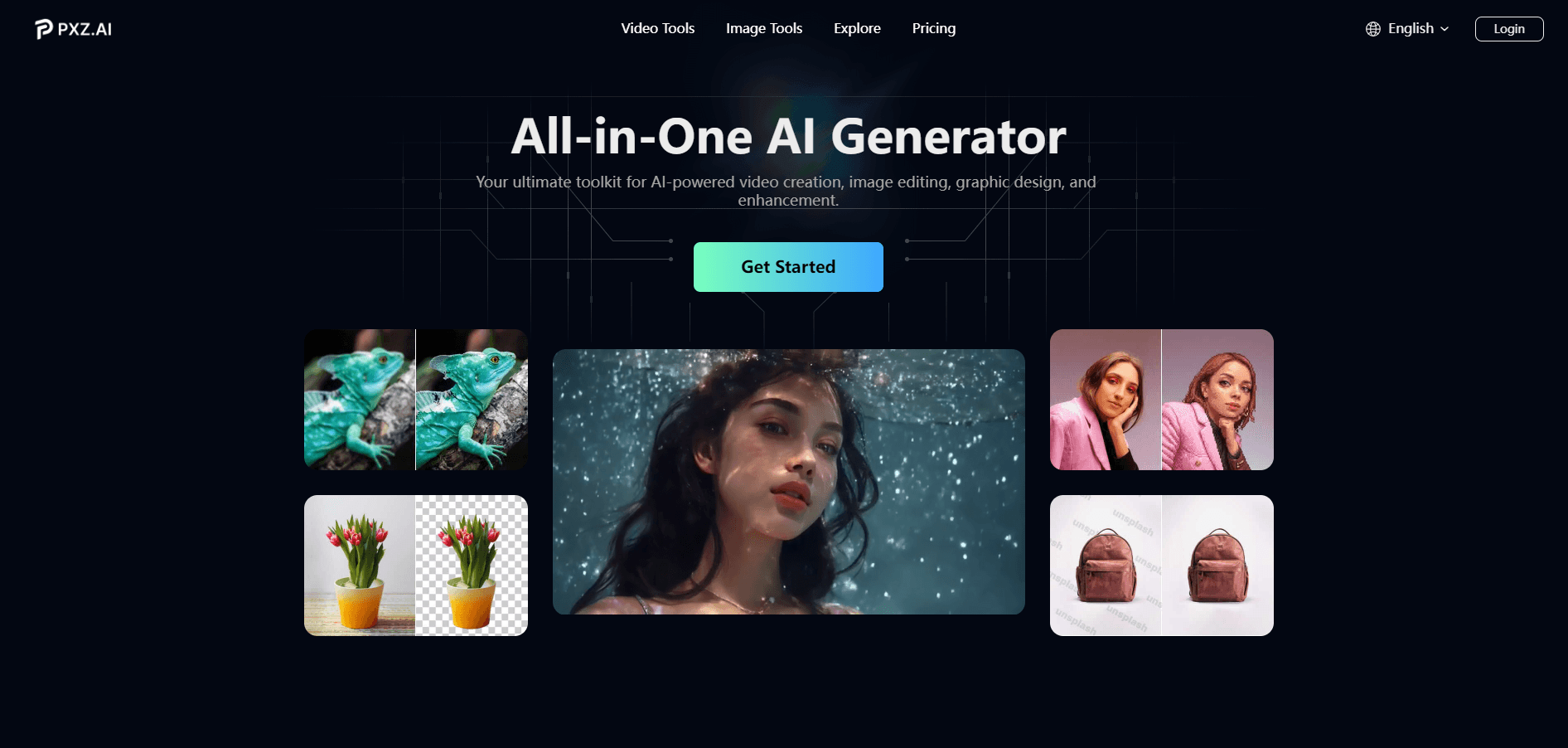
About PXZ AI
What Is PXZ AI
PXZ AI is a browser-based studio that puts image, video, voice and text tools under one roof. Instead of paying for Midjourney, Sora 2, Veo 3.1 and a dozen other services on their own, users reach the leading models through a single account and a shared credit balance. The pitch is practical: describe what you want, pick a model, and get a result in seconds.
The platform leans on well-known models rather than its own. Text to image runs through Midjourney, Nano Banana, Seedream V4 and GPT-4o Image, while image to video taps Sora 2, Veo 3.1, Kling and Hailuo. On top of the model menu sits a large set of ready-made effects, from Studio Ghibli filters to AI kissing and muscle videos, which matter more to casual creators than fine control does.
Two limits are worth knowing before signing up. Credits, not unlimited use, drive the paid experience, so heavy projects burn through a plan faster than the flat fee suggests. And the effect library, while fun, is built for quick social posts, not for precise professional retouching. PXZ AI says paid plans carry a commercial use license, and it states that projects stay encrypted and are not used to train models.
Getting Started
- Create an account on the PXZ AI website, then start on the free plan to test image and video tools
- Pick a tool, such as the image generator or video generator, and choose a model from the menu
- Type a prompt, or upload an image for image to video and effect tools, then generate
- Download the result, or move it into another tool in the suite, and upgrade to Pro for high resolution, faster runs and more credits
Product Information
A quick look at PXZ AI's pricing, supported platforms, and performance.
Best for
The users, tasks, and scenarios where this tool fits best.
Users
- Social media creators
- Solo founders and small teams
- Casual and hobby creators
- Marketing teams testing concepts
Tasks
- Generate images from text
- Turn images into video
- Apply viral photo and video effects
- Restyle or upscale existing media
- Produce voice and written content
- Keep a character consistent
Scenarios
- A daily social calendar
- A product launch
- A seasonal campaign
- A quick trend chase
- A pitch or lesson
Key features
One Platform, Many Models
The main draw is choice without the subscription sprawl. PXZ AI routes requests to Midjourney, GPT-4o Image, Flux Kontext, Nano Banana and Seedream V4 for images, and to Sora 2, Veo 3.1, Kling, Hailuo and Seedance for video. Users compare outputs from different models in the same workspace, which saves both money and the hassle of managing several logins. For anyone who tests models rather than committing to one, that flexibility is the selling point.
Text to Image Generator
Type a description in plain language and the platform renders it, with options to lock in a style and push the resolution higher. It covers a range from concept sketches to finished visuals, and the model menu lets you rerun the same prompt through different engines to see which fits. High resolution output on paid plans suits print, thumbnails and product shots.
Image and Video to Video Tools
Static images get motion, and existing clips get a new look. The image to video tool uploads a still and adds cinematic movement through Sora 2, Veo 3.1 or Kling, while the video to video tool offers more than twenty styles that swap a clip's vibe without reshooting. The platform keeps the original motion intact, so a short video can shift from cartoon to photorealistic without losing its timing.
Viral Photo and Video Effects
A large effects library handles the playful side of creation. Studio Ghibli filters, oil painting and watercolor looks cover stills, and effects like AI kissing, AI hugging, muscle and wings clips cover video. With more than 150 effects, the point is one-tap transformation for social media, not pixel-level control. This is where casual users tend to start.
Consistent Character Video
The consistent character tool keeps a subject identical across scenes. One image generates multiple shots where the person or product stays the same, which suits branded content and series where a changing face would break the illusion. It solves a common frustration with AI video, where characters drift between generations.
AI Voice, Text and Chat
The suite stretches past visuals. Voice, writing and chat tools sit alongside the image and video generators, so one plan covers voiceovers and copy drafts along with conversational AI. Moving results between tools happens inside the app, so the download and upload steps that slow a mixed-media project fall away. The company says this cross-tool flow can trim workflow time notably.
Pros and cons
Pros
- One account and one credit balance cover many leading models, so users avoid stacking subscriptions
- The model menu makes it easy to compare Midjourney, Sora 2 and Veo 3.1 output on the same prompt
- A free plan lets people test image and video tools before paying
- The effects library is large and current, covering trends like Ghibli filters and AI hugging videos
- Paid plans include a commercial use license, and the company says projects are not used to train its models
Cons
- Credits run out and reset with the plan, so heavy use costs more than the flat fee suggests
- Output resolution and speed are tied to the plan, with the free tier capped on both
- The effects lean casual, so anyone needing precise retouching will hit the limits of one-tap tools
- There is no published API, so teams cannot wire PXZ AI into their own apps or pipelines
Frequently asked questions
It is an all-in-one AI creative platform for making images, videos, voice content, written copy and chat in one place. People use it as an AI image generator, an AI video generator and an effects studio for social posts, ad assets and quick creative projects.
Related content
Explore related tools, skills, and articles for PXZ AI.
PXZ AI Alternatives

Google EmbeddingGemma 2
Google DeepMind · Writing · Image · CodingGoogle EmbeddingGemma 2 is a 740M-parameter open model that turns text, code, images, audio, and video frames into vectors in one 768-dimension space, running on phones and laptops.

Tractionwave
TractionWave · Image · MarketingTractionWave is an AI attention heatmap tool for static ads. Upload a PNG or JPG and it returns predicted attention, ranked hotspots, and fixes before you spend budget.

Imejis.io
Imejis.io · Image · MarketingImejis.io is an AI design studio for agents and marketing teams. Describe an image in plain words, and it writes the copy, builds the layout, reflows it to every size, then exports a finished file.