

Queso AI Learning
Queso · Productivity · Marketing
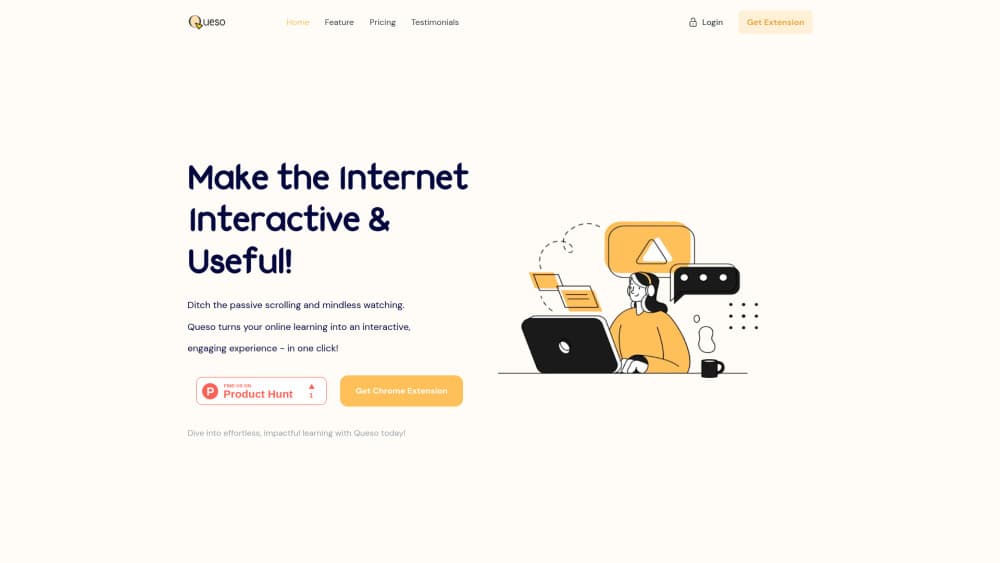
Queso AI Learning is a Chrome extension that turns YouTube videos, web pages and PDFs into active study sessions with AI questions, summaries and notes.
About Queso AI Learning
What Is Queso AI Learning
Queso AI Learning is an AI study companion that runs as a browser extension, adding a layer of questioning on top of whatever you're already reading or watching. Open a lecture on YouTube, an article or a PDF, and the tool writes short questions about the material as you go. Answering them forces recall, which is the part passive watching usually skips.
The mechanics are simple. In timed mode, a question appears every few minutes with the page or video paused behind it. In inline mode, questions sit inside the text or the video timeline, so you meet them at the right moment. A Copilot panel keeps the whole session in context, which makes follow-up questions about earlier passages possible. In daily use it behaves like an active learning tool that interrupts you before attention drifts.
The limits matter before you install it. It's a Chrome extension for studying, so phones and tablets are out. Sessions are counted monthly, and the free tier hands you five. PDF uploads need a paid plan, and the product is young with a thin public review record, so treat it as a study helper rather than a finished learning platform.
Getting Started
- Install the extension from the Chrome Web Store and create an account.
- Open a YouTube video, a web page or a PDF and start a session from the extension panel.
- Choose inline mode or timed mode, then set how often check-in questions should appear.
- Work through the questions, clip useful passages into your notes and build a mind map as you go.
- Ask the Copilot to explain anything that didn't land, then review the saved summary later.
Product Information
A quick look at Queso AI Learning's pricing, supported platforms, and performance.
Best for
The users, tasks, and scenarios where this tool fits best.
Users
- Students working through recorded lectures
- Self-taught learners who live on YouTube tutorials and documentation
- Professionals prepping a certification
Tasks
- Watching a 90-minute course video
- Reading dense documentation or a wiki page
- Reviewing a PDF before an exam
Scenarios
- A weekly study block where you want proof you actually absorbed something rather than logging hours.
- Research spread across many tabs
- Cramming the night before a test on material you've already seen once, using the question prompts as a fast recall drill.
Key features
Questions That Pause YouTube Playback
As a YouTube study tool, it reads the transcript of a video and writes questions about the segment you just watched. Playback stops while the question is on screen, and you answer before continuing. It's the closest thing here to a tutor tapping you on the shoulder mid-lecture.
Timed Mode for Long Sessions
Timed mode drops a context-based question every few minutes, whatever the source. Set the interval once and the prompts keep coming while you read a PDF, scroll a page or watch a video. This is the mode for people who lose focus around the twenty-minute mark.
Inline Mode With Running Summaries
Inline mode places the questions directly in the page or along the video timeline, so they arrive in the flow of the material rather than as interruptions. Short summaries accumulate alongside, which turns a long article into something you can review in a couple of minutes.
A Copilot With Session Context
The Copilot sees what's in your current learning session, not just the last prompt you typed. You can ask it to explain a line from ten minutes ago, define a term, or connect two ideas from different parts of the session. That context is the feature that separates it from a general chatbot tab.
Notes, Whiteboards and Mind Maps
Right-click any passage or image and clip it into the session. From there you can arrange clips on a whiteboard, sketch relationships in a mind map, or ask the AI to summarize the pile into written notes. AI note taking happens in the same place as the learning, which is the point.
PDF Uploads and Page Capture
Uploading a PDF turns a textbook chapter into a question-and-answer session, and web pages work without any upload at all. The catch is that PDF upload sits behind the paid plans, while web pages and YouTube are available on the free tier.
Pros and cons
Pros
- Questions fire inside the material you're already using, so there's no second app to keep open.
- The Copilot holds the whole session in view, which makes it useful for questions about earlier passages.
- Timed mode works across PDFs, web pages and videos, not just YouTube.
- Notes, clippings and mind maps live in the same session as the questions.
- Five free sessions a month is enough to test whether active recall suits your study habits.
Cons
- Chrome extension only, so a phone or tablet study session isn't possible.
- PDF upload requires a subscription, which rules out the free tier for textbook work.
- Sessions are capped at 5, 50 or 100 per month, and a session is a session regardless of length.
- The install base is small and public reviews are few, so long-term reliability is hard to judge.
Frequently asked questions
It adds AI-generated questions, summaries and notes to content you study in the browser. The questions pause videos or appear inline in text, and you answer them to check that the material stuck.
Related content
Explore related tools, skills, and articles for Queso AI Learning.
Queso AI Learning Alternatives

Udon
Udon · Coding · ProductivityUdon turns an Apple Silicon Mac into a home server you run from a browser, with container controls, file shares, and an optional AI sysadmin.

offstage
offstage cloud · Coding · Productivityoffstage gives AI coding agents and CI jobs a real Mac: a fresh macOS account on Apple silicon, driven over an API and billed by the second.

BotBus
Chengdu Tuyang Tusen Technology Co., Ltd. · Coding · ProductivityBotBus lets you control AI coding agents from your phone and watch: approve commands, start tasks and read results while the code stays on your desktop.