

QuillWord
QuillWord · Productivity · Business
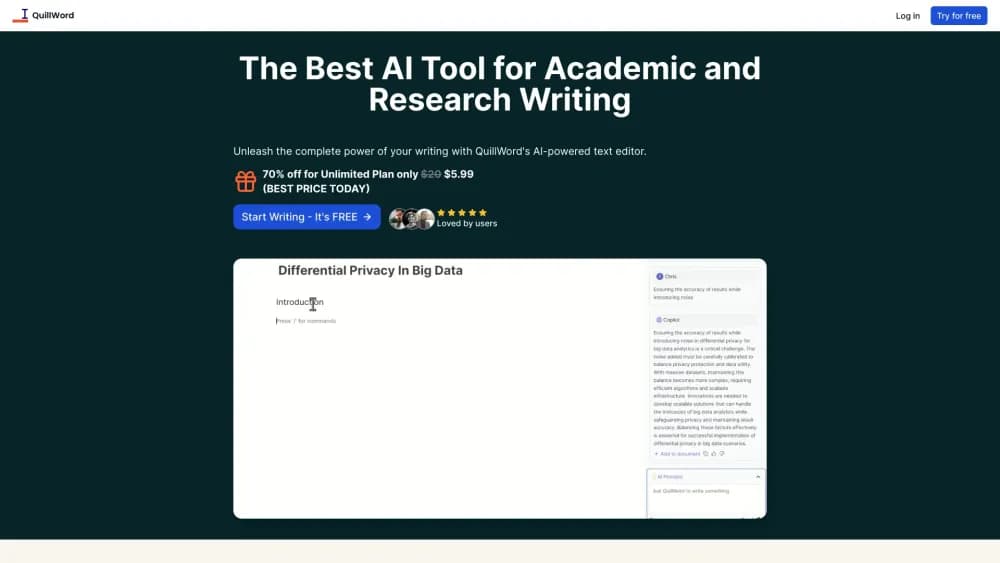
QuillWord is an AI writing assistant built for academic and research work, with autocomplete, paraphrase, citation support, PDF chat, and a reference library in one editor.
About QuillWord
What Is QuillWord
QuillWord is a text editor with a set of AI writing helpers built into the page you're typing on. You draft a paper in the same window where the tool can suggest the next phrase, rewrite a sentence, format a reference, or open a PDF you uploaded and ask about it.
The product is aimed at people writing to an academic standard rather than general marketing copy, which makes it an academic writing tool first and a general editor second. The feature list follows that audience: citation styles (APA, MLA, Harvard), a reference library for storing sources, and generators for essay titles and outlines. That combination is why students and researchers pick it over a general chatbot. A chatbot can produce text, but it won't keep your references in one place while you write.
The limits are worth knowing up front. Everything happens on the web, so there's no desktop app and no offline mode. There's a Chrome extension for working outside the editor, but the PDF chat and library live in the account. The AI also writes in a flat, serviceable register. Treat its output as a first draft and you'll get value; submit it untouched and your reader will notice.
Getting Started
- Create an account on quillword.com. Sign-in works through email or a linked account, and the editor opens right away.
- Pick a starting point. Start a blank document, or use the title and outline generators to sketch a structure before you write.
- Write with the assistant on. Autocomplete suggests the next words as you type, and the sidebar holds paraphrase, expand, shorten, and summarize actions for any selection.
- Add your sources. Paste a citation, drop in a PDF, or ask the document chat for a summary and the points that matter to your argument.
- Polish before export. Run the proofreading check, confirm every citation matches the style your course or journal requires, then copy the text out.
Product Information
A quick look at QuillWord's pricing, supported platforms, and performance.
Best for
The users, tasks, and scenarios where this tool fits best.
Users
- University students writing essays and term papers
- Graduate researchers and thesis writers
- Non-native English writers
Tasks
- Drafting a literature review
- Formatting references
- Beating writer's block on an introduction
- Rewriting a paragraph to fit a word limit
- Writing cover emails to editors and supervisors
Scenarios
- A writing session with a deadline the next morning
- Reading a stack of downloaded papers
- Preparing a submission
- Collaborating on a group report
Key features
AI Autocomplete in the Editor
The editor predicts the next words as you type, using the context of the paragraph rather than a generic language model guess. It's the feature you'll notice most on long drafts, because it keeps the sentence moving when you stall. Suggestions follow the tone already on the page, so a formal paper doesn't suddenly pick up a chatty rhythm. You can accept a suggestion, ignore it, or keep typing and let it re-predict.
Paraphrase, Expand, and Shorten
Select any passage and the tool offers rewrite paths: restate it, add supporting detail, or cut it down. This covers the three edits academic writing needs most, and it saves you from copying a paragraph into a separate chatbot and pasting the result back. The rewrite keeps your argument intact while changing the wording, which matters when a supervisor asks for a clearer sentence. Shorten is the one to use when you're over a word count and every clause already carries weight.
Citation Support for Academic Styles
QuillWord formats references in APA, MLA, Harvard, and the other styles academic users ask for. You choose the style once and the tool applies it to the entries you add. That handles the detail level where people usually slip: punctuation, capitalization, author ordering, and the placement of the year. It's not a substitute for checking a source, but it removes most of the mechanical errors that get flagged before anyone reads your argument.
Chat with PDFs and Websites
Upload a PDF or point the tool at a web page, and you can ask questions about the content. Ask for a summary, a list of methods, or where the paper makes a specific claim, and the answer comes back with the document open beside it. For a literature review, this is faster than searching a 40-page paper for one paragraph. The tool keeps the document attached, so follow-up questions stay in the same context.
Reference Library
Sources you use are stored in a library inside your account, where you can search, reopen, and reuse them across documents. It behaves like a shared folder for a project rather than a bookmark list, which is what makes it useful when a paper cites 60 references. You can also bring in a public website as a source, not just a PDF.
Title, Outline, and Summary Generators
Beyond the sentence-level tools, QuillWord generates essay titles, outlines, and topic summaries from a short prompt. These help at the very start, when you know the subject but not the shape of the paper. Get three outlines, pick the one that matches your evidence, then write into it. The summaries serve the same purpose mid-project, when you need to compress a section you've already written.
AI Email Writer
The email writer drafts messages in a professional register, aimed at correspondence with professors, editors, and co-authors. It's a small feature next to the writing tools, but it's the one people reach for outside of coursework. Paste the context, state what you need, and edit the draft before sending.
Pros and cons
Pros
- Writing, citation, and source management sit in one editor, so you're not pasting text between four different tabs.
- PDF chat turns a long paper into a set of answers you can use in the next paragraph, which shortens literature review time.
- Citation support covers APA, MLA, and Harvard, the formats most courses and journals ask for.
- The reference library keeps sources attached to the project, so a bibliography doesn't get rebuilt from scratch each time.
- There's a free tier, so you can test the autocomplete and citation tools before paying.
Cons
- It's web only. There's no desktop app, so an unstable connection interrupts a writing session.
- The AI prose is competent but generic. Paragraphs you accept without editing will read like they came from a model, which matters if your institution screens submissions.
- The template library and help content are thin. Most learning happens by poking around the editor.
- The site is available in English, so non-English writers get an editor built around English academic conventions.
Frequently asked questions
QuillWord is used for writing and organizing academic work. Students draft essays, researchers build literature reviews, and both use its citation and PDF tools to keep sources in order while they write.
Related content
Explore related tools, skills, and articles for QuillWord.
QuillWord Alternatives

Base Code
Base44 (Wix) · Coding · ProductivityBase Code is a shared cloud development environment from Base44. Teammates describe changes to an existing GitHub codebase in chat, preview them live and send them back as pull requests.

Knocket
Knocket (Tencent RTC team) · Productivity · Business · ChatbotKnocket is a free live chat and contact page tool that lets visitors message you from your website, app, or a shareable link, with every reply handled from Telegram or one inbox.

FloorGen
Vinit Kumar (FloorGen) · Productivity · China AIFloorGen is a browser-based floor plan maker that turns a sentence or a sketch into an editable 2D plan and a 3D walkthrough. Export to PDF, DXF or video, and draw without an account.