

QuitSugar: Track & Cut Sugar
Tigran Muradyan · Leaning · AI Assistant
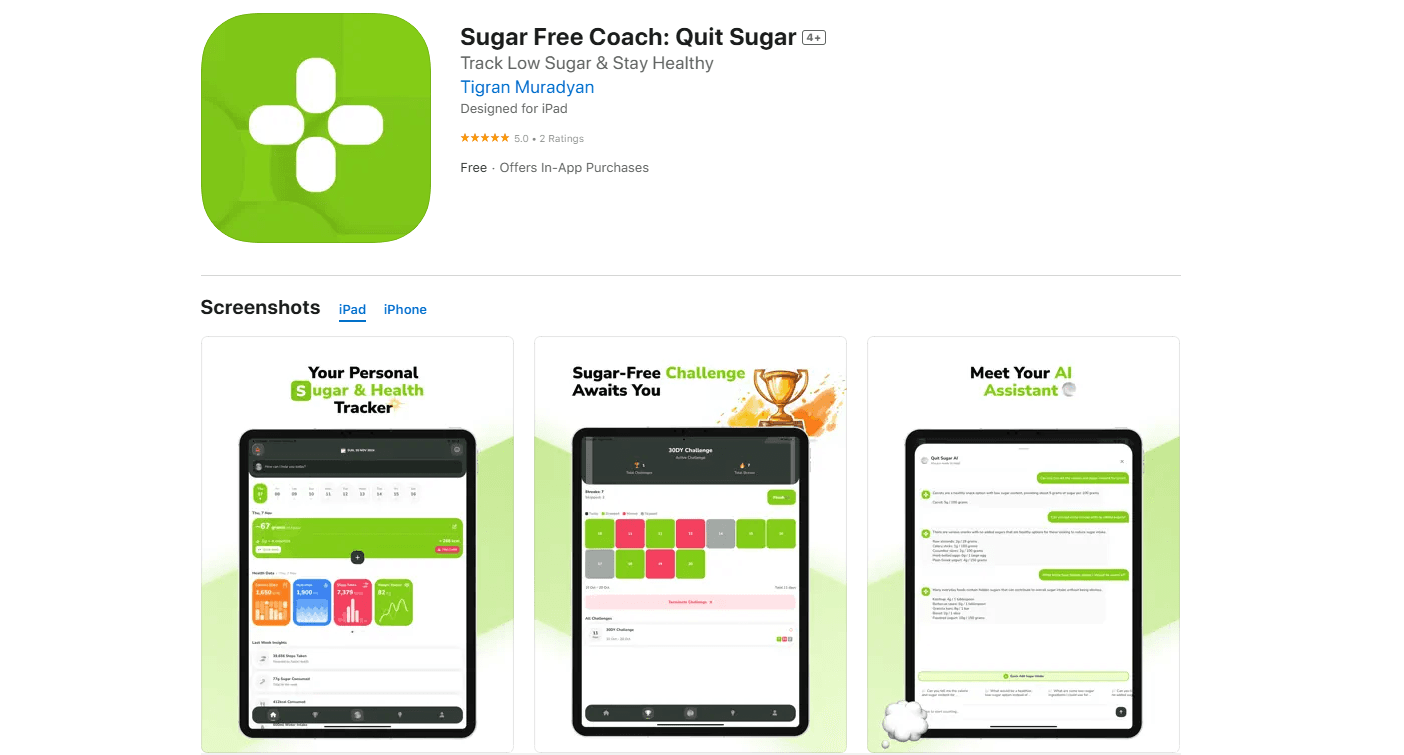
QuitSugar: Track & Cut Sugar is an AI calorie and sugar tracker for iPhone. It scans meals, logs macros, and keeps your habit streaks alive.
About QuitSugar: Track & Cut Sugar
What Is QuitSugar: Track & Cut Sugar
QuitSugar is a health and fitness app built by independent developer Tigran Muradyan. It puts calorie counting, sugar tracking, macros, water, weight, and daily habits into one iPhone app. The pitch is simple. You scan or photograph a meal, and the app works out the calories, sugar, protein, carbs, and fat for you instead of making you type every ingredient into a search box and hope the serving size is right.
That last part is the whole point.
The app leans on an AI food-detection engine and a food database of more than two million items. Manual logging is the part most people quit. So QuitSugar tries to shrink that job to a few seconds per meal. You get daily sugar and calorie goals, progress charts, and a running view of your eating patterns.
The catch worth knowing up front: QuitSugar ships as a free download with in-app purchases, and it's iOS only. There's no Android version and no public API, so anything you build around it stays inside the app. If you already track food on a Garmin watch or a web dashboard that syncs across devices, this won't slot into that setup.
And the big question for any tracker: will you actually keep logging after week one? QuitSugar bets on speed and streaks to keep you going.
Getting Started
- Download QuitSugar free from the App Store and create an account. It takes a minute.
- Set your goals during onboarding: target weight, daily calorie limit, and how hard you want to cut sugar.
- Log your first meal by searching the database, scanning a barcode, or taking a photo of your plate.
- Review the calorie, sugar, and macro breakdown, then adjust the portion if the AI estimate looks off.
- Turn on reminders and pick a challenge like No Sugar or Hydration to start building streaks.
Photos and barcodes are fast. QuitSugar also lets you search its food database by name when neither works, which covers most home-cooked meals and anything that simply never had a barcode to begin with, so you're rarely stuck typing out a full recipe by hand.
Product Information
A quick look at QuitSugar: Track & Cut Sugar's pricing, supported platforms, and performance.
Best for
The users, tasks, and scenarios where this tool fits best.
Users
- People cutting back on sugar
- Beginners to food tracking
- Families and friend groups
Tasks
- Logging meals fast
- Watching macros
- Building daily habits
Scenarios
- Starting a low-sugar week
- Grocery shopping
- Weight loss plateaus
Key features
AI food logging and barcode scanning
The core workflow is log a meal without typing. You search the database, scan a product barcode, or snap a photo and let the app estimate calories, sugar, protein, carbs, and fats. The built-in food database covers more than two million items, and the barcode scanner app side handles packaged food almost instantly. Mixed dishes are another story. It won't be perfect on them, so expect to nudge portions now and then.
Sugar and calorie tracking
QuitSugar tracks daily sugar intake and calorie goals side by side, then shows your macronutrient balance and eating patterns in charts. That dual focus matters if sugar, not total calories, is the thing you're trying to cut. Most calorie trackers bury added sugar in a submenu, so seeing it on the main screen changes what you notice about the meals you eat every single day. Personalized tips adjust as your logged data builds up.
Habit tracker and custom challenges
Beyond food, the app runs wellness challenges such as No Sugar, Hydration, and Mindful Eating that you can pick from a list and adjust to match whatever habit you're actively trying to build this month. Streaks, reminders, and rewards push consistency. This is the part that keeps a habit tracker from becoming a one-week experiment. The motivation mechanics still only work if you check in, so reminders matter here. Skip them and the challenges fade fast.
Weight, water, and step tracking
You can log body weight, hydration, and daily steps, then see trends in progress charts that make a slow week look less discouraging than the daily number does. Healthy-range suggestions based on BMI and your goals give the numbers some context. Steps come from your phone. No wearable needed.
Collaborate and compete
You can team up with friends or family for shared motivation, join leaderboards, and take on group challenges that pay out coins in exchange for hitting your daily logging and habit targets. Coins add a light game layer on top of habit building. The catch is that the social features need other people using the app to be worth much. On your own, the leaderboard is a list of one.
Educational tools and insights
QuitSugar includes guided content on sugar's impact, weight loss strategy, and nutrition basics, plus AI-generated insights tuned to your data. Think of it as a nutrition tracker that also explains the numbers. It's a useful primer if you're new to reading nutrition labels. Treat the educational material as general guidance rather than medical advice.
Pros and cons
Pros
- Photo and barcode logging cuts the manual entry that makes most food trackers tedious.
- Sugar tracking sits alongside calories, so you can target added sugar directly instead of inferring it.
- Habit challenges, streaks, and leaderboards add structure beyond plain logging.
- Weight, water, and step tracking live in the same app, so you avoid juggling three tools.
- Free to download, so you can test whether the scanning workflow fits before paying.
Cons
- iOS only, which means Android users can't use it at all.
- No public API, so you can't sync data into your own dashboards or other services.
- Photo estimates on mixed or restaurant meals can be rough, and fixing them takes manual edits.
- The social and challenge features are thin until friends or family join in.
Frequently asked questions
It's an iPhone app that tracks calories, sugar, macros, water, weight, and habits in one place. You log meals by search, barcode scan, or photo, and the app breaks down the nutrition for you. No typing required.
Related content
Explore related tools, skills, and articles for QuitSugar: Track & Cut Sugar.
QuitSugar: Track & Cut Sugar Alternatives

HireKey
HireKey · Voice & Language · Productivity · LeaningHireKey is an AI job search copilot built by a former tech recruiter. It checks role fit, tailors resumes, runs interview practice and tracks every application.

Lune
Retrograde Labs · Productivity · LeaningLune is a research search engine for scientific AI agents. It runs as an MCP server that lets Claude, ChatGPT and Cursor search peer-reviewed computer science papers and cite them.
Coddy
Coddy · Coding · LeaningCoddy is a gamified platform to learn to code through short interactive lessons in 20+ languages, with a browser editor, an AI tutor and free certificates.