
Quiz Wizard
Wooclap · Leaning
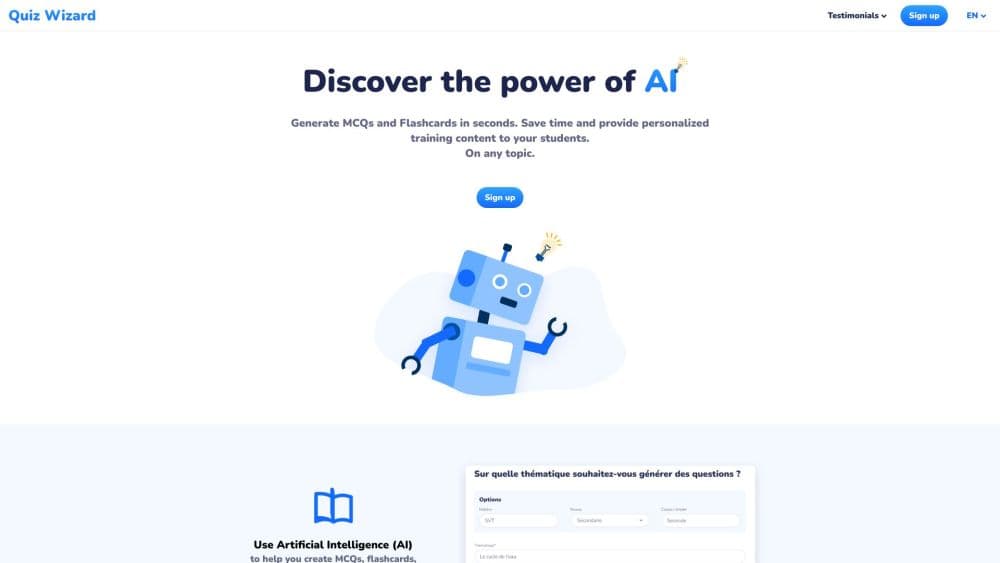
Quiz Wizard is an AI quiz generator that turns a topic, document, or URL into ready-to-use multiple choice questions, open questions, and flashcards for teaching.
About Quiz Wizard
What Is Quiz Wizard
Quiz Wizard is an AI quiz generator built for teachers and trainers. You give it a topic, upload a document such as a syllabus, slide deck, or article, or paste a URL. It returns a set of ready-to-use questions in seconds, including multiple choice, fill in the blank, and open questions, plus flashcards you can edit before class.
The tool is now powered by Wooclap, a classroom interaction platform. That link matters: questions map to Bloom's Taxonomy levels, from basic recall up to analysis and evaluation, so a quiz can test more than surface memorization. You can also push a generated quiz straight into a Wooclap event and run it as a live session, with real-time analytics on how learners answer.
The pitch is time. Educators who use it report saving roughly 30 to 45 minutes per quiz, because drafting questions by hand is slow work. Even so, Quiz Wizard is an AI assistant, not a finished exam. You still review and fine tune every question, and you stay accountable for accuracy, especially in clinical or technical subjects. The tool fits factual and structured material best; open ended or opinion heavy content produces weaker results. Free use without an account is limited, and heavier or team use sits behind a paid Wooclap plan.
Getting Started
- Open the Quiz Wizard app and start from a topic, a document, or a URL.
- Set the subject, the level, and who the quiz is for, so the questions match your audience.
- Let the AI draft a full set of multiple choice, fill in the blank, open questions, or flashcards.
- Review and edit any question or answer that does not match your source.
- Export the quiz to a Wooclap event and run it live, or keep it as a standalone set.
Product Information
A quick look at Quiz Wizard's pricing, supported platforms, and performance.
Best for
The users, tasks, and scenarios where this tool fits best.
Users
- Teachers and lecturers
- Corporate trainers
- Instructional designers
Tasks
- Turning documents into quizzes
- Generating multiple choice questions at a set difficulty
- Building flashcards for revision
- Producing open questions and polls
- Running a live quiz session
Scenarios
- Prep for a lecture the night before
- Onboarding knowledge checks
- Language teaching
- Exam revision cycles
Key features
Quiz Generation From Topic or Document
Quiz Wizard works from a plain topic, an uploaded document, or both. You can feed it a syllabus, slides, an article, or course notes, and it returns a ready-to-use set in seconds. That flexibility means you do not need a pre-built question bank to get started.
Bloom's Taxonomy Alignment
Questions are mapped to Bloom's Taxonomy levels, from recall and comprehension up to analysis and evaluation. This pushes the output past simple memorization checks, so a quiz can actually probe how well a learner understands the material rather than just whether they can repeat it.
Multiple Question Types
The generator works as more than an MCQ generator. It produces multiple choice questions, fill in the blank items, open questions, live polls, and flashcards. Mixing formats keeps a session varied and lets you match the question style to the learning goal instead of defaulting to one format.
Editable Drafts
Every generated question and answer is editable. You can fine tune wording, fix an answer key, or swap an option before the quiz reaches students, which keeps a human check in the loop on top of the AI draft.
Wooclap Integration and Live Sessions
Generated quizzes export directly into Wooclap events, so you go from AI draft to a live interactive session without copy pasting or reformatting. Real-time analytics show how learners answer, which helps you spot weak spots while the session is still running.
Works Across Disciplines
The tool handles physics, medicine, language learning, corporate training, and more. Because it starts from your own content or a described theme, the questions stay tied to your field rather than a generic template that fits no one well.
Pros and cons
Pros
- Turns a topic, PDF, or URL into a usable quiz in minutes, which cuts the slowest part of lesson prep.
- Bloom's Taxonomy mapping means questions target real comprehension, not just recall.
- Several question types in one tool, from MCQ and fill in the blank to open questions and flashcards.
- Direct export to Wooclap lets you move from draft to a live session with real-time analytics.
Cons
- Output is an AI draft, so you still have to review every question and verify answers yourself.
- Weaker on open ended or opinion heavy material, where factual source content works best.
- Free use is limited and heavier or team use needs a paid Wooclap plan.
- Aimed at educators, so self learners looking for a study app may find it a partial fit.
Frequently asked questions
Quiz Wizard is an AI quiz generator that turns a topic, document, or URL into editable multiple choice questions, fill in the blank items, open questions, and flashcards. It is built for teachers and trainers and is now powered by Wooclap.
Related content
Explore related tools, skills, and articles for Quiz Wizard.
Quiz Wizard Alternatives

HireKey
HireKey · Voice & Language · Productivity · LeaningHireKey is an AI job search copilot built by a former tech recruiter. It checks role fit, tailors resumes, runs interview practice and tracks every application.

Lune
Retrograde Labs · Productivity · LeaningLune is a research search engine for scientific AI agents. It runs as an MCP server that lets Claude, ChatGPT and Cursor search peer-reviewed computer science papers and cite them.
Coddy
Coddy · Coding · LeaningCoddy is a gamified platform to learn to code through short interactive lessons in 20+ languages, with a browser editor, an AI tutor and free certificates.