

Quizmate Io
QuizMate · Leaning
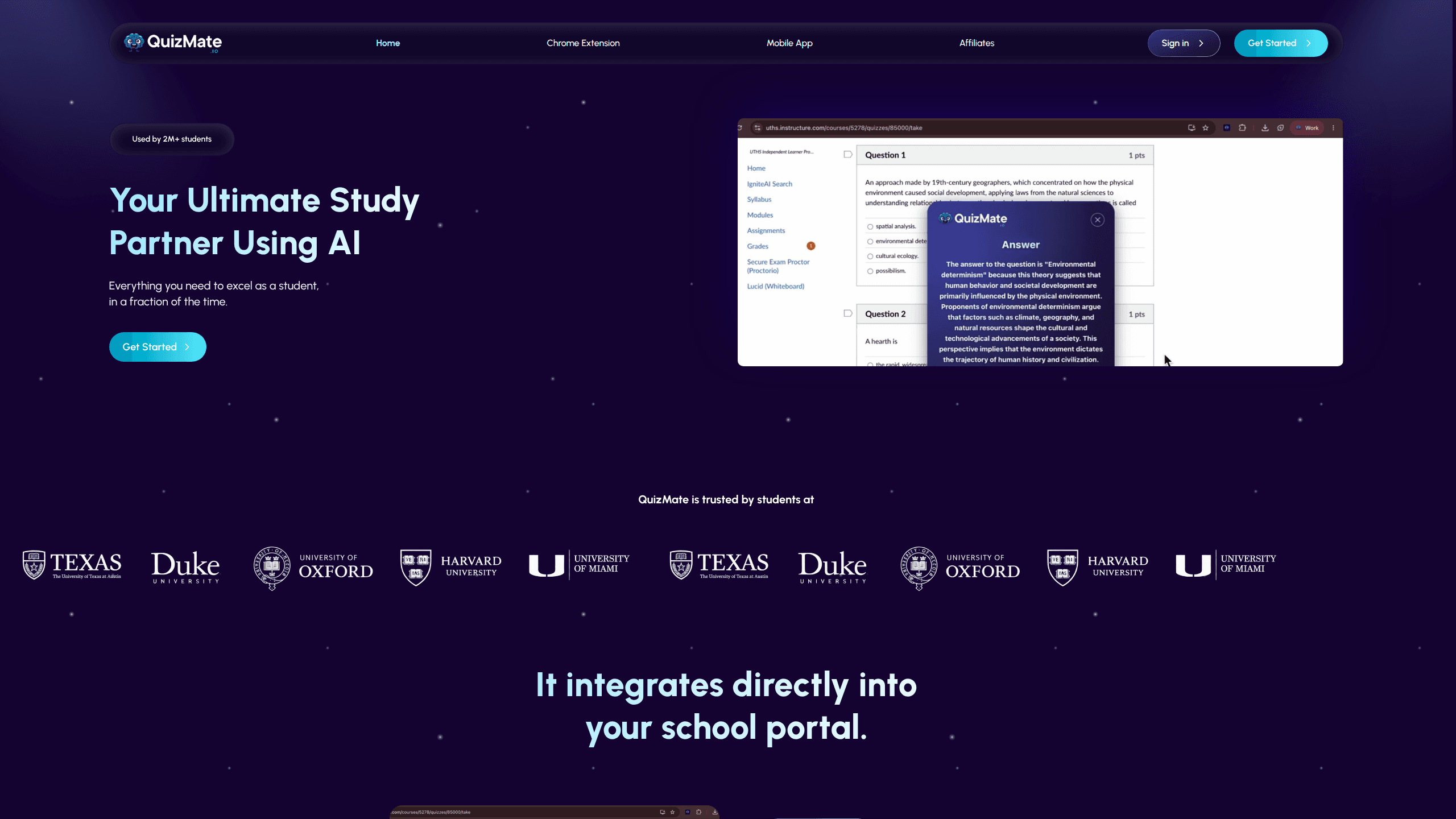
Quizmate Io is an AI study assistant that helps students work through homework faster. It ships as a Chrome extension that plugs into school portals and an iOS app that scans a photo of any question, then returns an answer with a step-by-step explanation. A separate Study Hub handles lecture summaries, essay drafting, flashcards, and resume building, and the company says more than 2 million students use it. As a homework help app, its whole pitch is time saved.
About Quizmate Io
What Is Quizmate Io
Quizmate Io, usually called QuizMate, is a learning tool built around one idea: students spend too long stuck on questions they could understand in seconds with the right explanation. It answers that by combining an AI tutor with two delivery surfaces, a browser extension and a mobile app, so help is available wherever the work happens.
The product targets students from high school through university, across subjects like math, chemistry, physics, biology, history, and economics. The pricing sits in the same range as private tutoring but with unlimited usage, which is the main pitch. You don't need to be technical to use it. If you can take a photo or click a button, you can use QuizMate.
The clearest limitation is the platform split. The extension covers desktop browsers, the instant-answer app is iOS only, and Android users are left out of the mobile experience for now. No Android app. The tool also leans on AI answers rather than verified textbook solutions, so results still need a check when accuracy matters.
Getting Started
- Create an account with an email address or a Google login through the Sign up page.
- Pick your surface: install the Chrome extension for browser work, or download the iOS app for photo-based scanning.
- For the extension, open your school portal or any question page and click the QuizMate button to pull an answer and explanation.
- For the app, snap a photo of the question and read the instant answer with its step-by-step breakdown.
- Move into the Study Hub when you want lecture notes, flashcards, practice quizzes, or an essay draft.
Product Information
A quick look at Quizmate Io's pricing, supported platforms, and performance.
Best for
The users, tasks, and scenarios where this tool fits best.
Users
- High school and university students
- Students who already study on a laptop
- Self-learners reviewing unfamiliar topics
Tasks
- Working through a stuck homework question
- Turning a recorded lecture into notes
- Building a flashcard set before a test
- Drafting an essay or a resume
Scenarios
- Late-night study sessions before an exam
- Flipping between a school portal and a textbook
- Catching up after a missed class
Key features
Instant Answers in the Browser
The Chrome extension adds a QuizMate button to pages you're already on, including school portals. Click it and it returns a short answer plus a longer, step-by-step explanation for that specific question. As a Chrome extension study tool, it stays inside the page instead of sending you to a separate app. The walkthrough is the real value. You can check your own reasoning rather than copy a result. If your coursework lives in a locked portal, this is the surface built for it.
Scan and Solve on Mobile
The iOS app turns your phone into a question scanner. Point the camera at a problem in any subject, and the assistant returns an answer with detailed explanations of the underlying topic. That works for a printed worksheet, a whiteboard, or a textbook page. No laptop needed. It's the fastest route when you're away from a computer, and the mobile app is currently iOS only.
Study Hub: Notes, Essays, and Flashcards
One click turns a lecture into clear summarized notes. The same hub drafts essays in the format you need, converts study materials into flashcards and practice quizzes, and builds an ATS-optimized resume. That's a lot in one place. It's a broader toolkit than a pure Q&A helper, aimed at the whole study cycle rather than just the stuck moments.
Subject Coverage Across Levels
QuizMate handles a wide subject spread, from math and chemistry to history, literature, economics, and astronomy, and it works across levels rather than one grade band. That range matters. If you're juggling several courses at once, you don't need a different tool per subject.
Unlimited Access on Paid Plans
Every paid tier advertises unlimited access and fast answers, with no per-question limit. You can cancel anytime. For a heavy user who burns through questions during exam season, that removes the metering anxiety you get with credit-based AI tools, which tend to make you ration every single query you type.
School Portal Integration
The extension is designed to sit inside the portals students already use for coursework. That matters more than it sounds. Most homework help means leaving the page, which breaks focus. Keeping the assistant on the same screen is the practical difference between using it and forgetting it. A tool you have to leave your workflow to open tends to get forgotten.
Pros and cons
Pros
- Combines a browser extension and a mobile scanner, so help follows you across devices.
- Step-by-step explanations push past answer-copying toward actual understanding.
- The Study Hub covers notes, essays, flashcards, and resumes in one place.
- Paid plans offer unlimited access with no per-question cap, and you can cancel anytime.
- Broad subject and grade coverage suits students carrying several courses.
Cons
- No free plan, so you can't test it without paying first.
- The mobile app is iOS only, which leaves Android users with just the browser extension.
- Answers come from AI rather than verified textbooks, so accuracy still needs a human check.
Frequently asked questions
It's an AI study assistant that answers homework questions and explains the reasoning. You can use it through a Chrome extension or the iOS app, and the Study Hub adds note-taking, flashcard, essay, and resume tools.
Related content
Explore related tools, skills, and articles for Quizmate Io.
Quizmate Io Alternatives

Kaggle AI
Google · Coding · LeaningKaggle AI is a community platform where people build, test, and compare machine learning models against shared data. It combines data science competitions, tens of thousands of public datasets, and free cloud notebooks with GPU and TPU access, so anyone with a browser can train a model without buying hardware. Google owns the platform, and joining costs nothing.

Bunch
Bunch AI · Leaning · BusinessBunch is an AI leadership coaching app that turns a few spare minutes a day into real management practice. It hands you one short, personalized tip each day, tracks how you respond, and lets you compare notes with peers inside private groups. The pitch is simple: you lead better by practicing a little, often, instead of sitting through a weekend seminar. Think of it as a leadership training app you actually open.

AI Mock Interview
SQLPad · Coding · LeaningAI Mock Interview is a practice tool built into SQLPad that simulates real job interviews and gives you instant feedback on both what you say and how you say it. You pick a role template or upload a job description, answer questions out loud in real time, and then review a transcript with notes on structure, clarity, and grammar. It's aimed at data professionals prepping for SQL, Python, data engineering, machine learning, and system design roles, and it works entirely in the browser. No install needed.