

QuizRise.com
QuizRise · Leaning
QuizRise is an AI quiz generator that turns PDFs, web pages, YouTube videos, and handwritten notes into editable quizzes, flashcards, and summaries, with classroom tools for teachers.
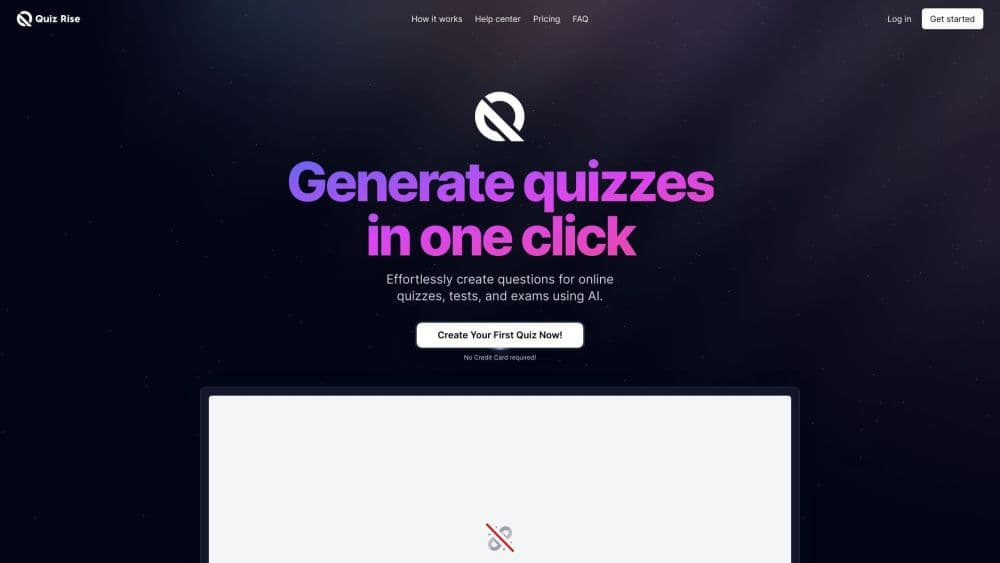
About QuizRise.com
What Is QuizRise
QuizRise is a web app for turning material you already have into something you can test yourself on. Upload a PDF, a slide deck, or a photo of handwritten notes, paste a YouTube link, and it writes questions, flashcards, and a summary from that source. It doubles as a quiz maker from PDF files, a flashcard generator for lecture material, and a YouTube quiz maker for recorded talks. Teachers use it to build class quizzes, students use it to convert lecture notes into practice sets, and training teams use it for knowledge checks.
The appeal is time. Writing 20 multiple choice questions from a chapter is an hour of dull work, and the AI does that first pass in seconds. You still have to read what it produced. The company says as much on its own site: the AI can make mistakes on unclear or low quality source text, and every quiz should be reviewed before it reaches students.
Two limits shape how people actually use it. The free plan caps output at three quizzes a month with up to 20 questions each, which is enough to test the workflow and not enough to run a class. Paid plans raise the limits and unlock extra export formats. Current prices sit inside the app rather than on the public site.
Getting Started
- Create an account at app.quizrise.com. The free plan needs no card.
- Pick a source: upload a file, paste text, drop in a website URL, or paste a YouTube link.
- Choose the question types and the number of questions, then generate.
- Edit the stems, options, and marked answers, and delete anything that misses the point.
- Share a link, print a PDF with the answer key, or export the file to your learning platform.
Product Information
A quick look at QuizRise.com's pricing, supported platforms, and performance.
Best for
The users, tasks, and scenarios where this tool fits best.
Users
- Teachers who run weekly checks
- University students with dense reading lists
- Tutors and training leads
Tasks
- Turning a textbook chapter into a practice test
- Building flashcards from a recorded lecture
- Writing a comprehension check from a news article
Scenarios
- Sunday night prep for Monday's lessons
- The week before finals
- Onboarding a small team
Key features
Question Generation From Text, Files, Links, and Video
The generator accepts pasted text, PDFs, DOCX, PPTX, TXT files, images, website URLs, and YouTube links. Handwritten notes work through the image upload, which matters for students who still take notes on paper. Each source gets analyzed in seconds and comes back as a question set tied to its content.
Multiple Choice, True or False, and Fill in the Blank
Three question formats cover most classroom needs, and you can mix them in one quiz instead of choosing a single style. Multiple choice handles recognition, fill in the blank forces recall, and true or false works for quick checks on definitions. QuizRise advertises dedicated tools for each format if you only want one.
Flashcards and a Summary With Every Quiz
Every generated quiz arrives with a deck of flashcards and a short summary of the source material. It's the same content viewed three ways: test yourself, drill the cards, then read the summary for the parts you missed. That combination is the main reason students pick this over a plain question generator.
Editing and Regenerating Before You Share
Nothing is locked after generation. You can rewrite question text, swap answer options, change which answer is correct, reorder items, and delete what doesn't fit. Regenerating a section is faster than fixing a bad question word by word, and most teachers end up doing a mix of both.
Classroom Tools, Share Links, and Result Analytics
Classroom is where the classroom quiz software actually lives: students, their quizzes, and their results in one place. Co-teachers can join a classroom and edit its quizzes and flashcard sets together, which saves the usual pass-the-file routine. The analytics view shows how a group performed and which concepts need another pass before the test.
Exports for Printing, Moodle, and Other LMS Platforms
Every plan prints a PDF question sheet and a separate answer key. Paid plans add GIFT, Aiken, Respondus, Moodle XML, DOCX, and JSON exports, which covers Moodle and most platforms that accept a standard import file. There's no direct LMS connection, so you export a file and upload it yourself.
Pros and cons
Pros
- Wide source support: text, PDF, DOCX, PPTX, images of handwritten notes, web pages, and YouTube all feed the same generator.
- Questions come with marked answers, so a quiz is usable the moment it's generated and you spend the time on review instead of answer keys.
- The free plan is real, with three quizzes a month and up to 20 questions each, and it needs no credit card.
- Exports cover print, Moodle, Respondus, and JSON, which is more than most quiz tools at this price.
- Generated questions work in over 100 languages, so bilingual teachers aren't stuck with English material.
Cons
- The free plan runs out fast for anyone teaching more than one class, and there's no free trial of the paid limits.
- Question quality tracks the source. Scanned PDFs with broken text or rambling video transcripts produce questions you have to rewrite.
- There's no direct LMS sync. You export GIFT or Moodle XML and import it yourself, which adds a step to every quiz.
- Plan limits and prices live inside the app, so you can't compare options before signing up.
Frequently asked questions
It turns study material into quizzes, flashcards, and summaries. Teachers build assessments, students make practice tests from their notes, and training teams write knowledge checks from policy documents or recordings.
Related content
Explore related tools, skills, and articles for QuizRise.com.
QuizRise.com Alternatives

HireKey
HireKey · Voice & Language · Productivity · LeaningHireKey is an AI job search copilot built by a former tech recruiter. It checks role fit, tailors resumes, runs interview practice and tracks every application.

Lune
Retrograde Labs · Productivity · LeaningLune is a research search engine for scientific AI agents. It runs as an MCP server that lets Claude, ChatGPT and Cursor search peer-reviewed computer science papers and cite them.
Coddy
Coddy · Coding · LeaningCoddy is a gamified platform to learn to code through short interactive lessons in 20+ languages, with a browser editor, an AI tutor and free certificates.