

ReadHero
Dennis Sima · Productivity
ReadHero is a reading app for iPhone and iPad that helps you manage your TBR list, track page progress and keep the notes you take while reading.
About ReadHero
What Is ReadHero
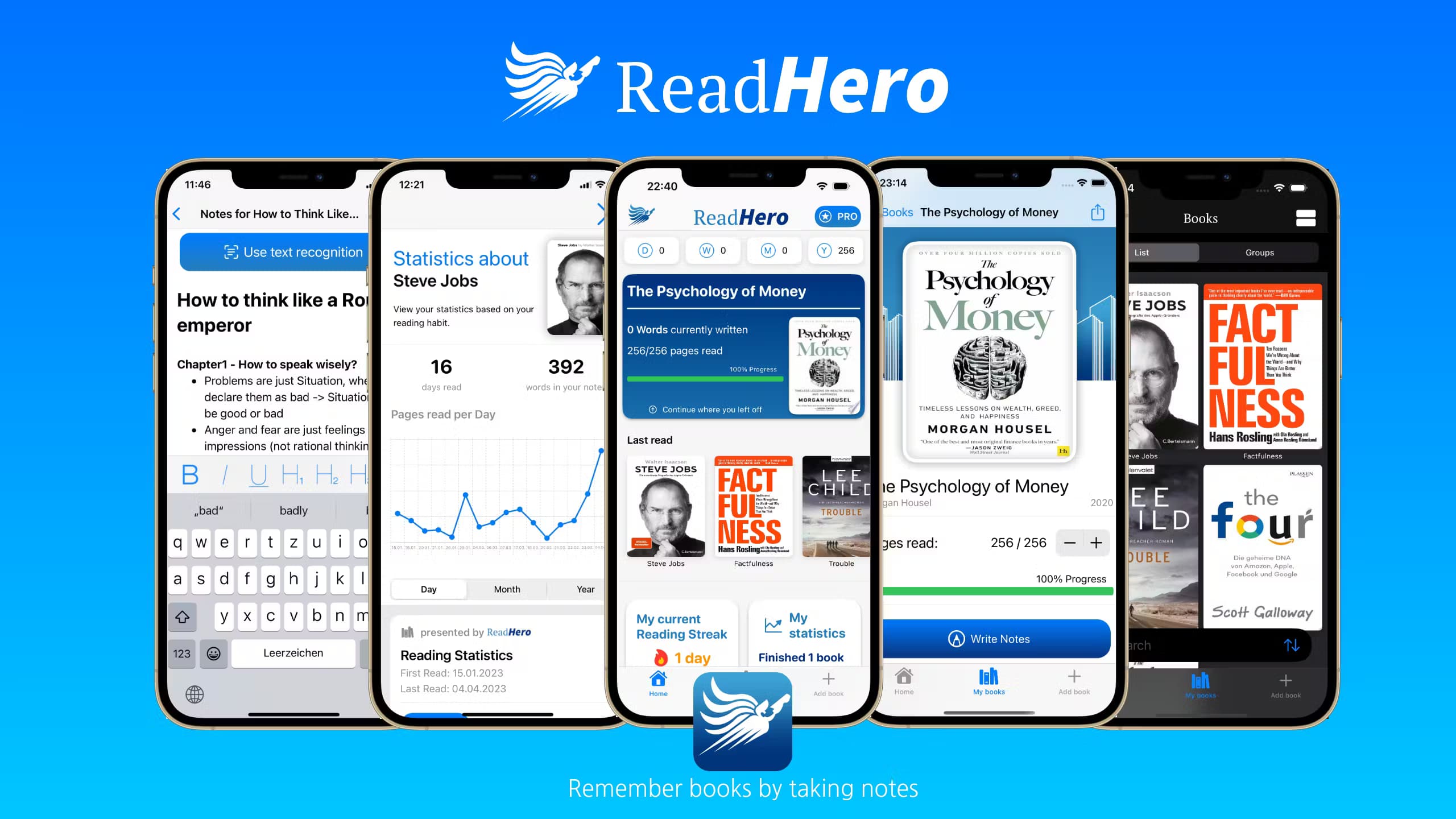
ReadHero is a book tracking app for iOS built by a solo developer, Dennis Sima. Think of it as a book tracker plus a notebook: it puts your library, your reading progress and your notes in one place, then shows what that adds up to through reading stats. The pitch is simple: most people forget the bulk of what they read, and writing a few lines as you go makes a book stick.
The app covers the standard tracker work. You add books three ways: scan a barcode, search a database of over a million titles, or type the details in yourself. From there you sort titles into a TBR pile, current reads and finished books, update the page you're on, and jot down quotes or thoughts as you read. Custom groups, personal ratings and a stats screen round it out.
The limits are worth knowing up front. ReadHero is iOS only, so there is no Android version and no web dashboard. The core experience is free, but the deeper tools sit behind an in-app purchase, and the app leans on iCloud for syncing rather than its own account system. Discovery inside the app points you toward popular titles, not a full bookstore.
Getting Started
- Download ReadHero from the App Store and open it, since no account is needed to start.
- Add your first books. Scan a barcode, search the title database or enter them manually.
- Set a reading status for each book. Update your current page as you go.
- Write a note or quote when something stands out, then check the stats screen to see your progress.
Product Information
A quick look at ReadHero's pricing, supported platforms, and performance.
Best for
The users, tasks, and scenarios where this tool fits best.
Users
- Readers who forget books fast
- Lifelong learners and students
- Heavy readers juggling several books
Tasks
- Managing a TBR list
- Tracking reading progress
- Saving notes and quotes
- Importing an existing library
Scenarios
- Finishing a book and remembering it a year later
- Reading several books at once
- Deciding what to read next
Key features
Add books fast with barcode scan and search
You add a title three ways: scan its barcode, search a database of over a million books, or enter the details yourself. The scan and search paths cover most published books, so building a shelf takes seconds per title rather than a form to fill in. Manual entry fills the gaps for titles the database misses.
Track progress across all your current reads
Instead of a single bookmark, ReadHero logs the page you're on for every book in progress. That matters when you're reading a novel, a work book and something slower at the same time, because each title keeps its own place. You update it as you read and the stats follow along.
Notes and quotes that survive the book
The note tool is where the app earns its name. You write thoughts, summaries and quotes while reading, and they stay attached to the book so you can pull them up later. ReadHero frames this around the idea that people forget most of what they read, and short notes are what keep the useful parts around.
Personal ratings and a reading diary
Finished books get a personal rating, and over time those ratings build a record of what you read and how you felt about it. The point is better decisions later: your own rated history beats a stranger's review when you're picking the next book.
Custom groups for organizing your library
You can sort books into custom groups the way you'd build playlists, by genre, author or mood. Groups keep a large library workable without forcing every book into a fixed shelf, and they work alongside the TBR and finished statuses rather than replacing them.
Reading statistics
The stats screen shows how long you read, what you finished and where your reading habits sit overall. It turns scattered sessions into a picture you can read at a glance. If you want to know if you're actually getting through your pile, this is where it shows.
iCloud sync and home screen widgets
Your books, statuses and notes sync through iCloud across your iOS devices, so an iPhone and an iPad stay in step without a ReadHero account. Home screen widgets surface your current read or your stats without opening the app.
Goodreads import and in-app discovery
You can import your Goodreads library and reading history, which saves rebuilding a shelf by hand. The app also lets you browse titles inside it, including bestsellers and popular books. Discovery here leans toward well-known titles rather than a full store.
Pros and cons
Pros
- Notes and quotes attach to each book, so what you write stays with the title instead of scattering across a notes app.
- Books can be added by barcode, search or manual entry, which makes building a shelf quick.
- The core tracker is free, so you can sort your library and log progress before deciding on the paid upgrade.
- iCloud sync keeps an iPhone and iPad in step without a separate account.
- Goodreads import moves an existing library and history over without retyping.
Cons
- iOS only. There is no Android app and no web version, so Android readers and anyone who reads on a desktop are left out.
- No API, which means no way to connect ReadHero to other tools or pull your data into your own workflow automatically.
- The deeper features sit behind an in-app purchase, so the free tier is a starting point rather than the full experience.
- Syncing depends on iCloud, so the app works best if you already use Apple devices and iCloud for your other apps.
Frequently asked questions
ReadHero is used to track the books you read and remember them. You build a library, sort titles into a TBR list and finished shelf, log your page progress, and save notes, quotes and ratings so a book stays useful after you finish it.
Related content
Explore related tools, skills, and articles for ReadHero.
ReadHero Alternatives

Base Code
Base44 (Wix) · Coding · ProductivityBase Code is a shared cloud development environment from Base44. Teammates describe changes to an existing GitHub codebase in chat, preview them live and send them back as pull requests.

Knocket
Knocket (Tencent RTC team) · Productivity · Business · ChatbotKnocket is a free live chat and contact page tool that lets visitors message you from your website, app, or a shareable link, with every reply handled from Telegram or one inbox.

FloorGen
Vinit Kumar (FloorGen) · Productivity · China AIFloorGen is a browser-based floor plan maker that turns a sentence or a sketch into an editable 2D plan and a 3D walkthrough. Export to PDF, DXF or video, and draw without an account.