

Rebellis AI
Rebellis AI · Image
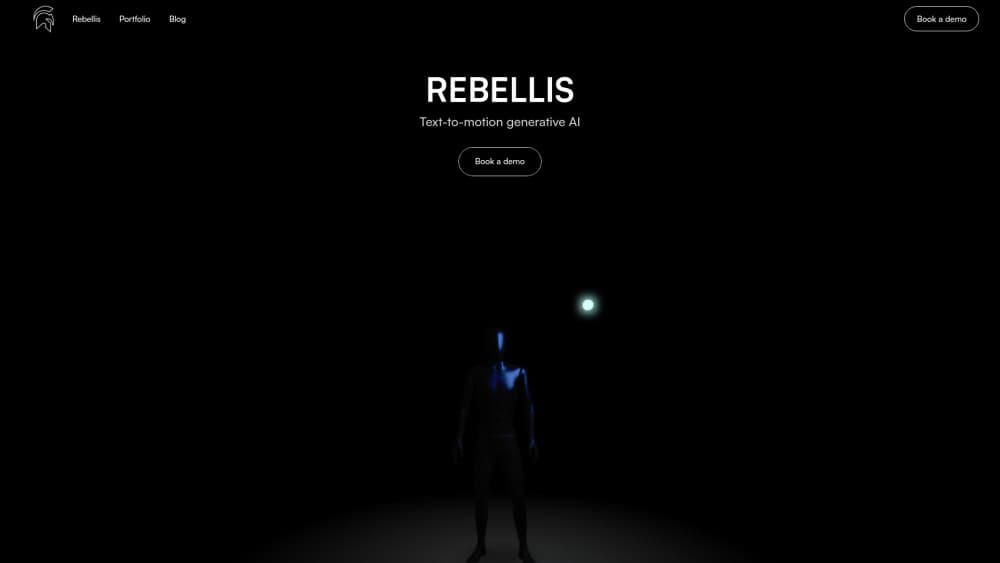
Rebellis AI turns a short text prompt into 3D character animation in about 30 seconds. Download FBX, GLB, BLEND, RBX or BVH files, or generate motion inside Unity, Blender and Roblox.
About Rebellis AI
What Is Rebellis AI
Rebellis AI is a text to 3D motion platform built for game developers and animators. You describe a movement in plain language, and the service returns skeletal animations you can preview, adjust and export. A library of pre-designed characters sits next to an upload slot for your own rig, and the company runs out of the Netherlands.
The problem it goes after is the slow part of character work. Blocking out walks, idles, flinches and reactions eats days before anyone gets to the interesting acting. Rebellis swaps that for a prompt box, which is enough for prototypes, background NPCs and jam builds. It won't replace a hand-animated hero performance, and unusual or highly specific beats still need cleanup.
Two limits shape the fit. Every download costs one credit, so the free tier lets you test the workflow, not stock a whole project. And what comes back is motion data for a rig, not a finished shot. Retargeting, blending and camera work stay in your engine.
Getting Started
- Create an account at rebellis.ai and open the generator.
- Choose a pre-designed character or upload your own model.
- Describe the motion in a sentence or two. Direction, speed and mood details all help.
- Compare the variations, then adjust speed, smoothness, loop points or trim on the clip you like.
- Export as FBX, GLB, BLEND, RBX or BVH, or send the clip to Unity, Blender or Roblox through the plugin.
Product Information
A quick look at Rebellis AI's pricing, supported platforms, and performance.
Best for
The users, tasks, and scenarios where this tool fits best.
Users
- Indie game developers
- Roblox creators
- Animation students
- Prototyping teams
Tasks
- Locomotion sets
- Short reactions
- Previs for cutscenes
- Low-budget motion capture alternative
Scenarios
- Game jams where the animation budget is one weekend and a prompt is faster than a keyframe pass.
- Vertical slice demos that need a populated world without a full animation team.
- Roblox experience updates that add new emotes or enemy behavior between releases.
- Classroom exercises where students compare their own blocking against a generated clip.
Key features
Text to 3D motion generation
You type what the character should do, and Rebellis AI returns up to three motion options in roughly 30 seconds, according to the vendor. Each result is a full skeletal clip rather than a video, so it drops into a 3D pipeline instead of sitting on top of one. That speed is the main draw: an idea gets tested before the coffee goes cold.
Motion cleanup controls
Generated clips rarely land perfect, so the editor exposes speed, smoothness, trim, loop and bending controls. You reshape the timing of a walk or loop an idle without opening a separate tool. The controls are coarse compared with a full animation suite, which is the trade for not learning one.
Multi-format export
A single clip can leave as FBX, Blender, RBX, GLB or BVH. That set covers the formats most Unity, Blender, Roblox and generic 3D pipelines expect. FBX animation export handles the engine route, while BVH suits retargeting onto another skeleton. Each download spends one credit no matter which format you pick.
Unity, Blender and Roblox plugins
Plugins pull the generator into the editor you already use. In Unity, the plugin works as a co-pilot that produces editable animation clips, and a runtime API can apply motion during gameplay. Blender and Roblox get their own integrations, and Unreal is listed as coming soon.
Custom character uploads
Beyond the stock cast, you can bring your own model and generate movement for it. This matters for teams with an established art style, since a pre-designed character that doesn't match the project is useless. Rig compatibility still decides how clean the result looks.
Pay-per-call developer API
The developer API bills €0.10 per call with no monthly commitment, which suits apps that generate motion on demand. Calls return results for direct download, so a tool can request a clip and hand the file to the user in one flow. For studios shipping an AI animation generator inside their own product, this is the cheapest entry point listed.
Pros and cons
Pros
- The free plan covers unlimited prompts and customization, so you can judge output quality before spending.
- Exports land in FBX, GLB, RBX, BLEND and BVH, the formats game engines actually import.
- Unity and Blender plugins keep iteration inside the editor instead of a browser tab.
- API access runs at €0.10 per call with no seat fee, which keeps small experiments cheap.
- Roughly 30 second generation makes prompt testing practical during a work session.
Cons
- Credits are spent per download, so trying the same clip in several formats adds up quickly.
- Subtle acting and stylized motion still need manual polish, which limits use for hero characters.
- Unreal support is marked coming soon, so Unreal teams are stuck with file export for now.
- There's no mobile app, and the browser editor is the only way to work away from a desktop.
Frequently asked questions
It generates 3D character animation from text. You describe a movement, pick from the returned clips, adjust the timing, then export the motion into a game engine or 3D tool.
Related content
Explore related tools, skills, and articles for Rebellis AI.
Rebellis AI Alternatives

Google EmbeddingGemma 2
Google DeepMind · Writing · Image · CodingGoogle EmbeddingGemma 2 is a 740M-parameter open model that turns text, code, images, audio, and video frames into vectors in one 768-dimension space, running on phones and laptops.

Tractionwave
TractionWave · Image · MarketingTractionWave is an AI attention heatmap tool for static ads. Upload a PNG or JPG and it returns predicted attention, ranked hotspots, and fixes before you spend budget.

Imejis.io
Imejis.io · Image · MarketingImejis.io is an AI design studio for agents and marketing teams. Describe an image in plain words, and it writes the copy, builds the layout, reflows it to every size, then exports a finished file.