

Receipt Snapper And Scanner
Ramkumar Vellaisamy (Reku) · Image · Business
Receipt Snapper And Scanner, sold as Smart Receipts, is an iPhone app that turns paper receipts into organized expenses with AI scanning and PDF or CSV reports.
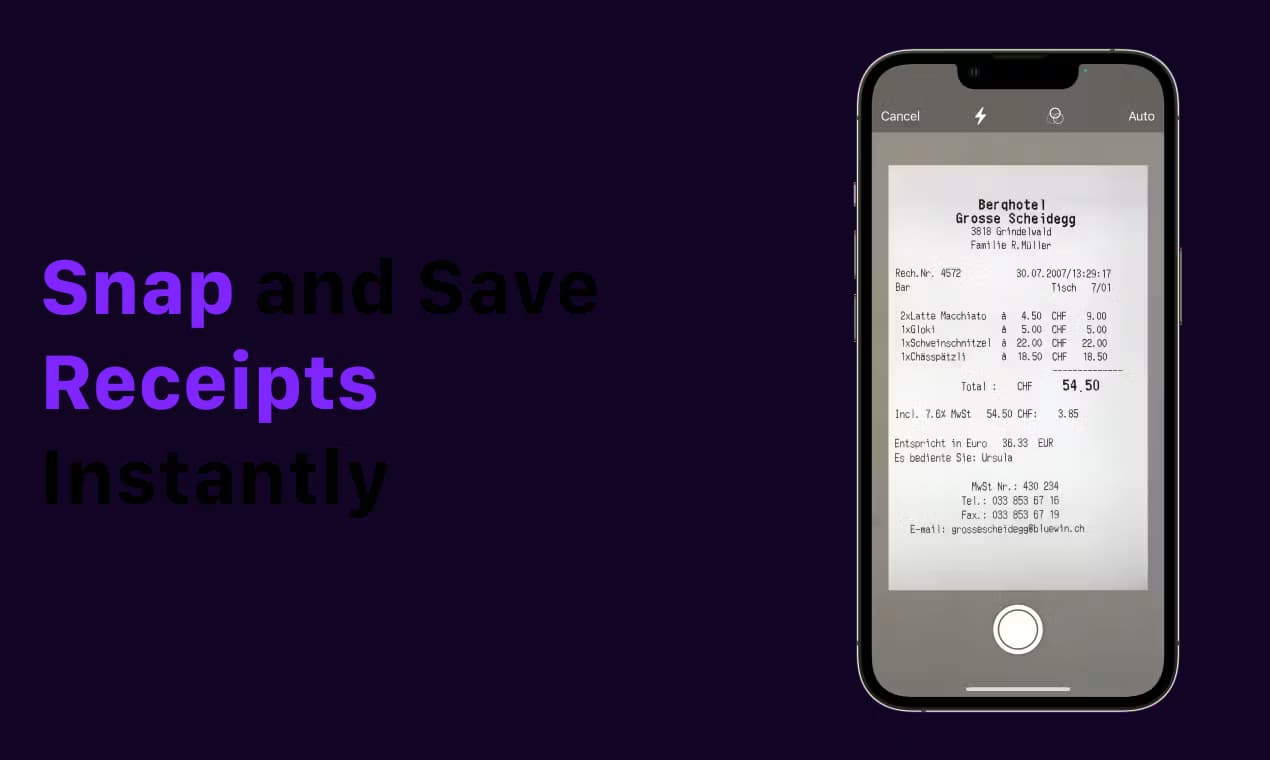
About Receipt Snapper And Scanner
What Is Receipt Snapper And Scanner
Receipt Snapper And Scanner is the app name you'll find on the App Store, where it ships as Smart Receipts. It's a receipt scanner and expense tracker, and a receipt app for iPhone. You point the camera at a receipt, the app reads the merchant, date, total and tax, then files everything as a tagged expense you can later export.
The people who get the most out of it are freelancers, self-employed workers, small business owners, and anyone who has to hand receipts to an accountant or submit expense claims at work. It also works for plain household budgeting, warranty records, and proof of purchase.
There are two parts to the app. Scanning covers the receipt itself: single or multi-page capture, a private email address you forward e-receipts to, and automatic extraction of the line items that matter. Tracking covers everything after, categories, tags, projects, customers, and multi-currency amounts. Reports are the payoff, an expense report as a PDF with the receipt images attached or a CSV for a spreadsheet. The app is also a plain receipt organizer and a way to track expenses as you go.
The main limits are worth knowing up front. It runs on iPhone and iPad only, there's no Android or web version, and the free tier caps how many AI scans you get. Cloud backup is optional and goes to your own Dropbox or OneDrive account, not to the developer's servers.
Getting Started
- Download Smart Receipts from the App Store and pick a profile such as Personal, Employee, or Freelancer. The app turns on the modules that fit.
- Sign in with Apple or Google so receipts stay tied to your account across devices.
- Grant camera access, then scan a receipt. AI extracts the merchant, date, total and tax lines for you.
- Review the extracted fields, add a category or project tag, and save. Smart predictions pre-fill details from your past receipts.
- Export any date range as a PDF with receipt images attached, or as a CSV. Turn on Dropbox or OneDrive backup if you want copies off the device.
Product Information
A quick look at Receipt Snapper And Scanner's pricing, supported platforms, and performance.
Best for
The users, tasks, and scenarios where this tool fits best.
Users
- Freelancers and self-employed workers
- Employees claiming expenses
- Small business owners
- Household budgeters
Tasks
- Digitizing a shoebox of paper receipts
- Filing forwarded e-receipts
- Preparing tax-season records
- Tracking warranties and returns
Scenarios
- Submitting a monthly expense claim from a phone
- Running a freelance quarter close
- Managing a household month
Key features
AI receipt scanning
The camera reads the merchant, date, total and each tax line in seconds. You can capture one receipt or several photos at once, and every image becomes its own expense. The extracted fields are editable, so a faded or crumpled receipt still ends up correct.
Receipt forwarding by email
Every account gets a private Smart Receipts email address. Forward order confirmations, invoices or e-receipts there and the app scans PDF and photo attachments on its own, then files them as expenses. Gmail or Outlook filters can push receipts across automatically.
Categories, tags and profiles
Receipts sort into categories like groceries, dining, transport and utilities, and you can add tags, customers, projects and notes. Profiles for Personal, Employee and Freelancer switch on the modules that match how you actually spend, which keeps personal and business records apart.
Multi-currency amounts
Store amounts with or without tax, in any currency, using your own exchange rates. That matters for travel and for anyone invoicing across borders, where a bank's conversion rate rarely lines up with the receipt in your hand.
PDF and CSV reports
Pick a date range and export a PDF with the receipt images attached, or a CSV for a spreadsheet. The developer's site notes long PDFs with many images used to fail, and the latest version shows build progress instead. Reports are the part accountants and employers actually see.
Cloud backup to Dropbox or OneDrive
Turn on backup and new scans save to your own Dropbox or OneDrive account. After switching phones or reinstalling, signing into the same storage account restores receipts, expenses, categories and settings. Receipts stay on the device by default, and backup is optional.
Siri and Shortcuts
Eight built-in shortcuts scan a receipt, add an expense, check spending or export a report hands-free. It's a small thing, but logging a receipt the moment you leave a shop beats a pile on the kitchen table.
Pros and cons
Pros
- AI extraction handles merchant, date, total and individual tax lines, not just the total.
- Forwarding receipts by email means e-receipts get filed without you opening the app.
- Exports come as a PDF with images attached or a CSV, so accountants get what they expect.
- Cloud backup lands in your own Dropbox or OneDrive account rather than a developer server.
- Sign in with Apple or Google keeps your records in sync across devices.
Cons
- iPhone and iPad only. There's no Android app, so a mixed-device household can't share one workflow.
- The free tier limits AI scans. Heavy users will end up on the weekly or yearly Pro subscription.
- Automatic backup depends on a separate Dropbox or OneDrive account, which is one more thing to set up.
Frequently asked questions
It scans paper and digital receipts, pulls out the merchant, date, total and tax, and stores each one as an expense you can categorize and export. The goal is replacing a shoebox of receipts with searchable records and reports.
Related content
Explore related tools, skills, and articles for Receipt Snapper And Scanner.
Receipt Snapper And Scanner Alternatives

Google EmbeddingGemma 2
Google DeepMind · Writing · Image · CodingGoogle EmbeddingGemma 2 is a 740M-parameter open model that turns text, code, images, audio, and video frames into vectors in one 768-dimension space, running on phones and laptops.

Tractionwave
TractionWave · Image · MarketingTractionWave is an AI attention heatmap tool for static ads. Upload a PNG or JPG and it returns predicted attention, ranked hotspots, and fixes before you spend budget.

Imejis.io
Imejis.io · Image · MarketingImejis.io is an AI design studio for agents and marketing teams. Describe an image in plain words, and it writes the copy, builds the layout, reflows it to every size, then exports a finished file.