
Red Panda AI
Red Panda AI · Image
Red Panda AI is a free image generator and photo editor. It turns text into art and reworks existing photos, with no sign-up required.
About Red Panda AI
What Is Red Panda AI
Red Panda AI is a free AI image generator and photo editor that runs in the browser. It covers two jobs: turning a written prompt into a new image, and reworking a photo you upload. The site brands itself as an all-in-one creative suite, and the pitch is simple. There is no account, no watermark, and no paid tier.
The tool leans on a signature model it calls red_panda, described on the site as combining the precision of FLUX.2 Pro with creativity inspired by Nano Banana Pro. Alongside it, the platform exposes other engines, including FLUX.2 [klein], Nano Banana Pro, Z-Image Turbo, and FLUX.1 Dev. Which model answers a request can vary, and the site presents the model list as a way to pick an engine for a job rather than a fixed pipeline.
The name needs a note. In late 2024 a mystery text-to-image model nicknamed red_panda topped an AI image leaderboard and was later revealed to be Recraft V3 from the London studio Recraft. Red Panda AI, the site covered here, is a separate product that adopted the same nickname for its own generator. It is not Recraft and not an official Recraft release.
The limits are worth knowing. The tool lives in the browser only, so there is no offline mode or desktop app. Image-to-image uploads accept JPEG, PNG, and WebP up to 24MB. There is no published API, and since nothing is tied to an account, saved work depends on what the page keeps in a session rather than a durable library.
Getting Started
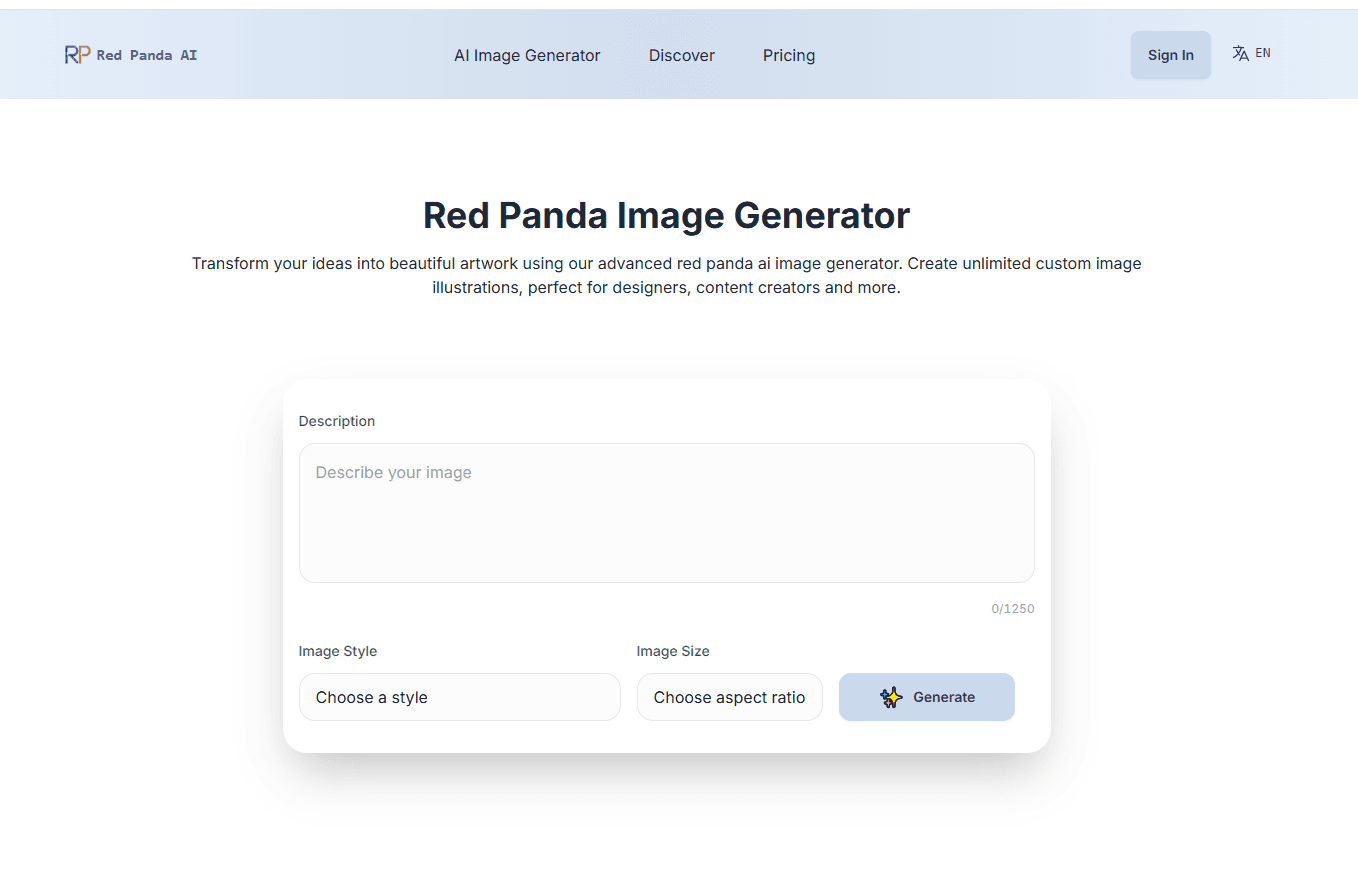
- Open the site and pick a tool. Text to Image builds a new image, and Image to Image edits a photo you upload.
- Type a prompt describing the scene, or upload up to four images to transform.
- Choose a style such as Photo, Anime, Fantasy, or Cinematic, and pick an aspect ratio from square to ultra wide.
- Click Generate and wait roughly 10 to 15 seconds for the result to appear on the canvas.
- Download the finished image in high resolution and use it, since the site grants commercial rights to what you create.
Product Information
A quick look at Red Panda AI's pricing, supported platforms, and performance.
Best for
The users, tasks, and scenarios where this tool fits best.
Users
- Casual creators
- Social media managers
- Budget-conscious designers
- Hobbyists editing photos
Tasks
- Text to image
- Image to image editing
- Text-heavy design
- Style exploration
Scenarios
- A blogger needs cover art
- A small shop wants a promo visual
- An artist tests ideas fast
Key features
The red_panda model
The site's headline engine is red_panda, which it describes as blending the precision of FLUX.2 Pro with flexibility inspired by Nano Banana Pro. In practice this shows up in two places. First, text rendering: the model can lay down legible words inside an image, which matters for posters, logos, and anything with a headline. Second, style control, where a chosen style is followed closely rather than loosely. Generation usually lands in 5 to 10 seconds, so iterating on a prompt does not stall a session. The trade-off is that the site describes the model in its own terms and does not publish benchmark numbers, so quality claims rest on what you see rather than an independent score.
Text to image generation
The image generator takes a written prompt and returns a new image. You pick one of more than ten styles and an aspect ratio before generating, and the result lands on the canvas in roughly 10 to 15 seconds. A concrete run looks like this. A prompt such as a neon-lit ramen stand on a rainy Tokyo street, cinematic style, ultra wide ratio, comes back as a moody render with wet reflections and warm signage. It suits digital art, illustrations, and concept work where you start from an idea and no reference photo.
Image to image editing
The photo editor works the other way. You upload a source image, up to four at a time, and describe the change you want: restyle it, add an element, remove an object, or reimagine the scene. This is the feature to reach for when a photo is close but not right, such as a portrait that needs a new background or a product shot that needs a different mood. The clearest examples come from rearranging context, since the model keeps the parts you want and reworks the rest.
Multiple models in one place
Beyond red_panda, the platform lists other engines, including FLUX.2 [klein], Nano Banana Pro, Z-Image Turbo, and FLUX.1 Dev. The spread means one site can cover a fast draft and a more careful render without a second subscription. The catch is that the model list can shift over time, and not every engine is tuned for the same task, so it helps to try a couple on the same prompt when a result feels off.
Free use with commercial rights
The site runs no paid tier, no sign-up, and no watermark. It says every image you create belongs to you and carries no restriction on commercial use, which is unusual at this price point and covers social posts, marketing material, and merchandise. The honest caveat is that a fully free, ad-supported tool has no service level behind it, so heavy or mission-critical use carries more risk than a paid plan would.
Pros and cons
Pros
- No sign-up and no cost, so a first image takes seconds rather than an onboarding flow.
- Both generation and editing live on one page, which avoids juggling two subscriptions.
- Strong text rendering and style control suit posters, logos, and branded visuals.
- Commercial rights on output, with no watermark, which covers most casual and small-business use.
Cons
- No published API, so it cannot be wired into an app or a production pipeline.
- No account means no durable library, so tracking past work depends on downloads.
- The model list and quality can change without notice on a free tool.
- Freely hosted generation depends on server load, and speed can drop at busy times.
Frequently asked questions
Red Panda AI is a free web tool that generates images from text and edits existing photos. It combines a text-to-image generator with an AI photo editor in one place, and it runs in the browser with no account required.
Related content
Explore related tools, skills, and articles for Red Panda AI.
Red Panda AI Alternatives

Google EmbeddingGemma 2
Google DeepMind · Writing · Image · CodingGoogle EmbeddingGemma 2 is a 740M-parameter open model that turns text, code, images, audio, and video frames into vectors in one 768-dimension space, running on phones and laptops.

Tractionwave
TractionWave · Image · MarketingTractionWave is an AI attention heatmap tool for static ads. Upload a PNG or JPG and it returns predicted attention, ranked hotspots, and fixes before you spend budget.

Imejis.io
Imejis.io · Image · MarketingImejis.io is an AI design studio for agents and marketing teams. Describe an image in plain words, and it writes the copy, builds the layout, reflows it to every size, then exports a finished file.