

Reducto
Reducto · Productivity · Other
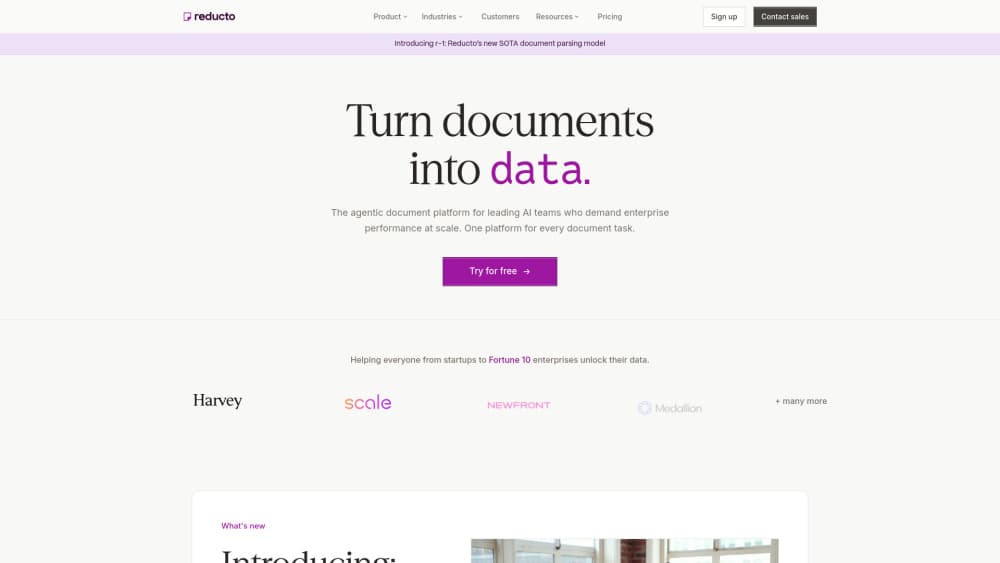
Reducto is an agentic document platform that turns messy files into clean, structured data. It handles parsing, extraction, splitting, classification, and editing across more than 30 file types, including scanned PDFs, spreadsheets, slides, and handwritten pages. The output is citation-ready JSON that developers can drop straight into an AI pipeline or a billing dashboard. Teams that would otherwise burn weeks on OCR cleanup use it to feed documents into their own models without babysitting every edge case.
About Reducto
What Is Reducto
Reducto is a document processing platform built for teams that run on documents. Really, it's a document parsing API at heart. Feed it a PDF, a scan, or a spreadsheet, and it returns structured JSON with citations and bounding boxes, so you know exactly where each value came from. The platform ships six connected products: Parse, Split, Extract, Classify, Edit, and Studio, which you can wire together into a document workflow without writing glue code.
The core problem it solves is the gap between raw files and usable data. Most PDFs aren't clean text. They hide tables inside images, mix two-column layouts with footnotes, and scramble reading order. Reducto combines custom models with frontier models to hold that structure together, which matters when a wrong number in an invoice or a lab report has real consequences.
The biggest constraint is that it's a developer-first tool. You interact through an API, a CLI, SDKs, or the hosted MCP server, not a consumer app. If you want a drag-and-drop desktop program, this isn't it. Pricing also runs per page, so high-volume teams need to watch usage closely.
Getting Started
- Sign up at studio.reducto.ai and claim the free starting credits.
- Create an API key in the API Keys section of the dashboard.
- Set
REDUCTO_API_KEYin your environment and point requests athttps://platform.reducto.ai. - Send your first file to the Parse or Extract endpoint and check the returned JSON and citations.
- Build a repeatable pipeline in Reducto Studio, or call the endpoint directly from your own code.
Product Information
A quick look at Reducto's pricing, supported platforms, and performance.
Best for
The users, tasks, and scenarios where this tool fits best.
Users
- Backend and AI engineers
- Startups testing document AI
- Data and operations teams
- Fintech, insurance, and healthcare teams
Tasks
- Extracting fields from invoices and contracts
- Parsing financial statements with dense tables
- Sorting a mixed inbox of documents
- Structured data extraction at scale
- Turning extracted data back into documents
Scenarios
- Feeding a retrieval pipeline
- Monthly statement processing at volume
- Migrating off a legacy processor
Key features
Parse
Parse turns PDFs, scans, spreadsheets, and slides into structured, citation-ready JSON. It's the document extraction engine everything else builds on. It handles the hard cases: complex tables, charts, equations, handwriting, and multilingual OCR. Each value comes back with a reference to where it sat on the page, so downstream checks don't have to trust the model blindly.
Extract
Extract returns typed JSON that matches a schema you define, which is where most of the real document extraction happens. You ask for the fields you want, and Reducto pulls them out with citations and bounding boxes attached. There's a Deep Extract mode for documents where layout is inconsistent enough that a single pass isn't reliable.
Split and Classify
Split cuts a single document into meaningful sections or repeating sub-documents, which helps when one upload contains twenty invoices instead of one. Document classification sorts each file against a plain-language taxonomy, so you can describe categories in normal words and let Reducto route it.
Edit
Edit turns extracted data back into finished PDF and DOCX files. Instead of returning a table for someone to re-type, it writes the values into your template. Pre-filled pages cost less than blank ones, so repeat forms stay cheap.
Reducto Studio
Studio is a no-code environment for building, testing, and deploying document pipelines. You chain Parse, Extract, Split, and Classify steps together and preview the output before it ships. Standard accounts include up to 5 seats; higher tiers lift that cap.
Developer Tooling
Reducto ships Python and Node.js SDKs, a CLI you install with pip install reducto-cli, and a hosted MCP server that lets AI agents process documents inside their own reasoning loop. There's also an OpenAPI 3.1 spec, so you can generate clients if the official SDKs don't fit.
Pros and cons
Pros
- Covers parsing, extraction, splitting, classification, and editing in one platform, which cuts out stitching five vendors together.
- Citation-ready output with bounding boxes makes verification realistic in regulated industries.
- Supports 30+ file types, including formats OCR tools often drop like PSD, TIFF, and XLSM.
- Free 15,000 starting credits and a $150 usage allowance let you test on real files before committing.
- Developer paths are broad: REST API, Python and Node SDKs, CLI, and a hosted MCP server.
Cons
- No consumer app or mobile version, so non-technical users can't work with it directly.
- Per-page pricing means heavy document volume adds up fast, and you have to track usage yourself.
- The no-code Studio still assumes familiarity with document pipelines, so it won't feel simple to a first-timer.
Frequently asked questions
Reducto converts documents into structured data. You send it a PDF, scan, spreadsheet, or slide deck, and it returns JSON with the values you asked for, plus citations pointing to where each one came from. It also splits, classifies, and edits documents, so it covers the whole pipeline rather than one step.
Related content
Explore related tools, skills, and articles for Reducto.
Reducto Alternatives

Base Code
Base44 (Wix) · Coding · ProductivityBase Code is a shared cloud development environment from Base44. Teammates describe changes to an existing GitHub codebase in chat, preview them live and send them back as pull requests.

Knocket
Knocket (Tencent RTC team) · Productivity · Business · ChatbotKnocket is a free live chat and contact page tool that lets visitors message you from your website, app, or a shareable link, with every reply handled from Telegram or one inbox.

FloorGen
Vinit Kumar (FloorGen) · Productivity · China AIFloorGen is a browser-based floor plan maker that turns a sentence or a sketch into an editable 2D plan and a 3D walkthrough. Export to PDF, DXF or video, and draw without an account.