
Reface: Face Swap AI Generator
Reface (Neocortext, Inc.) · Image
Reface is an AI face swap app for swapping faces into photos and videos, with AI avatars, a template library, and a web face swap tool.
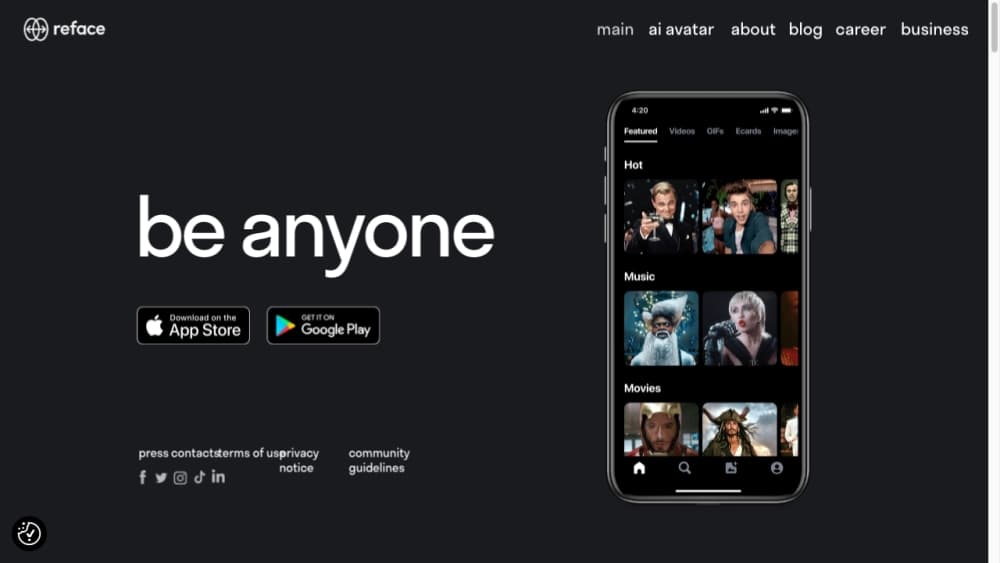
About Reface: Face Swap AI Generator
What Is Reface
Reface is a mobile app that puts your face into videos, photos, and GIFs using its own RefaceAI face swap technology. You upload a selfie once, then apply it to a template from a library that spans movie scenes, memes, dance clips, and yearbook photos. The result is a short clip or image you can share straight to social media.
The app started as a viral face swap tool and has since widened into an entertainment suite. Alongside face swaps, it now offers AI avatars, a restyle filter for photos and videos, and trending templates like holiday and birthday looks. The developer also makes separate apps under the Reface brand, including Ink AI for tattoos and Letsy for virtual try-on.
The limits are worth knowing before you commit. Most of the catalog needs a paid subscription, the free tier is thin, and results depend on a clear, well-lit single-face photo. Video swaps also cost processing time, and the results are entertainment grade rather than a production editing tool.
Getting Started
- Download Reface from the App Store or Google Play, then sign in or create an account.
- Upload a clear selfie with one visible face. The app uses this as your source face for swaps.
- Pick a template from the content library, or open the web tool to drop in your own photo or video.
- Run the swap and wait while it processes. Photos take seconds, videos can take longer.
- Save the result, or share it directly to your social apps.
Product Information
A quick look at Reface: Face Swap AI Generator's pricing, supported platforms, and performance.
Best for
The users, tasks, and scenarios where this tool fits best.
Users
- Social media creators
- Meme lovers
- Families and friend groups
- Casual users curious about AI
Tasks
- Face swapping a photo
- Face swapping a video
- Making an AI avatar
- Restyling a photo or video
- Greeting cards and holiday content
Scenarios
- A group chat gets a laugh when someone swaps the whole friend group into a movie scene and posts the clip.
- A creator needs a fresh profile picture and generates an AI avatar instead of booking a photo session.
- A parent turns an old family photo into a moving clip to send relatives for a holiday.
Key features
RefaceAI Face Swap
The core tool swaps your face into a chosen photo or video and keeps the original expressions and head movement intact. Reface built this technology in-house and has run it on millions of users, so swaps finish quickly and hold up at a glance. Quality still depends on good lighting and a clear, single-face source photo.
AI Avatar Generator
The avatar tool turns a plain selfie into a stylized portrait in a look you pick. People use it for profile pictures, dating apps, and social bios, since it produces a polished headshot without a photographer. It sits alongside the face swap tool as a separate way to use the same source photo.
Content Template Library
The app ships a large catalog of photos and videos to swap into, from humor and horror to vintage and holiday themes. Browsing the library is the main way to find something to make, and new templates appear around events and trends. Many of the most popular templates require a subscription.
Video Swaps
Beyond still photos, Reface swaps faces into short video clips, which is what made it go viral in the first place. Video processing takes longer than a photo and counts against your swap allowance, so it pays to pick a clip you actually want. It is a light AI video editor rather than a full timeline tool.
Web Face Swap Tool
Reface runs a face swap online tool through its Unboring product, so you can swap faces on a desktop without the app. You upload a portrait and a target photo or video, then download the result. It is the same RefaceAI engine in a web page.
Restyle and Filters
A restyle feature applies AI filters to photos and videos to change the art style or mood. It is aimed at quick visual changes for social posts rather than fine editing, and it pairs with the face swap catalog for more combinations. Some templates edge toward deepfake style looks, which is why the app asks you to use them responsibly.
Pros and cons
Pros
- Face swap results in photos are fast, often only a few seconds, and videos are handled in one place.
- The template library is deep and refreshed around trends, so there is always something new to try.
- The app pairs face swap, AI avatars, and restyle filters, so one source photo covers several kinds of content.
- A web tool means you can swap faces on a desktop without installing the app.
- In-house RefaceAI technology has been tested on millions of users, so the core swap is reliable for casual use.
Cons
- Most of the good templates and unlimited swaps sit behind a subscription, so the free tier feels limited.
- Video swaps take minutes and use up your allowance faster than photos, which can surprise heavy users.
- Results need a clear, well-lit single-face input. A group shot or dim photo often produces a weak swap.
- It is an entertainment tool, not a serious video editor. There is no timeline, layering, or fine manual control.
- It is a phone-first product, and the desktop experience is limited to the web swap tool.
Frequently asked questions
Reface is an app for swapping your face into photos, videos, and GIFs. You upload one selfie and apply it to a template or your own clip, and the app also makes AI avatars and applies restyle filters. It is built for fun, shareable content rather than professional editing.
Related content
Explore related tools, skills, and articles for Reface: Face Swap AI Generator.
Reface: Face Swap AI Generator Alternatives

Google EmbeddingGemma 2
Google DeepMind · Writing · Image · CodingGoogle EmbeddingGemma 2 is a 740M-parameter open model that turns text, code, images, audio, and video frames into vectors in one 768-dimension space, running on phones and laptops.

Tractionwave
TractionWave · Image · MarketingTractionWave is an AI attention heatmap tool for static ads. Upload a PNG or JPG and it returns predicted attention, ranked hotspots, and fixes before you spend budget.

Imejis.io
Imejis.io · Image · MarketingImejis.io is an AI design studio for agents and marketing teams. Describe an image in plain words, and it writes the copy, builds the layout, reflows it to every size, then exports a finished file.