
RefinePic AI Photo Editing Tool
RefinePic · Image
RefinePic is a browser-based AI photo editing tool for portrait work. Ten preset tools cover skin retouch, hair changes, object placement, and wedding concepts, and each edit costs credits.
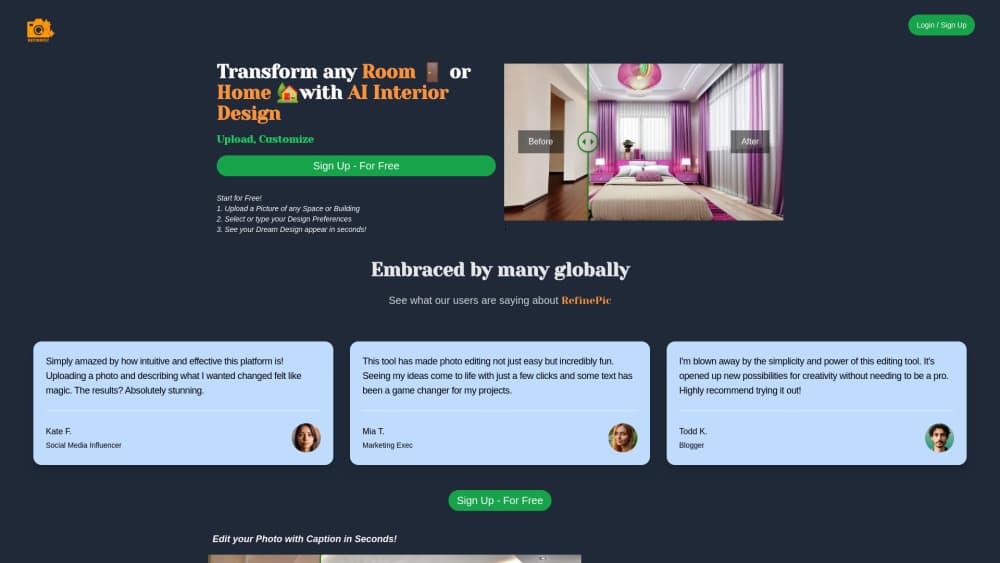
About RefinePic AI Photo Editing Tool
What Is RefinePic
RefinePic is a web app that runs one portrait job at a time through a fixed set of AI tools. You upload a photo, pick a tool, and the service returns an edited image in seconds. The ten tools sit in three groups: Concepts, Image Edit, and Face Edit.
The appeal is speed without software skills. A couple with two separate phone photos can get a single cinematic wedding portrait. Someone who needs a cleaner headshot skips Photoshop and pays two credits for skin retouch. There's no layer stack, no masking, and no learning curve to climb before the first result.
The limits matter too. This is a credit-based photo editor for AI portrait retouching, not a design suite. Every preset does one thing, so a job that needs manual masking or color grading still belongs in a full editor. The service runs in a browser only, accepts files up to 10MB, and documents no public API.
Getting Started
- Open refinepic.org and create an account. New accounts start with 10 free credits and no card on file.
- Choose a tool group: Concepts for styled portrait scenes, Image Edit for objects and hair, Face Edit for skin and facial retouching.
- Upload a JPEG, PNG, or WebP file up to 10MB.
- Wait for the AI to analyze the photo and generate the result, which usually lands inside 30 seconds.
- Compare the before and after on the slider, then download the full-resolution file. Credits are only charged when a job succeeds.
Product Information
A quick look at RefinePic AI Photo Editing Tool's pricing, supported platforms, and performance.
Best for
The users, tasks, and scenarios where this tool fits best.
Users
- Wedding and event photographers handling side projects
- Social media creators
- Small shop owners and brand accounts
Tasks
- Retouching skin on a headshot
- Making a wedding portrait from two photos
- Adding an object to an existing photo
- Testing a hairstyle before a salon visit
Scenarios
- A last-minute portrait for a profile update
- Pre-wedding look planning
- Refreshing a small store's listing images
Key features
Ten Tools in Three Groups
The catalog splits into Concepts, Image Edit, and Face Edit. Concepts handles styled scenes like wedding portraits, Image Edit covers objects and hair, and Face Edit focuses on skin and facial detail. That grouping is the main way to find the right tool, since each one does a single job rather than exposing sliders.
Skin Retouch
This is the entry-level edit at two credits. It evens skin tone and clears small blemishes on a portrait, which is the fix most people actually need before posting a headshot. Results stay closer to natural when the source photo has soft, even light.
Wedding Portrait Concepts
Upload a bride photo and a groom photo and the tool composes them into one cinematic wedding scene. It's the feature that separates RefinePic from a plain AI photo enhancer, and it works best when both source shots share similar lighting direction.
Add Object
The Add Object tool places a new element into an existing photo. Useful for a prop, a background detail, or a composition fix you'd otherwise handle with clone and mask work. Complex scenes with hard shadows still show seams.
Hair Transform
Hair transform changes the cut or color on a portrait so you can see the result before committing at a salon. Long styles and dramatic color shifts hold up better than subtle trims, where small errors are easier to spot.
Compare and Download
Every result opens in a before and after slider, so you judge the edit against the original rather than from memory. Downloads come in full resolution, and failed jobs return their credits automatically.
Pros and cons
Pros
- Ten tools cover most portrait jobs, from skin retouch to wedding concepts, without a separate app for each one.
- The 10 free credits and $2 entry pack make it cheap to test whether the output suits your photos.
- Credits never expire, so a pack bought for one project stays available for the next.
- Failed jobs are refunded automatically, which removes the usual risk of paying for a broken result.
- Most edits finish in 10 to 30 seconds, and the before and after slider makes the verdict quick.
Cons
- There's no subscription, so heavy users keep buying packs. At the smallest pack, a single edit runs $0.20.
- The service is web only. No mobile app is documented, which is a nuisance if your photos live on a phone.
- No public API is documented, so you can't wire RefinePic into an automated pipeline.
- Uploads cap at 10MB and the tools are presets, so manual masking, curves, and layered edits aren't possible.
Frequently asked questions
RefinePic is a web-based AI photo editing tool for portraits and product images. It bundles ten preset tools for skin retouch, hair changes, object placement, and wedding portrait concepts, and charges credits for each successful edit.
Related content
Explore related tools, skills, and articles for RefinePic AI Photo Editing Tool.
RefinePic AI Photo Editing Tool Alternatives

Google EmbeddingGemma 2
Google DeepMind · Writing · Image · CodingGoogle EmbeddingGemma 2 is a 740M-parameter open model that turns text, code, images, audio, and video frames into vectors in one 768-dimension space, running on phones and laptops.

Tractionwave
TractionWave · Image · MarketingTractionWave is an AI attention heatmap tool for static ads. Upload a PNG or JPG and it returns predicted attention, ranked hotspots, and fixes before you spend budget.

Imejis.io
Imejis.io · Image · MarketingImejis.io is an AI design studio for agents and marketing teams. Describe an image in plain words, and it writes the copy, builds the layout, reflows it to every size, then exports a finished file.