

Reflect Notes
Reflect · Productivity
Reflect Notes is a note-taking app that keeps your notes as plain Markdown files and adds backlinks, daily notes, and optional AI with your own API key.
About Reflect Notes
What Is Reflect Notes
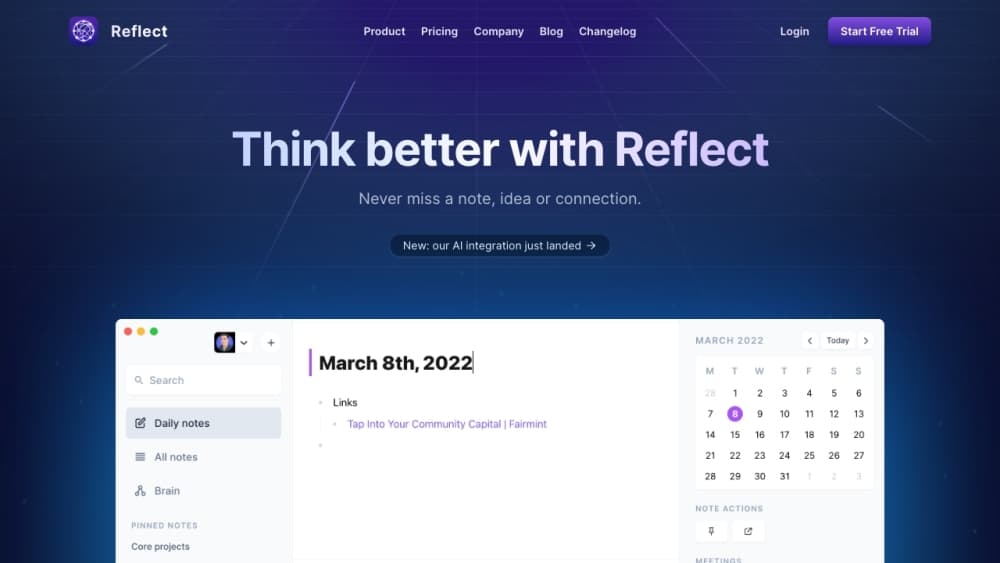
Reflect Notes is a note-taking app from Reflect, built around a folder of Markdown files instead of a database only the app can read. It opens straight to today's note, links notes with [[wiki links]], and shows which other notes point back at it. Search, backlinks, and tags are added on top of your files, so the notes stay readable in any Markdown editor.
The point of that design is ownership. You pick the folder, you back it up, and you can sync it however you like. Reflect does not run a hosted notes server, and no account is needed to start.
The tradeoff is narrow platform cover. The current app runs on Mac and iPhone, with Windows and Linux builds marked experimental and no Android version planned. If you work mostly on Windows or Android, this isn't the app for you yet.
Getting Started
- Download the Mac app from the Reflect site or GitHub, open it, and pick a folder for your notes. Reflect calls that folder a graph.
- Optional: put the graph inside iCloud Drive to sync it across your Apple devices, or connect a GitHub repo or SSH git remote for versioned backup.
- Write in the note for today, or make a new note and type [[ to link it to people, projects, and other notes.
- Add an API key from OpenAI, Anthropic, Google, or OpenRouter if you want AI features. Keys stay in the system keychain, and you pay the provider directly.
- Install the Chrome extension or the iPhone app if you want to capture pages, selected text, screenshots, and audio memos into the same graph.
Product Information
A quick look at Reflect Notes's pricing, supported platforms, and performance.
Best for
The users, tasks, and scenarios where this tool fits best.
Users
- Writers and researchers who think in links
- Mac and iPhone users with their own AI keys
- Privacy-conscious professionals
Tasks
- Daily journaling and meeting notes
- Research reading and web clipping
- Connecting ideas across projects
- Scripted or agent-driven lookups
Scenarios
- Keeping a private notebook on a work machine
- Building a second brain over years
- Voice-first capture after a meeting
Key features
Plain Markdown Files as the Source of Truth
Every note is a .md file inside a folder you choose, with daily notes named by date and other notes named from their titles. Images and audio memos sit in their own subfolders. Reflect adds search, backlinks, and tags on top, but delete the index and the files are still there. That means you can open your notes in Obsidian, VS Code, or a script without exporting anything.
Wiki Links and Backlinks
Typing [[ brings up a link picker, and each note shows what links back to it. Over time that turns a pile of notes into a visible graph of people, projects, and ideas. It's the feature most people cite when they describe why networked notes stick with them.
Ask Your Notes With Your Own Key
Pressing ⌘J opens a chat that can answer questions using your notes as sources, and it cites the notes it used. You bring an OpenAI, Anthropic, Google, or OpenRouter key, and requests go straight to that provider rather than through Reflect. It also handles grammar fixes, summaries, and meeting takeaways from your own meeting notes. Custom prompts can be saved if you use the same instructions often.
The private: true Flag
Adding private: true to a note's frontmatter keeps its content out of every AI call and out of other external services. The check runs in code at each AI call site, not just in the interface. Recording a voice memo still works when today's note is private, because the recorder doesn't read note content.
Sync Through iCloud or Git
You choose how notes move between devices. iCloud Drive syncs the folder across Mac, iPhone, and iPad with no extra setup. A GitHub repo or any SSH git remote gives you versioned backup, with commits you can roll back. Neither route involves a Reflect-hosted server, and backup includes private notes, which is worth knowing before you connect a repo.
Local Search and Semantic Search
⌘K searches notes, backlinks, and tags quickly, and the index rebuilds from the files if it goes bad. Semantic search is optional: the small embedding model runs on the device, stored in the graph's .reflect folder, so content never leaves the machine to be embedded. It isn't available on Intel Macs or on iOS.
Browser Capture and Audio Memos
The Chrome extension saves the current page, your selection, and a screenshot, with page text as an option, and keeps the source link with the clip. X bookmark and like capture can be switched on separately. Audio memos get recorded and sent to your configured transcription provider, and the resulting Markdown is written locally.
Pros and cons
Pros
- Your notes are plain Markdown files in a folder you pick, so switching tools or backing up never depends on an export button.
- No account or hosted server is required, and the AI is opt-in with your own API key.
- The private: true flag is enforced in code, which makes it a real boundary rather than a setting you have to trust.
- Local search is fast, and semantic search runs on-device so your writing isn't uploaded just to get an index.
- The app is open source under the MIT license, so you can read the code or build it yourself.
Cons
- iOS use needs a paid subscription, so the free tier stops at the Mac app. Budget for that if you write on a phone.
- There's no Android app and no plugin API, which caps how far you can extend it. Windows and Linux builds are experimental and unsigned.
- AI features cost extra because your provider bills you separately, and you have to set up a key yourself.
- Git backup includes private notes by design, so connecting a repo puts those notes in a repository you need to keep private.
Frequently asked questions
Reflect Notes is a note-taking app for Mac and iPhone that stores notes as plain Markdown files. It adds daily notes, wiki links, backlinks, local search, and optional AI that answers questions using your own notes as sources.
Related content
Explore related tools, skills, and articles for Reflect Notes.
Reflect Notes Alternatives

Base Code
Base44 (Wix) · Coding · ProductivityBase Code is a shared cloud development environment from Base44. Teammates describe changes to an existing GitHub codebase in chat, preview them live and send them back as pull requests.

Knocket
Knocket (Tencent RTC team) · Productivity · Business · ChatbotKnocket is a free live chat and contact page tool that lets visitors message you from your website, app, or a shareable link, with every reply handled from Telegram or one inbox.

FloorGen
Vinit Kumar (FloorGen) · Productivity · China AIFloorGen is a browser-based floor plan maker that turns a sentence or a sketch into an editable 2D plan and a 3D walkthrough. Export to PDF, DXF or video, and draw without an account.