

REimagine Home: AI-powered Interior Design Ideas
Styldod, Inc · Image
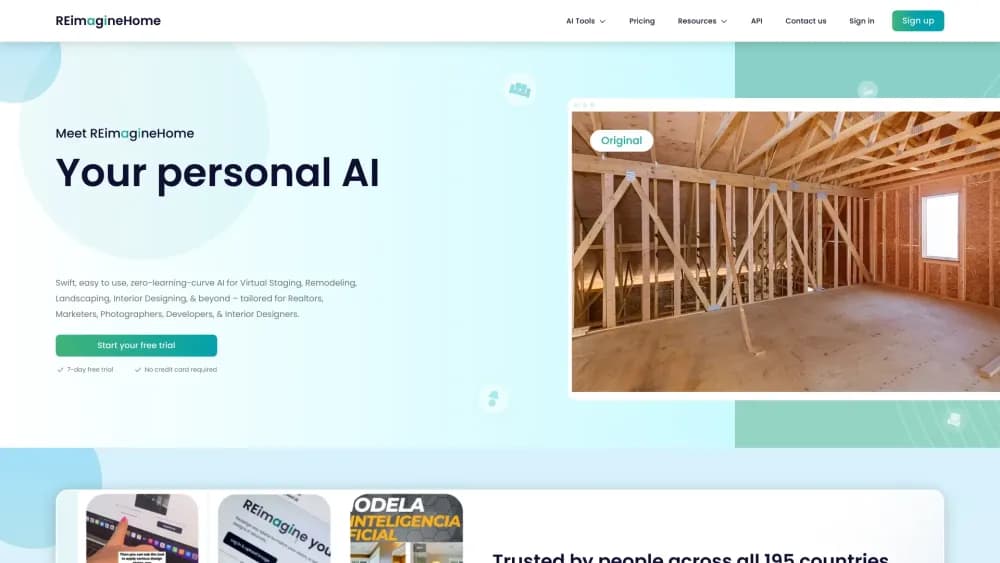
REimagine Home is an AI interior design and virtual staging tool that turns a single room photo into staged or redesigned interiors, exterior renders, and real product sets you can buy.
About REimagine Home: AI-powered Interior Design Ideas
What Is REimagine Home
REimagine Home is an AI design platform for people who need to see a space before they commit to it. Upload a photo of an empty room, a furnished one, or a yard, tell the tool what you want, and it returns a photorealistic render in seconds. It is built for homeowners weighing a purchase, real estate agents prepping listings, and interior designers exploring directions with clients.
The pitch is narrower than generic AI room design. REimagine Home leans on shoppable interior design and real estate photo staging rather than concept images alone. The team behind it, Styldod, Inc, frames the tool as a way to make decisions you can stand behind, not just pretty concept images. Most plans center on visualizing changes, matching a reference photo, or pairing your room with real products available near you and within a set budget.
The main limit is structural: it works from photos you upload, not from 3D models or measured floor plans, so the output is a render you interpret rather than a build-ready plan. The company also runs a separate beta called chez that rebuilds a room into a measured 3D copy from two photos, but that is a distinct product with its own pricing.
Getting Started
- Create an account on the official site, or start directly with the 5 free designs. No credit card is required for the trial.
- Upload a room photo in PNG, JPEG, JPG, WEBP, HEIC, or HEIF, up to 25MB each.
- Describe the goal in plain language, such as staging an empty living room or turning a bedroom into a home office. You can attach a reference image for style or specific objects.
- Generate the design and review the result. Refine one element at a time through the conversational companion instead of starting over.
- Compare directions side by side, then download high-resolution images or, on paid plans, add real products to a cart that checks out through a retailer.
Product Information
A quick look at REimagine Home: AI-powered Interior Design Ideas's pricing, supported platforms, and performance.
Best for
The users, tasks, and scenarios where this tool fits best.
Users
- Homeowners
- Real estate agents
- Interior designers
- Outdoor and yard designers
Tasks
- Staging an empty listing
- Redesigning a furnished room
- Testing a furniture purchase
- Rendering a floor plan or exterior
Scenarios
- Deciding before a renovation
- Preparing marketing assets
- Comparing design directions with a client
Key features
Conversational, Agentic Workflow
You work in a chat instead of a stack of sliders. Describe intent, context, and follow-ups, and the tool keeps track across steps, so you refine an idea rather than reload a tool between every tweak. The credits model reflects that: thinking and exploring ideas costs nothing, and credits only draw down when the system renders or matches products.
Real Products in Your Space
On Pro and above, the tool finds real furniture and decor available near you, bundles a complete set to a budget, and shows it inside your own room. You can swap a single item, like the rug, while keeping the bed and nightstands. Checkout happens on the retailer's site, and REimagine Home earns a commission on qualifying purchases at no extra cost to you.
Reference Photo Control
You can upload an inspiration image or moodboard and set how much the AI borrows from it. That range lets you keep a layout and change only a palette, or pull an object-level cue like a specific bed frame. It is the feature that separates a controlled redesign from a roll of the dice.
Incremental Editing with Memory
Every edit builds on the last, and context survives across long chats. Changing the wall art does not reset the rest of the room, so multi-step work stays precise instead of drifting noisier each round. For anyone who has fought a tool that forgets the brief, this is the difference between refinement and restarting.
Listing Batch Processing
Aimed at real estate professionals, this sorts a full listing set by room, flags compliance issues, and applies fixes and enhancements in one pass. Turnaround runs 2 to 5 minutes, with up to 50 photos, high-resolution bulk downloads, and a market-ready gallery at the end.
Structural Integrity and High-Resolution Output
Renders preserve walls, windows, and ceiling lines rather than warping the room into something sellable but fake. The company positions this as trust-building for shared work, since an image that distorts the space breaks a client's confidence. Outputs are royalty-free for commercial use, and you hold copyright access to generated designs.
Pros and cons
Pros
- The free tier gives 5 full designs with no credit card, so you can judge output quality before paying.
- Credits only apply to rendering and product matching; chatting and exploring ideas stay free.
- Real Products ties designs to actual, priced furniture near your location, closing the gap between inspiration and a purchase.
- Reference photos and incremental editing keep a redesign on brief across long sessions.
- Renders hold architecture in place, which matters when outputs go in front of clients or buyers.
Cons
- There is no public API. Enterprises get hosted sub-domain or HTML widget integrations, and API access is discussed case by case, so developers cannot self-serve.
- The tool starts from photos, not measured floor plans, so dimensions are inferred rather than read accurately.
- Branding and watermarking are not available yet, which limits agencies that need on-brand exports.
- Team and multi-user plans are still in development, so collaboration happens through workarounds for now.
Frequently asked questions
Yes. New users get 5 free designs with no credit card, and they run on the same AI and quality as paid plans. After that, you continue on a paid plan, which the company lists from $14 to $99 per month.
Related content
Explore related tools, skills, and articles for REimagine Home: AI-powered Interior Design Ideas.
REimagine Home: AI-powered Interior Design Ideas Alternatives

Google EmbeddingGemma 2
Google DeepMind · Writing · Image · CodingGoogle EmbeddingGemma 2 is a 740M-parameter open model that turns text, code, images, audio, and video frames into vectors in one 768-dimension space, running on phones and laptops.

Tractionwave
TractionWave · Image · MarketingTractionWave is an AI attention heatmap tool for static ads. Upload a PNG or JPG and it returns predicted attention, ranked hotspots, and fixes before you spend budget.

Imejis.io
Imejis.io · Image · MarketingImejis.io is an AI design studio for agents and marketing teams. Describe an image in plain words, and it writes the copy, builds the layout, reflows it to every size, then exports a finished file.