

Remeet.io
Remeet · Productivity
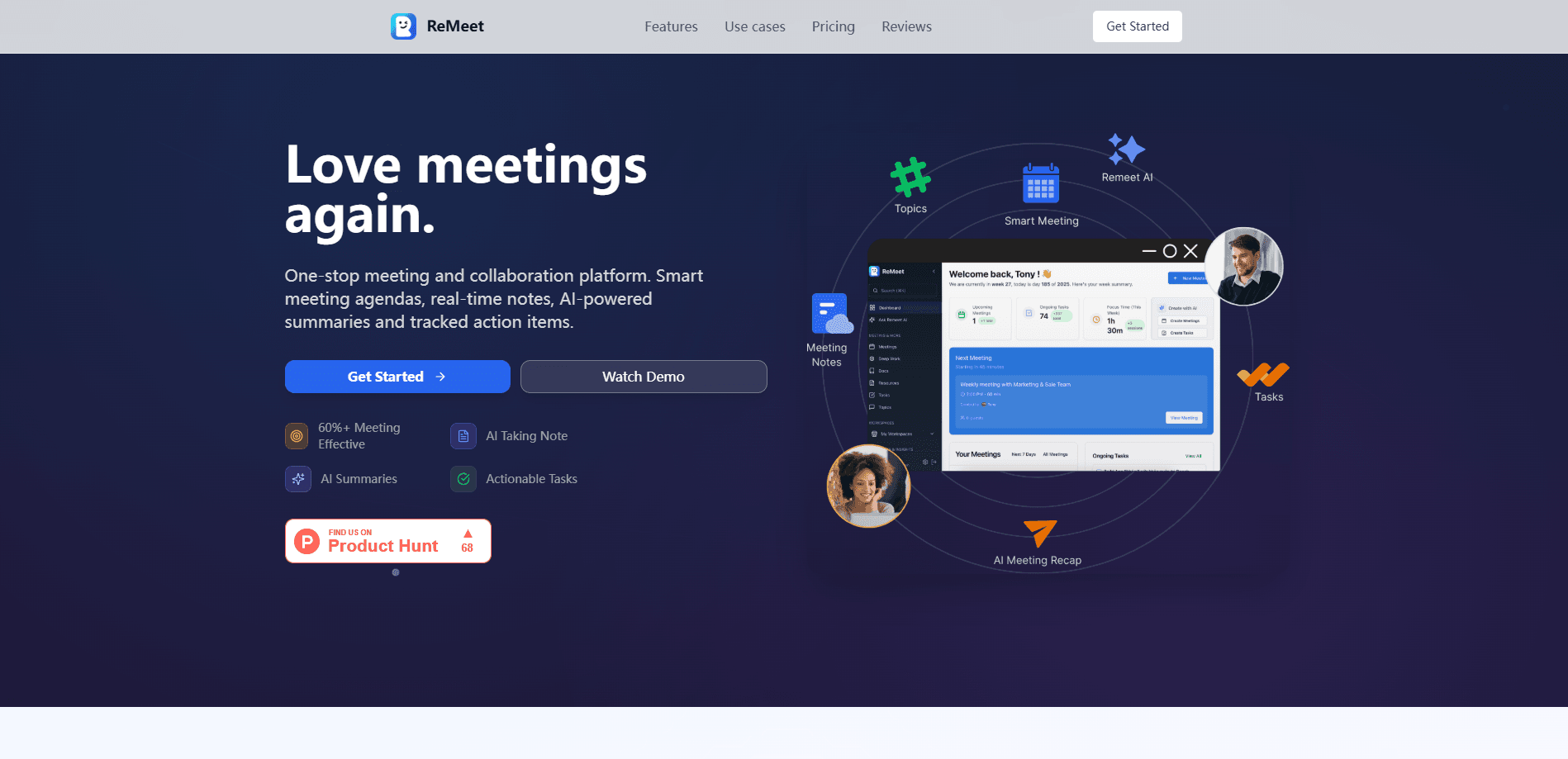
Remeet.io is an autonomous AI meeting scheduler that splits one long call into short topic meetings, so remote teams spend less time together and cut meeting-free hours back into the week.
About Remeet.io
What Is Remeet.io
Remeet.io is a meeting scheduling platform built around one idea: most team calls waste time on agenda items that only concern a few people. Instead of booking a single 60-minute meeting with ten attendees, the tool creates a separate mini-meeting for every topic and lets each person join only the discussions that matter to them.
The product targets distributed teams, especially ones that work across time zones. Because topics run in parallel and the app moves people between them automatically, a group can cover twice as many subjects in the same slot. Remeet says customers reclaim up to 35 meeting-free hours a week. That figure comes from the vendor, so treat it as a marketing target rather than a guaranteed result.
The main limits are structural. Everything depends on sync hours that your team blocks on its calendar, and the automatic rescheduling only works if people keep those blocks and their connected Google or Office 365 calendars up to date. Without clean calendar data, the automation can't predict who's available. New users often need a month to adjust to the pace of 5 to 15-minute topic calls.
Getting Started
- Sign up and connect your Google Calendar or Office 365 Calendar, plus Slack, Google Chat, or Mattermost if your team chats there.
- Set weekly sync hours, the windows where Remeet is allowed to drop meetings.
- Create a topic, pick who needs to be there, and choose how long the conversation should run.
- Add prep material and pick which participants must confirm they're ready before the topic gets scheduled.
- Join the scheduled topic call; the app transitions everyone to the next topic on time.
Product Information
A quick look at Remeet.io's pricing, supported platforms, and performance.
Best for
The users, tasks, and scenarios where this tool fits best.
Users
- Remote and distributed teams
- Engineering and product managers
- Companies scaling past 50 people
Tasks
- Running daily standups or status syncs
- Preparing complex decisions
- Cutting recurring meeting load
Scenarios
- Teams spread across very few overlapping working hours
- Async-first companies that still need occasional live decisions
- Organizations juggling many interconnected teams
Key features
Autonomous Topic Scheduling
You describe a topic, who it involves, and how long it needs, and Remeet picks the time. There's no back-and-forth over availability. When someone blocks a day off on their calendar, the scheduler moves every affected topic automatically, which matters for teams that can't spend time on manual rescheduling.
Parallel Mini-Meetings
Rather than one giant call, Remeet spins up a separate short meeting per topic and runs several at once. Because most topics don't need the same crowd, this lets more subjects get covered in the same window. The app also ferries people from one topic to the next so sessions start and end on schedule.
Async Prep Before Scheduling
For complicated discussions, you attach the context and materials up front and name who must review them. The topic only lands on the calendar once those people confirm they're ready. That removes the usual dead time spent getting everyone on the same page during the call itself.
Hard Stop and Time Signals
Most single-topic meetings land in the 5 to 15-minute range. The interface shows a countdown timer, a hard stop indicator, and a speaking-time indicator to keep everyone aware of the clock. If a group runs long, the organizer can book a follow-up in two clicks instead of extending the current session.
Calendar and Chat Integrations
Remeet connects to Google Calendar, Office 365 Calendar, Slack, Google Chat, and Mattermost, with a Microsoft Teams integration listed as coming. Sync hours live in your existing calendar, and the Slack meeting integration lets teams create and follow topics without leaving their chat tool.
Recordings, Transcriptions, and Summaries
Automatic cloud recording, transcription, and AI meeting summaries are available. Recording and notes access is free for anyone who only reads meeting notes or recordings, which can shrink the list of people who need to attend live. Transcription and summaries are add-ons on the lower tiers.
Pricing by Active Users
Remeet charges per active user, defined as anyone who spends 60 minutes or more in calls during a billing month. People below that threshold cost nothing, and users who only read notes, recordings, or transcriptions are free. That model suits teams where meeting load varies month to month.
Pros and cons
Pros
- Splits large calls into short single-topic meetings so fewer people sit through irrelevant agenda items.
- Automatic rescheduling reacts to time off and priority changes without manual coordination.
- Billing counts only users active for 60+ minutes in a month, so light meeting participants cost nothing.
- Deep calendar and chat integrations keep scheduling inside the tools teams already use.
- Free tier with a concierge onboarding session included and up to 15 users.
Cons
- The whole system relies on well-kept sync hours and clean calendar data; messy calendars mean unreliable automation.
- The fast 5 to 15-minute topic pace takes time to adjust to, similar to the first weeks of a new gym routine.
- Transcription and meeting summaries are paid add-ons rather than included features on most plans.
- Google and Office 365 are the only supported calendar providers, so teams on other calendar systems are out of luck.
- No public API was found on the vendor's site, which limits custom integrations.
Frequently asked questions
It schedules team meetings automatically by breaking a big call into small topic-based meetings, then places each one on the calendar based on who needs to attend and your team's sync hours.
Related content
Explore related tools, skills, and articles for Remeet.io.
Remeet.io Alternatives

Base Code
Base44 (Wix) · Coding · ProductivityBase Code is a shared cloud development environment from Base44. Teammates describe changes to an existing GitHub codebase in chat, preview them live and send them back as pull requests.

Knocket
Knocket (Tencent RTC team) · Productivity · Business · ChatbotKnocket is a free live chat and contact page tool that lets visitors message you from your website, app, or a shareable link, with every reply handled from Telegram or one inbox.

FloorGen
Vinit Kumar (FloorGen) · Productivity · China AIFloorGen is a browser-based floor plan maker that turns a sentence or a sketch into an editable 2D plan and a 3D walkthrough. Export to PDF, DXF or video, and draw without an account.