

RenameClick
RenameClick · Productivity
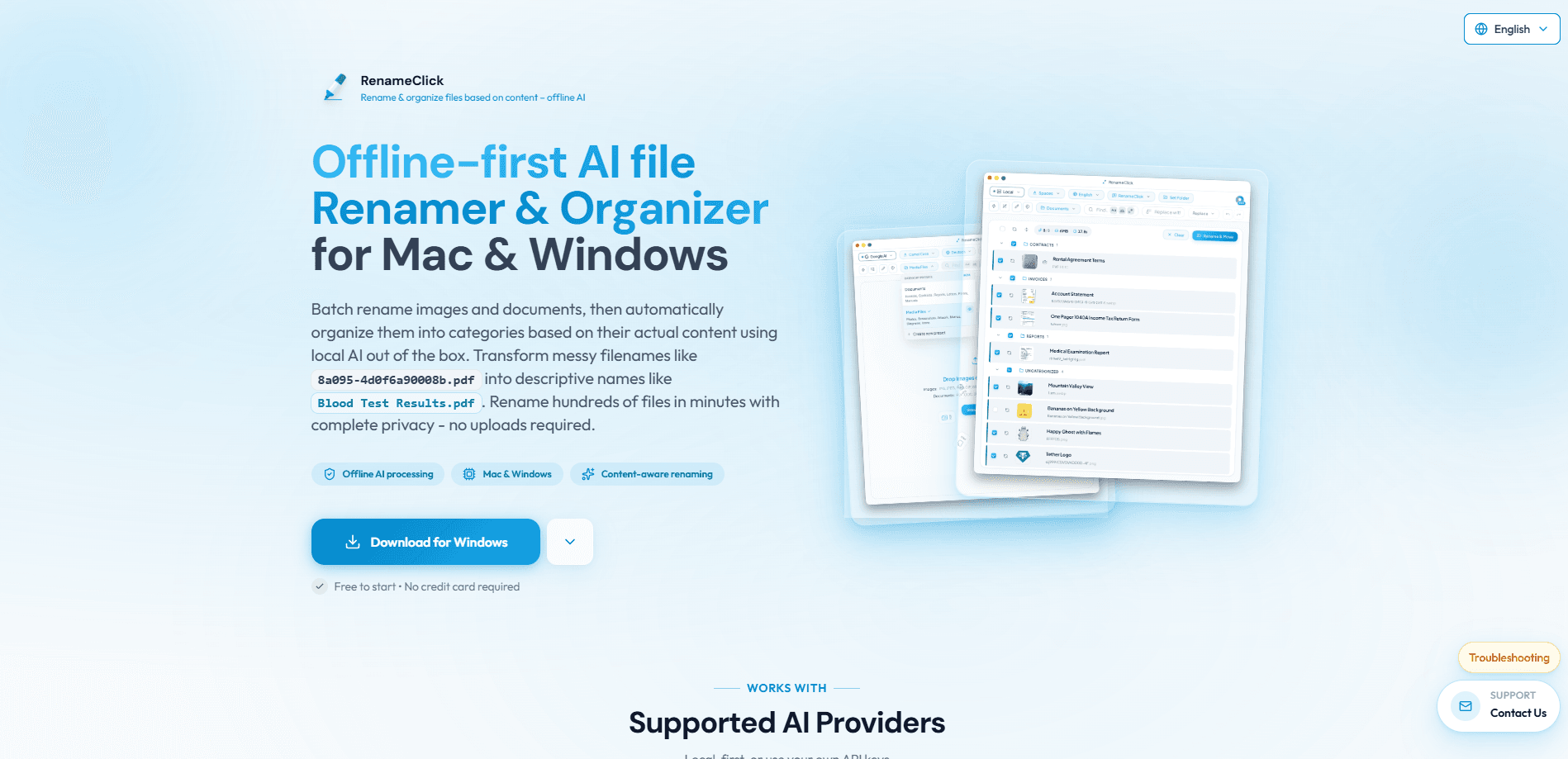
RenameClick is a desktop app for Mac and Windows that renames and organizes files by reading what's actually inside them. Point it at a folder full of cryptic names and its local AI scans the images, documents, or audio, then suggests names like Blood_Test_Results.pdf instead of 8a095-4d0f6a90008b.pdf. You review every suggestion before anything changes. Because the built-in model runs on your computer, your files never leave the device once the one-time download finishes. It's built for anyone drowning in poorly named files who doesn't want to upload tax returns or client photos to a cloud service just to sort them.
About RenameClick
What Is RenameClick
RenameClick is an AI file renamer that treats naming as a content problem, not a pattern problem. Older batch renamers work on what a file is called or when it was created. RenameClick opens the file instead. A scanned PDF becomes its subject, a screenshot becomes what's on screen, and a voice memo becomes a summary of what was said. Then it either rewrites the filename, moves the file into a category folder, or does both. You can pick one of those three modes so a rename never turns into an accidental reshuffle. If you want to rename files by content rather than by guessing, that's the whole point.
The selling point is privacy. Most tools that understand file content need a cloud model, which means sending your documents to someone else's server. That's a hard no for a lot of people. RenameClick ships with a local model you install once, after which it works with Wi-Fi off. If you'd rather not, you can still connect Ollama or LM Studio on the same machine, or plug in your own OpenAI or Google AI key. The catch is that local means local: the first model download is large, and the quality of a suggested name depends on the model you pick and how much hardware you're running it on.
Supported files cover the common ground: photos (JPG, PNG, HEIC, TIFF and more), documents (PDF, DOCX, TXT, CSV, and others), and audio (MP3, WAV, FLAC, M4A, AAC). Note that audio file transcription renaming reads what was said, it doesn't identify songs. And a supported extension doesn't guarantee a readable file, so damaged or encrypted files may come back without a useful name.
Getting Started
- Download RenameClick for Mac or Windows from the official site, then install it. No card is needed to start.
- Open AI & Models and install the built-in local model if you want offline processing. Add Audio Transcription too if you plan to rename recordings.
- Add files or drop a folder into the Rename workspace, then choose whether to rename, categorize, or both.
- Review the suggested filename and destination folder next to each original, and deselect anything you don't want touched.
- Click Rename & Move to apply the batch.
Product Information
A quick look at RenameClick's pricing, supported platforms, and performance.
Best for
The users, tasks, and scenarios where this tool fits best.
Users
- People with messy download folders
- Privacy-conscious users
- Anyone handling recordings
Tasks
- Renaming scanned documents
- Sorting photos into folders
- Cleaning up audio archives
Scenarios
- Preparing a folder of client documents you don't want sent to a cloud AI.
- Turning a decade of phone photos into something you can actually browse.
- Getting a batch of meeting recordings labeled before an archive gets out of hand. An AI file sorter earns its keep here.
Key features
Renames Files by Their Content
The core idea is simple: the app reads the file, not the filename. It extracts text from documents, analyzes images, and transcribes speech, then builds a name from what it finds. That's why a file called IMG_4471.HEIC can come back as Beach_Sunset_July.heic. It's a different approach from pattern-based renamers that can only shuffle letters and dates around.
Local-First AI Processing
RenameClick ships with a built-in model you install once, after which naming happens on your device even with Wi-Fi off. If you already run local models, you can point it at Ollama or LM Studio instead. This keeps your content off third-party servers, which matters if you're sorting financial records, medical scans, or anything under a confidentiality agreement. The trade-off is a one-time download and hardware-dependent speed. No server, no upload.
Separate Rename and Organize Modes
You get three clear options: rename only, categorize only, or rename plus categorize. The first changes filenames in place, the second moves files using a sorting preset while keeping their names, and the third applies both. Splitting these apart means a quick naming pass won't quietly relocate your files to a new folder structure you didn't want.
Flexible Folder Targets
Where a file lands is configurable. You can sort into content categories, build paths from file metadata, or reuse folders you already have. Format patterns let you pull in details like capture date or camera model from a photo's EXIF data, so destinations follow your own scheme rather than a fixed template.
Local Audio Transcription
Speech in MP3, WAV, FLAC, M4A, and AAC files is transcribed on your device, and the transcript becomes the basis for the new filename. Long recordings get sampled rather than fully processed. One limit worth knowing: this reads what's said, it doesn't identify songs. A music library is the wrong use case.
Auto Flow for Incoming Files
Auto Flow watches a folder while the app is running and picks up new files as they arrive, so downloads and exports get sorted without you dragging anything in. Auto Apply is optional, which means you can keep human review in the loop if you'd rather approve each batch.
Search Files by Content
Instead of digging by filename and date, you can pick a folder and describe the document or image you're after in plain words. Ever spent twenty minutes hunting for a screenshot you know exists but can't name? This handles that. It's useful when you remember what a file was about but not what you called it, an increasingly common problem once storage fills with screenshots and exports.
Bring Your Own Cloud Model
If local hardware isn't fast enough, you can connect your own API key for OpenAI or Google AI. Cloud providers receive the file content for analysis and bill you separately, so this is the more capable but less private option. It's a sensible escape hatch for people who want speed on a machine that can't run a local model well.
Pros and cons
Pros
- Content-based naming turns useless filenames into descriptive ones, which beats manual renaming for large batches.
- Local processing keeps sensitive files on your machine, a real advantage over cloud-only renamers.
- Three separate modes for renaming, organizing, and both give you control over what actually changes.
- Support spans images, documents, and audio in one tool, so you're not juggling several apps.
- Automatic folder watching handles incoming files without manual intervention.
Cons
- The local model needs a large one-time download, and name quality depends on your hardware.
- Audio transcription works for speech only, so it won't help with music libraries or song identification.
- Supported extensions don't guarantee results, so damaged or encrypted files may come back unnamed.
- Cloud options send your content to a third party and add API costs on top of the app.
Frequently asked questions
It reads the contents of your files and suggests clearer names, moves them into folders, or both. You point it at a folder, review the suggestions, and apply the changes. Images, documents, and audio recordings are all supported.
Related content
Explore related tools, skills, and articles for RenameClick.
RenameClick Alternatives

Base Code
Base44 (Wix) · Coding · ProductivityBase Code is a shared cloud development environment from Base44. Teammates describe changes to an existing GitHub codebase in chat, preview them live and send them back as pull requests.

Knocket
Knocket (Tencent RTC team) · Productivity · Business · ChatbotKnocket is a free live chat and contact page tool that lets visitors message you from your website, app, or a shareable link, with every reply handled from Telegram or one inbox.

FloorGen
Vinit Kumar (FloorGen) · Productivity · China AIFloorGen is a browser-based floor plan maker that turns a sentence or a sketch into an editable 2D plan and a 3D walkthrough. Export to PDF, DXF or video, and draw without an account.