

Rerender AI
Stylefie · Image
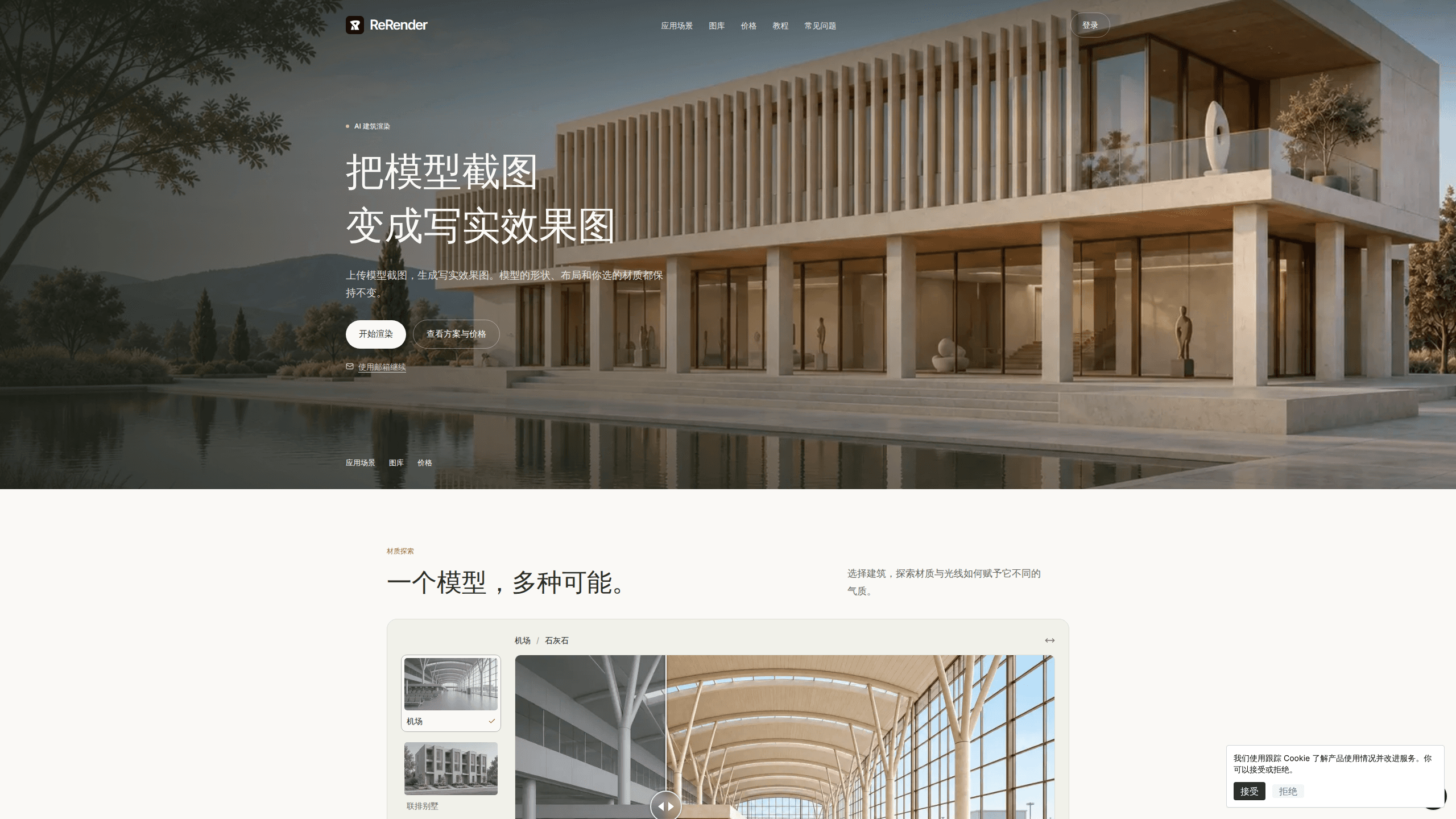
ReRender is an AI architectural rendering tool built for architects and interior designers who want realistic images without hours of manual work. You upload a screenshot of your 3D model, and the tool returns a photorealistic render while your model's shape, layout, and materials stay the same. It runs in the browser, supports a SketchUp plugin, and starts with a free daily credit plan.
About Rerender AI
What Is ReRender
ReRender is an AI rendering service from the developer Stylefie that converts architecture and interior design models into photorealistic images. The pitch is narrow on purpose. It changes lighting, texture, and atmosphere, and it leaves your design alone. If your client rejects a material, you change it with the editing tools. You don't redo the whole model.
That constraint matters. Most AI image tools rewrite a scene from scratch. They'll happily move a wall or swap your windows for something prettier. ReRender keeps the geometry you spent days building. That's what makes its output usable in a client deck or a planning submission, not just a mood board.
The catch is that it's an addition to your workflow, not a replacement for a real render engine. It works from screenshots and images, so you still need a modeling tool upstream. The serious features sit behind the paid Pro plan.
Getting Started
- Create an account with your email, or sign in if you already have one.
- Screenshot your model from a view that shows the layout you want rendered, then upload the image.
- Pick a render mode and set the lighting or style with a short prompt.
- Run the render, review the result, and use the editing or virtual staging tools for any changes.
- Download the image, or subscribe to Pro for watermark-free, commercial-ready files.
Product Information
A quick look at Rerender AI's pricing, supported platforms, and performance.
Best for
The users, tasks, and scenarios where this tool fits best.
Users
- Architects
- Interior designers
- Small studios
Tasks
- Turning a SketchUp screenshot into a photoreal exterior
- Relighting an interior
- Building a client deck
- Making a walkthrough video
Scenarios
- Late-stage design reviews when a client wants to see a realistic version of the current model.
- Comparing two finish palettes for the same room without rebuilding the scene.
- Planning submissions where you need a credible visual to accompany drawings.
- Early project pitches where a mood board needs grounding in something that looks real.
Key features
Model-Faithful Rendering
ReRender's core promise is that your design comes out the other side unchanged. Your model's shape, proportions, layout, and materials are preserved, and the AI handles light, texture, and realism on top. That's the difference between a usable architectural render and a generic AI image. The generic one forgot where your doors were.
Three Render Modes
You choose how much freedom the AI gets. Precise mode sticks closely to the input. Balanced sits in the middle. Creative takes more liberties with atmosphere and detail. The same starting image can produce noticeably different results depending on the mode, which makes it easy to show a cautious client and a bold one the same room.
AI Lighting
The lighting tool lets you repaint regions of an interior image and change the mood without touching the layout, so you can shift a whole scene from flat midday daylight to warm evening light in a handful of steps. Interiors live or die on light. This gives you control over it without re-rendering from zero.
Virtual Staging and Editing Tools
Empty rooms are hard to sell, so ReRender includes virtual staging to add furniture and editing tools to change materials or style. This is also how you adjust the things the core render deliberately holds fixed. If you want different finishes, you make that change here rather than hoping the AI guesses.
SketchUp Plugin
A dedicated SketchUp plugin pulls your workflow into one place. You can push a view from the modeling tool into ReRender without juggling screenshots by hand. For studios already working in SketchUp, that removes a step from every iteration.
Image Upscaling
Pro renders support 4x upscaling. That matters when an image has to hold up in a printed proposal or on a large screen. Free-plan output stays at standard quality, so the resolution you need depends on where the file is going.
Video Generation
Pro plans include video generation credits that turn static renders into short walkthrough clips. It's a way to add motion to a presentation without a separate animation tool. It's also one of the clearest reasons to move off the free tier.
Pros and cons
Pros
- Keeps your model's geometry and materials intact, so renders match the design you actually built.
- Runs in the browser with an optional SketchUp plugin, so there's no heavy install or new modeling environment.
- Free plan gives three renders a day to test the output before paying anything.
- Annual pricing at $38/mo brings unlimited renders and full commercial rights for regular production work.
Cons
- Free renders are watermarked and limited to non-commercial use, so client work needs a paid plan.
- It works from screenshots and images, which means you still need a separate modeling tool upstream.
- No public API is listed, so teams hoping to wire renders into an automated pipeline should ask first.
- Pro costs $45/mo billed monthly, which is a real commitment for occasional users.
Frequently asked questions
It turns a screenshot of your 3D model into a photorealistic architectural render, and the AI adds realistic light and texture while keeping your model's shape, layout, and materials exactly as you left them.
Related content
Explore related tools, skills, and articles for Rerender AI.
Rerender AI Alternatives

Google EmbeddingGemma 2
Google DeepMind · Writing · Image · CodingGoogle EmbeddingGemma 2 is a 740M-parameter open model that turns text, code, images, audio, and video frames into vectors in one 768-dimension space, running on phones and laptops.

Tractionwave
TractionWave · Image · MarketingTractionWave is an AI attention heatmap tool for static ads. Upload a PNG or JPG and it returns predicted attention, ranked hotspots, and fixes before you spend budget.

Imejis.io
Imejis.io · Image · MarketingImejis.io is an AI design studio for agents and marketing teams. Describe an image in plain words, and it writes the copy, builds the layout, reflows it to every size, then exports a finished file.