
RescapeAI
Rescape AI · Image
Rescape AI is a web app that turns a photo of your garden into realistic garden designs. Upload a picture, choose a style, add a prompt, and get backyard design ideas in seconds.
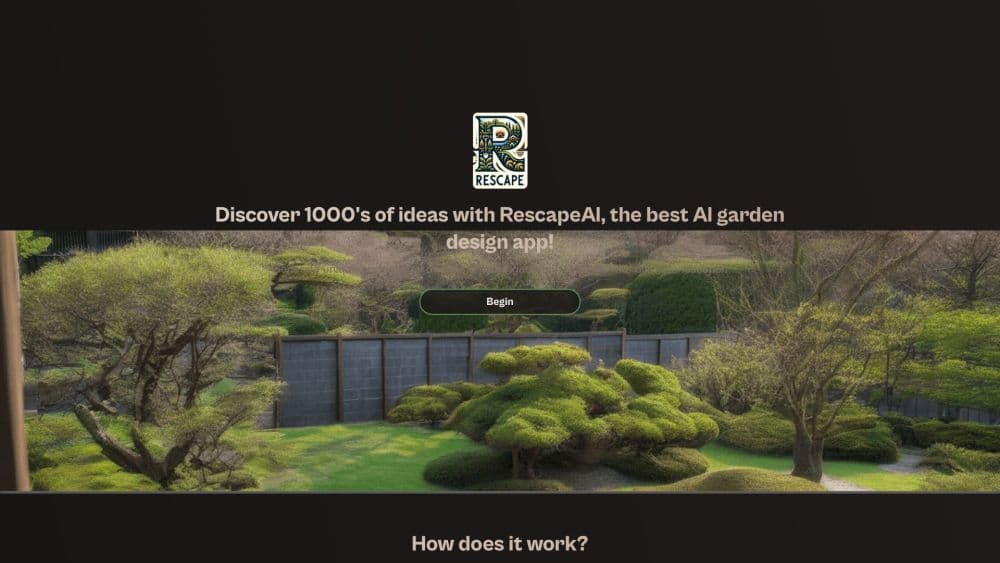
About RescapeAI
What Is Rescape AI
Rescape AI is an AI garden design generator for people who look at a tired lawn and have no idea where to start. You photograph your outdoor space, upload the shot, and the tool redraws it in a style you choose. Contemporary, Mediterranean, Japanese zen, cottage planting, gravel and drought tolerant schemes all sit in the same menu. You get images back, not construction drawings.
The pitch is speed and money. A garden designer charges for a concept, and each round of revisions can take weeks. This tool hands you a dozen directions in one afternoon for the price of a credit pack. That makes it handy for testing stone, decking and planting ideas before you commit a budget to any of them.
The limits are just as important. Rescape AI produces a visual concept, so it doesn't measure your plot, check drainage, or tell you whether a shrub survives your winter. Treat the pictures as a mood board. Take the final layout to a landscaper or garden designer who can turn it into something buildable.
Getting Started
- Sign up with an email and password. New accounts come with one free image.
- Upload a clear, well lit photo of the garden or yard you want to change. Shoot from a corner so the image has some depth.
- Pick a design style, then add a text prompt for details such as a fire pit, a wider patio or low maintenance planting.
- Generate the design. Each image costs one or two credits depending on the model version you use.
- Save the versions you like and top up with a credit pack when you want more variations.
Product Information
A quick look at RescapeAI's pricing, supported platforms, and performance.
Best for
The users, tasks, and scenarios where this tool fits best.
Users
- Homeowners planning a garden overhaul
- Gardeners stuck on layout
- Garden designers and landscapers
- People selling a property
Tasks
- Comparing garden styles
- Visualising hardscaping
- Exploring planting schemes
- Building a client mood board
Scenarios
- A blank new build garden with no beds, no lawn and no clear shape.
- A backyard refresh where the patio and fence stay but the planting changes.
- A front garden that needs curb appeal on a small budget.
- An early project conversation with a landscaper when you can't yet describe what you want.
Key features
Photo Based Redesign
The core of the product is image to image generation. You upload a real photo of your outdoor space and the model keeps the bones of the scene, such as the house wall, fence line and window placement, while replacing the garden. That grounding is what separates it from a generic AI yard design tool, where you'd spend an hour describing a yard that isn't yours.
Style Library
Styles are picked from a menu rather than typed into a prompt. The range covers contemporary geometric layouts, Mediterranean terraces, Japanese inspired schemes, traditional English planting and gravel heavy drought tolerant designs. Choosing a style first and refining with words second is faster than writing a long prompt from scratch.
Text Prompts for Detail
A style sets the mood, and the prompt handles specifics. You can ask for a fire pit, a larger deck, a curved path or plants that need little water. Short, concrete prompts work better than paragraphs. Name the object and where it goes, then generate again if the result drifts.
Fast Iteration
Images come back in seconds, which changes how you use the tool. Instead of commissioning one concept and living with it, you generate a batch, keep two or three, and discard the rest. The cost per image is low enough that experimenting is the point rather than a luxury.
Credit Based Pricing
There's no monthly subscription to manage. You buy credits and spend them on images, with packs starting at $8.99. Each generation uses one or two credits depending on which model version you pick. New accounts get a single free image, so you can test the output on your own garden before paying.
Garden Design Guide
The site carries a set of guides on styles, planting by hardiness zone and climate conscious gardening. They're written content rather than a product feature, but they help when you have a style name and no idea what it means in practice. Read the guide, then prompt with the terms you picked up.
Pros and cons
Pros
- Fast turnaround: concepts appear in seconds, so a full afternoon of comparison is realistic.
- Low entry cost: the free image and $8.99 credit packs let you judge quality before committing.
- Works from your own photo: the designs keep your house, fence and site lines instead of inventing a generic yard.
- Useful style range: contemporary, Mediterranean, Japanese and drought tolerant options cover most homeowner tastes.
Cons
- No measurements or plans: you can't hand the output to a builder, and scaling a concept to a real plot takes manual work.
- Quality depends on the photo: a dull, cluttered or badly angled shot produces muddled results, so you may need to reshoot.
- Plants may not suit your climate: the model doesn't check hardiness zones, and some suggested species won't survive your winter.
- No API: there's no documented way to plug the generator into another app or workflow.
Frequently asked questions
It generates garden design concepts from a photo of your own outdoor space. Homeowners use it for ideas, and designers use it to show clients options early.
Related content
Explore related tools, skills, and articles for RescapeAI.
RescapeAI Alternatives

Google EmbeddingGemma 2
Google DeepMind · Writing · Image · CodingGoogle EmbeddingGemma 2 is a 740M-parameter open model that turns text, code, images, audio, and video frames into vectors in one 768-dimension space, running on phones and laptops.

Tractionwave
TractionWave · Image · MarketingTractionWave is an AI attention heatmap tool for static ads. Upload a PNG or JPG and it returns predicted attention, ranked hotspots, and fixes before you spend budget.

Imejis.io
Imejis.io · Image · MarketingImejis.io is an AI design studio for agents and marketing teams. Describe an image in plain words, and it writes the copy, builds the layout, reflows it to every size, then exports a finished file.