
ResMe - Free Resume Builder
Shubh Patni · Productivity · AI Assistant
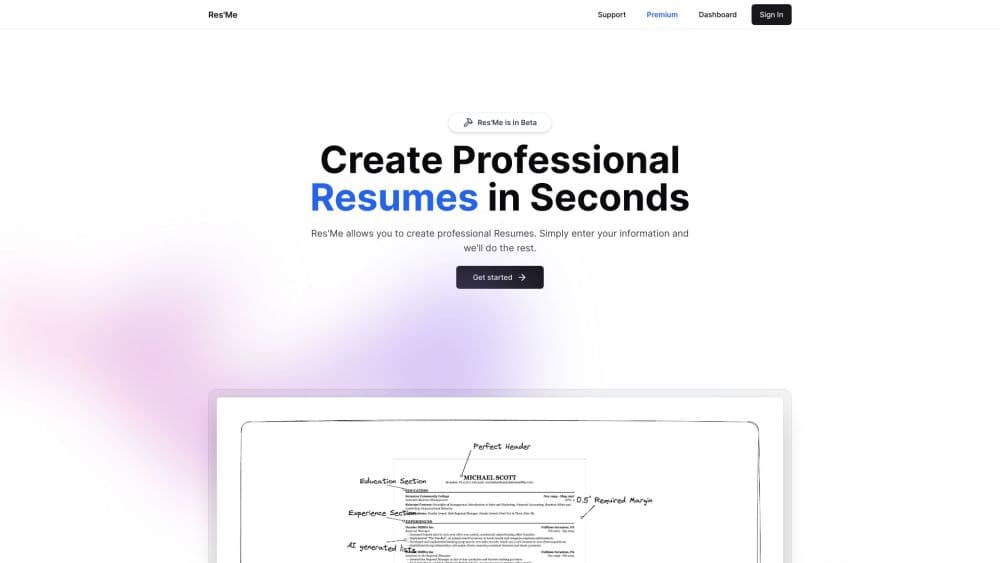
ResMe is a free AI resume builder that writes bullet points, tailors your resume to each job posting, and exports ATS-friendly PDF, DOCX, or a live link.
About ResMe - Free Resume Builder
What Is ResMe
ResMe is a browser-based resume tool built around one idea: most people do not need another blank template, they need help turning their work history into sentences that survive a screening system. You store your jobs, projects, and education once, then generate versions aimed at specific postings.
The AI side handles the writing. Paste a job description and ResMe suggests keywords and resume bullet points, then saves that version as a tailored resume you can return to. The same account holds your cover letters, so a single application pack comes from one place instead of five browser tabs.
It is a small, bootstrapped product run by a solo founder, Shubh Patni, and the code is open source. That keeps the feature set focused, but it also means the polish and support depth of a funded competitor are not there. The About and Examples pages on the official site are still marked as works in progress, and help runs through Discord and email.
Getting Started
- Create an account on resme.xyz and pick the free plan or a paid tier.
- Add your work history, education, and skills to the central profile so the tool has material to work with.
- Open the online resume editor, paste a job description, and let the AI draft resume bullet points for that role.
- Adjust wording in the preview, then export a PDF, a DOCX file, or a shareable link.
Product Information
A quick look at ResMe - Free Resume Builder's pricing, supported platforms, and performance.
Best for
The users, tasks, and scenarios where this tool fits best.
Users
- Active job seekers sending five to twenty applications
- Students and new graduates
- Career switchers
- Freelancers and contractors
Tasks
- Turning a job description into resume bullet points
- Building a tailored resume for a specific opening
- Writing a matching AI cover letter
- Sharing a resume without attachments
- Keeping one master record of your career
Scenarios
- A week of applications before a deadline
- Campus recruiting season
- Returning to work after a break
- Last-minute interview prep
Key features
Split-Screen Editor With Live Preview
The editor puts your form on the left and a rendered page on the right, so every change lands in the layout immediately. You can also edit text directly inside the preview, which removes the usual jump between a form field and the finished document. For anyone who has fought a word processor to keep a section on one page, this is the part that saves the most time.
AI Bullet Point Writer
Paste a job description or a rough duty list and ResMe returns resume bullet points built from the language of the role. The output gives you a starting draft with the right keywords, and you still decide which lines reflect what you actually did. It is most useful when you know your job well but freeze at the writing stage.
Job-Specific Tailored Resumes
Each application can have its own saved version of your resume, with wording aimed at that posting. Because the versions live in your account, you can reopen an old one when a similar role appears. This is the feature that separates a free resume builder from a static template download.
ATS-Friendly Formatting
ResMe formats resumes to stay readable for applicant tracking software while keeping some visual structure for human readers. The site is explicit about the tradeoff: heavily designed resumes often fail automated parsing, so the layouts favor clean sections over decoration. You get an ATS-friendly resume without handing in a plain text document.
PDF, DOCX, and Live Link Export
You can download a PDF for applications, download a DOCX file when a recruiter asks for an editable copy, or share a live link that always shows the current version. The link option is handy for referrals and portfolio pages, since the reader does not need an account to view it. DOCX export also lets you fine-tune colors and fonts in Word if the built-in options are not enough.
AI Cover Letters
Cover letters are generated from the same profile and job context as the resume, which keeps the tone and the examples consistent across both documents. You still need to cut the generic opening lines and add the detail that makes the letter specific. Treat the first draft as raw material, not a finished letter.
Central Work History Library
Instead of retyping your experience for every application, you keep one record of jobs, dates, and achievements, then build documents from it. ResMe frames this as managing your professional life in one place, with a portfolio site listed as a future addition. The practical gain is consistency: your dates and titles stop drifting between versions.
Pros and cons
Pros
- Free plan is usable for a real job search, with PDF and DOCX export plus shareable links rather than a watermark.
- The AI writes from a pasted job description, so the suggested resume bullet points use the vocabulary of the role you are chasing.
- Tailored resumes are saved per application, which makes repeat tailoring practical instead of a manual rebuild each time.
- ATS-friendly layouts keep the document parseable without forcing a bare, single-column page.
- The $49 one-time Student plan avoids a subscription for people job hunting for a few months.
Cons
- The free plan allows 7 AI calls and 3 resumes, so a broad search runs out of tailoring capacity within days.
- Everything runs in a browser and there is no mobile app, which makes editing long bullet lists on a phone awkward.
- Support and documentation are thin, with the About and Examples pages still unfinished, so self-starters will lean on Discord and email.
- There is no public API, so teams that want to generate resumes from their own systems cannot plug it in.
Frequently asked questions
Yes. The free plan includes PDF and DOCX downloads, shareable links, 3 resumes, and 7 tailored AI calls. Paid plans add more resumes and AI capacity rather than unlocking export.
Related content
Explore related tools, skills, and articles for ResMe - Free Resume Builder.
ResMe - Free Resume Builder Alternatives

Base Code
Base44 (Wix) · Coding · ProductivityBase Code is a shared cloud development environment from Base44. Teammates describe changes to an existing GitHub codebase in chat, preview them live and send them back as pull requests.

Knocket
Knocket (Tencent RTC team) · Productivity · Business · ChatbotKnocket is a free live chat and contact page tool that lets visitors message you from your website, app, or a shareable link, with every reply handled from Telegram or one inbox.

FloorGen
Vinit Kumar (FloorGen) · Productivity · China AIFloorGen is a browser-based floor plan maker that turns a sentence or a sketch into an editable 2D plan and a 3D walkthrough. Export to PDF, DXF or video, and draw without an account.