

Restylar Artify
Restylar · Image
Restylar Artify is a browser-based AI image restyler. Upload a photo, describe the change in plain words, and it returns a new image that keeps the original subject and layout.
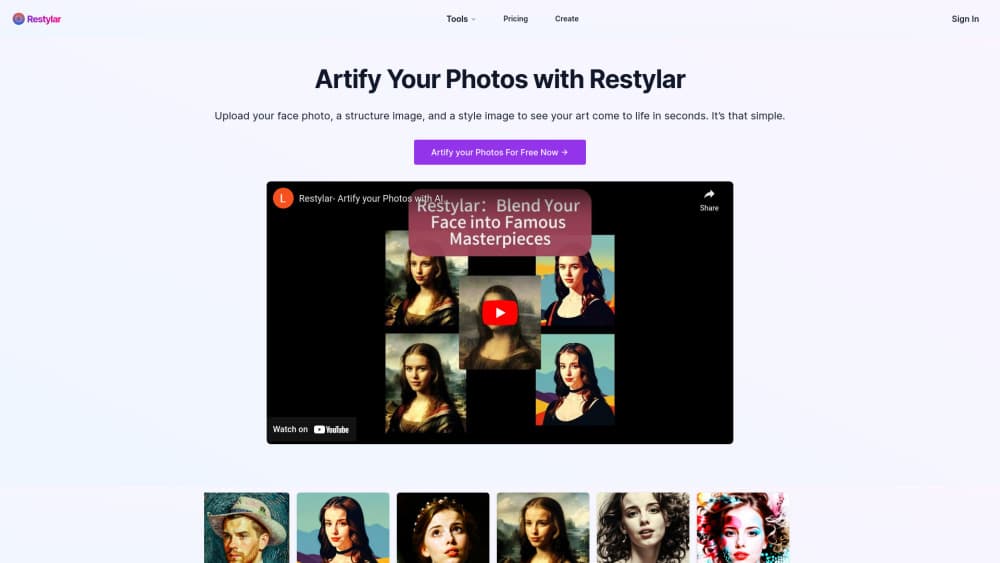
About Restylar Artify
What Is Restylar Artify
Restylar Artify is an image to image AI tool that works from a photo you already have. You give it a picture plus a written instruction, and it produces a new version in the style, setting, or outfit you asked for. Results come back at high resolution, and the subject's face and pose usually survive the change.
The problem it solves is the gap between a rough photo and a usable one. A phone snapshot with a dull background can become a studio-style portrait. A product shot with the wrong set can move to a clean backdrop. Filters can't do that, and full editing suites take hours to learn.
The limit is control. You steer with words, not layers or masks, so small precise fixes can take a few attempts. Output also depends on the source: a blurry photo stays soft no matter the prompt.
Getting Started
- Open restylar.com and sign in. New accounts get 2 free credits, which is enough to test the tool before paying.
- Upload a JPG, PNG, or WebP image and type what you want changed. Plain language works better than tag lists.
- Pick a quality mode. Lite is fastest, Standard balances speed and detail, and Professional is for final output.
- Review the result. If a detail drifts, tighten the prompt and run it again.
- Download the image. Free accounts keep files for 7 days, paid accounts for 100 days.
Product Information
A quick look at Restylar Artify's pricing, supported platforms, and performance.
Best for
The users, tasks, and scenarios where this tool fits best.
Users
- Content creators
- Small business owners
- Photographers and retouchers
Tasks
- Turning a snapshot into a portrait
- Restyling a product image
- Applying an art style
- Removing clutter from a shot
Scenarios
- Preparing profile photos for LinkedIn or a company page
- Refreshing catalog images for a small store
- Testing a visual idea before a real shoot
Key features
Prompt-Based Restyling
You describe the change in ordinary language, and the AI image transformer reads the intent instead of matching keywords. A sentence like "put her in a grey suit against a concrete wall" is enough. This keeps the workflow short: no brush work, no layer stack, no mask drawing.
Subject and Layout Retention
The image to image AI rebuilds the scene while holding on to the person's face, body shape, and framing. That matters for portraits, where a new face would ruin the result. It also means a restyled product keeps the same angle and proportions, so the image still matches the listing.
Three Quality Modes
Lite, Standard, and Professional trade speed against detail. Lite is for quick tests and rough directions. Standard suits most social and web work. Professional is the one to use for print or a paid client deliverable, and it takes longer to finish.
Style Transfer
The AI photo restyler converts a photograph into a painting, sketch, or anime frame without losing the subject. You can name a broad style or describe brushwork in more detail. It works best when the original photo has a clear subject and simple lighting.
Scene and Background Changes
Background replacement AI covers more than swapping a wall. You can move a shot from indoors to a street, change the time of day, add rain, or shift the season. The tool rebuilds shadows and reflections so the subject doesn't look pasted in.
AI Headshot Generation
Upload one selfie and ask for a business portrait, a different outfit, or a new pose. The AI headshot generator keeps the same person across variations, which makes it useful for team pages and profiles. Clear, evenly lit source photos give the most natural faces.
Pros and cons
Pros
- Short path from photo to result: upload, write a sentence, download. No design software to learn.
- Keeps the subject intact: faces and proportions survive restyling, which is the part most tools get wrong.
- Runs in the browser: no install and no GPU, so a laptop or phone browser is enough.
- Free credits on signup: you can test the image to image generator before spending anything.
- Storage stays reasonable: paid accounts hold files for 100 days, which covers most project timelines.
Cons
- Credit-based pricing: every generation spends credits, so heavy testing sessions add up. Lite mode helps keep the count down.
- Prompt-only control: there are no masks or layers, so a small local fix can take several tries. Users who need pixel-level edits will still want an editor.
- Free tier storage is short: 7 days is enough to evaluate, not enough to archive a project.
- No public API: the site lists no developer access, so teams can't wire the restyler into their own pipeline.
Frequently asked questions
It restyles an existing photo from a text prompt. You upload an image, describe the change, and get a new version with the subject and layout preserved.
Related content
Explore related tools, skills, and articles for Restylar Artify.
Restylar Artify Alternatives

Google EmbeddingGemma 2
Google DeepMind · Writing · Image · CodingGoogle EmbeddingGemma 2 is a 740M-parameter open model that turns text, code, images, audio, and video frames into vectors in one 768-dimension space, running on phones and laptops.

Tractionwave
TractionWave · Image · MarketingTractionWave is an AI attention heatmap tool for static ads. Upload a PNG or JPG and it returns predicted attention, ranked hotspots, and fixes before you spend budget.

Imejis.io
Imejis.io · Image · MarketingImejis.io is an AI design studio for agents and marketing teams. Describe an image in plain words, and it writes the copy, builds the layout, reflows it to every size, then exports a finished file.