

Photica・AI Live Photo Animator
Comapps LLC · Image · Video
Photica (Pixly) is an AI photo animator that turns a still image into a short video. It animates faces, revives old family photos, and exports a live photo you can share.
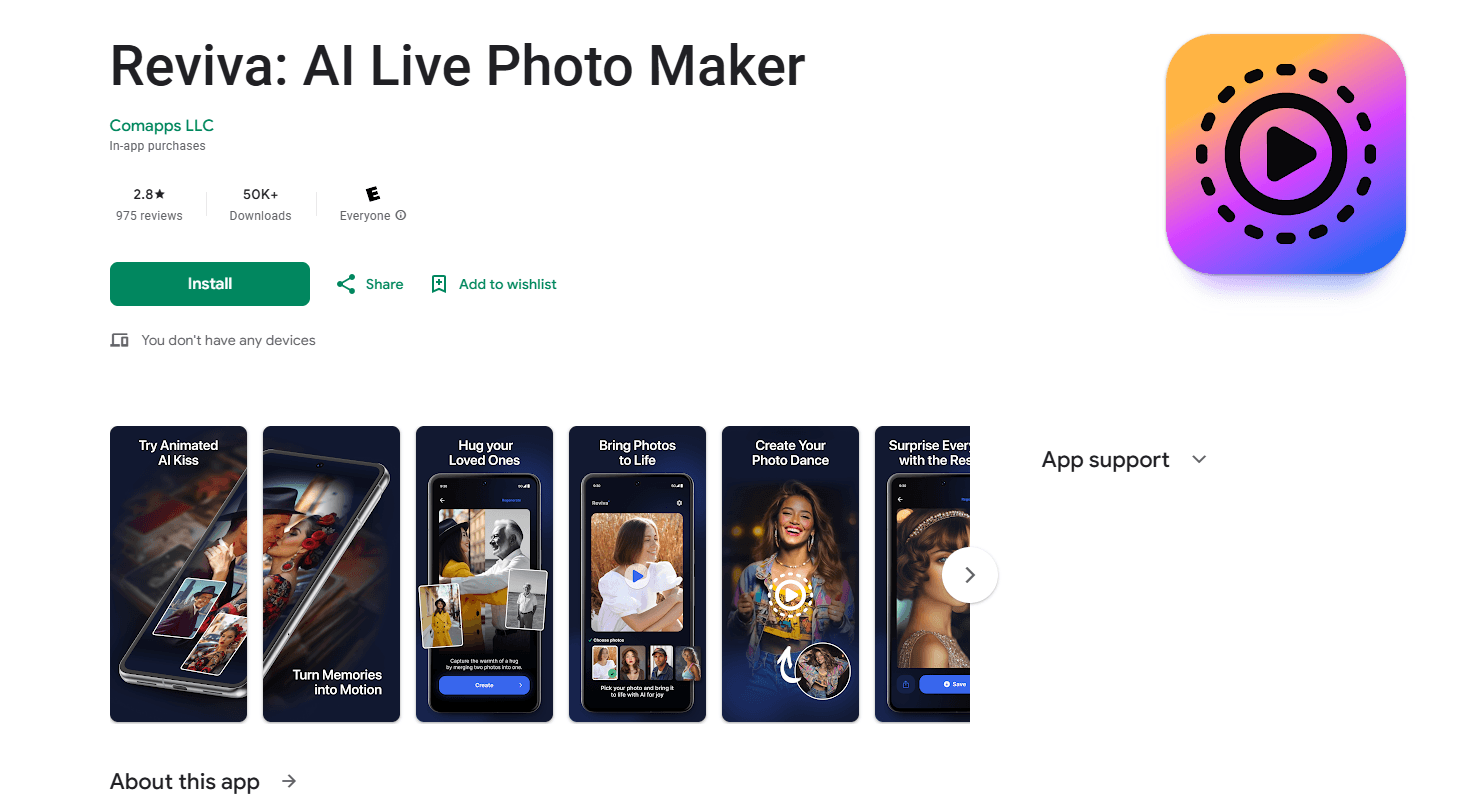
About Photica・AI Live Photo Animator
What Is Photica
Photica, also listed as Pixly on Google Play, is an Android app that turns a still photo into a short animated clip. You open the app, pick a template or an effect, drop in a picture, and the AI builds a few seconds of motion that you can save or post. The pitch is simple. A frozen portrait gets a blink, a smile, or a small camera move, and the result reads as a live moment rather than a screenshot.
Where the app leans hardest is memory. Reviving an old family photo is the use people open it for first. A faded portrait of a grandparent becomes a moving frame, and a couple shot from years ago gets the small gestures that a photo cannot hold. The same engine also handles the trend side of the market: pet clips, dance templates, and themed scenes built from a single selfie.
The link between the two is that the output lands as a live photo or a short video, not as a printable retouch. Photica is not a full editing suite. It comes with preset looks and a coin system for extra generation, and it favors speed on a phone over frame level control. The trade is the usual one for a template tool. You get a consistent result in a few taps, and you give up the fine tuning a timeline editor would offer.
Two things decide how well a clip turns out. The source photo matters most, because a clear, well lit face animates far better than a blurry or crowded shot. And the AI model is a black box, so two runs on the same picture can look a little different.
Getting Started
- Install Photica (Pixly) from Google Play and open the app
- Pick a starting point such as animating a photo, reviving an old picture, or a themed template
- Upload a portrait or a family photo from your gallery, choosing one with a clear, well lit face
- Let the AI generate the clip and tweak the result if the app offers options such as a face or a mood
- Save the live photo or video and share it from inside the app
Product Information
A quick look at Photica・AI Live Photo Animator's pricing, supported platforms, and performance.
Best for
The users, tasks, and scenarios where this tool fits best.
Users
- People reviving family photos
- Social media posters
- Casual phone users
- Pet owners
- Trend followers
Tasks
- Animating a still portrait
- Reviving an old photo
- Making a live photo
- Building a themed clip
- Pranking friends
Scenarios
- Remembering someone you miss
- Filling a content gap
- A birthday or anniversary card
- Trying a viral effect
- Quick fun on a commute
Key features
AI Photo Animation
This is the core of the app. You drop in a single photo, and Photica generates a short clip where the face and scene move in a natural way. A portrait can blink, smile, or take on a gentle camera push. The feature works for selfies, family shots, and pet pictures, and it is the base that the themed templates build on.
Old Photo Revival
Photica leans on nostalgia with a set of tools for older pictures. You bring in a family image, sometimes faded or low quality, and the app animates the faces inside it. The result is a short clip that reads as a living memory. This is the use the app markets hardest, and it suits anyone who wants to see a relative from an old picture move again.
Live Photo Conversion
The app turns a still into a live photo or a short video you can export in high quality. A live photo behaves like the ones a phone camera shoots, so it plays with a press and can be set as a wallpaper. That makes the output easy to share on a social feed or inside a chat, rather than sitting as a plain file.
Template and Effect Library
Some users start from a template instead of a single animation. Photica ships a set of effects and themed looks, from festive scenes to cartoon and cinematic styles, plus dance and movement presets. Each one takes one or two photos and stages them in a set scene, which keeps the styling consistent and takes the guesswork out of the prompt.
Talking and Singing Photos
Beyond plain motion, the app can make a photo talk or sing. You feed it a portrait, and it generates lip movement that matches speech or a song. The same tool turns a dog or a cat into a talking pet, a popular option for a quick joke. This is the feature that pulls Photica toward the meme and prank side of the market.
Coin System for Extra Generation
The app runs on a free tier plus a coin system. You can try the core tools without paying, then buy coins or pick a plan when you need more generation. That lets a light user test the app for nothing and a heavy user keep going without a hard cap. It also means the busiest creators pay as they go rather than up front.
Pros and cons
Pros
- Works on Android from a single photo, with no editing skills needed
- Old photo revival and talking clips are the standout uses for family and pets
- A free tier lets you test the core tools before paying
- Templates cover festive, cartoon, and dance looks so you rarely start from a blank prompt
- Exports land as a live photo or a short video, which suits phone sharing
Cons
- The result depends on your source photo, so blurry or crowded shots animate poorly and you may need a retake
- Generation runs on a coin system, so heavy use adds up and pushes you toward a plan
- The AI engine is a black box, so two runs on the same photo can differ and you cannot control every frame
- Android only, which leaves iPhone users looking elsewhere
Frequently asked questions
Photica is an AI photo animator for Android. It turns a still photo into a short video or a live photo, revives old family pictures, and offers templates for themed clips such as talking pets and dance effects.
Related content
Explore related tools, skills, and articles for Photica・AI Live Photo Animator.
Photica・AI Live Photo Animator Alternatives

Google EmbeddingGemma 2
Google DeepMind · Writing · Image · CodingGoogle EmbeddingGemma 2 is a 740M-parameter open model that turns text, code, images, audio, and video frames into vectors in one 768-dimension space, running on phones and laptops.

Tractionwave
TractionWave · Image · MarketingTractionWave is an AI attention heatmap tool for static ads. Upload a PNG or JPG and it returns predicted attention, ranked hotspots, and fixes before you spend budget.

Imejis.io
Imejis.io · Image · MarketingImejis.io is an AI design studio for agents and marketing teams. Describe an image in plain words, and it writes the copy, builds the layout, reflows it to every size, then exports a finished file.