

Rewind
Limitless AI (formerly Rewind AI) · Productivity
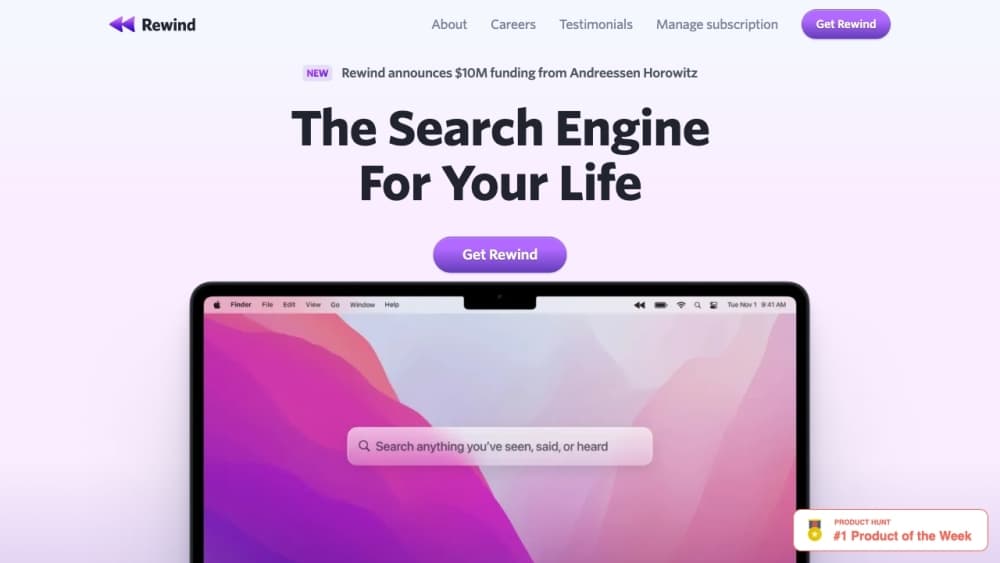
Rewind is a Mac memory assistant that records your screen and audio, then lets you search and ask questions about anything you have seen, said, or heard.
About Rewind
What Is Rewind
Rewind is a personal memory tool for the Mac. It runs in the background and captures what shows up on your screen plus the audio around you, so you can later search for a page you half remember or a sentence someone said weeks ago. The idea is a searchable record of your own computer and conversation history, often called an AI memory assistant or a second brain app.
The problem it targets is recall, not storage. Your Mac already keeps files, tabs, and messages, but none of that helps when you can't remember where something was. Rewind indexes what you saw and heard so a keyword or a plain question can surface the right moment. It also compresses footage aggressively to keep the local footprint small, which is what made the app stand out when it launched.
The biggest catch is that the product is winding down. Rewind was made by the team behind Limitless, and after Meta acquired Limitless, the company said the Rewind Mac app would stop recording screen and audio from December 19, 2025. So this is now a look at what Rewind was, and what the underlying tech led to.
Getting Started
- Install the Rewind Mac app and sign in, then grant screen recording, accessibility, and microphone permissions so it can capture activity.
- Let Rewind run in the background; it records screen text and audio only while it is active, and everything is stored locally on the Mac by default.
- Use Search to find any word or phrase that appeared on screen, with optical character recognition catching text inside images and video frames.
- Ask Rewind a question in plain language to get a summary answer drawn from your captured history, with sources pointed back to the original moment.
- Export your data from the account settings if you want to keep a copy, since recording stops once the shutdown date passes.
Product Information
A quick look at Rewind's pricing, supported platforms, and performance.
Best for
The users, tasks, and scenarios where this tool fits best.
Users
- People who lose track of things they read
- Researchers and writers
- Professionals in back to back meetings
- Privacy conscious desktop users
Tasks
- Finding something you saw but can't place
- Recalling a past conversation
- Rebuilding context after a break
- Grabbing a detail from something you skimmed
Scenarios
- You half remember a page and need it now
- A meeting detail is fading
- You want to find a verbatim quote
- You're wrapping up use of the app
Key features
Screen and Audio Recording
Rewind captures what appears on your screen and the audio around you, then stores it for later recall. It runs in the background rather than demanding attention, and on the original app the content stays on your Mac instead of a server. That local first design is the reason it drew attention as a private alternative to cloud memory tools.
Search With OCR
The Search feature finds any word or phrase that ever appeared on your screen, and optical character recognition lets it match text inside images, PDFs, and video frames, not just plain web pages. You can jump straight to a result or open the source in your browser. It turns a vague memory into a concrete location in seconds.
Ask Rewind
Ask Rewind answers questions in natural language using your captured history as the source. Instead of scrolling a timeline, you type a question and get a short answer, with references back to the moment it came from. It behaves less like a search box and more like a recall assistant for your own past.
Local Storage and Compression
The app keeps your recordings on the device and uses its own compression to shrink video dramatically, so long stretches of capture don't overwhelm your drive. A smaller footprint means you can keep months of history on a normal laptop. The trade off is that it needs a reasonably modern Mac to run smoothly.
Timeline Browsing
Beyond search, Rewind shows your past activity on a scrollable timeline, so you can move back through time and land on a rough window rather than a precise keyword. It suits moments when you know roughly when something happened but not the exact words. From a spot on the timeline you can open the original item or ask a follow up.
Cross Device Continuity
Rewind added an iPhone app that lets you search screenshots and browsing history from your phone, extending the memory record beyond the Mac. It was a step toward the broader cross platform direction the team later pursued with Limitless. The mobile side leaned on synced data rather than the fully local model of the desktop app.
Pros and cons
Pros
- Searching your own screen and audio history catches things you would never think to bookmark, which is the core value.
- Optical character recognition reads text inside images and video frames, so a keyword match isn't limited to typed pages.
- The original app stored data locally and compressed footage, keeping the footprint manageable on a laptop.
- Ask Rewind turns a vague question into a sourced answer instead of making you scroll a timeline.
- A free tier let people try the memory features before paying for higher limits.
Cons
- The Rewind Mac app stopped recording screen and audio from December 19, 2025, so it's no longer a live product for new use.
- Always on capture raises real privacy questions, and it needs screen recording and microphone access that some users won't grant.
- The local, Mac first design meant no Windows or Android support, limiting who could use it.
- Some features depended on a subscription, and pricing now sits behind the Limitless line rather than the original app.
Frequently asked questions
Rewind is an AI memory assistant used to record your Mac screen and audio, then search or ask questions about what you saw and heard. People used it to find half remembered pages, recall conversations, and rebuild context without relying on their own memory.
Related content
Explore related tools, skills, and articles for Rewind.
Rewind Alternatives

Base Code
Base44 (Wix) · Coding · ProductivityBase Code is a shared cloud development environment from Base44. Teammates describe changes to an existing GitHub codebase in chat, preview them live and send them back as pull requests.

Knocket
Knocket (Tencent RTC team) · Productivity · Business · ChatbotKnocket is a free live chat and contact page tool that lets visitors message you from your website, app, or a shareable link, with every reply handled from Telegram or one inbox.

FloorGen
Vinit Kumar (FloorGen) · Productivity · China AIFloorGen is a browser-based floor plan maker that turns a sentence or a sketch into an editable 2D plan and a 3D walkthrough. Export to PDF, DXF or video, and draw without an account.