

Rivit
Rivit · Coding
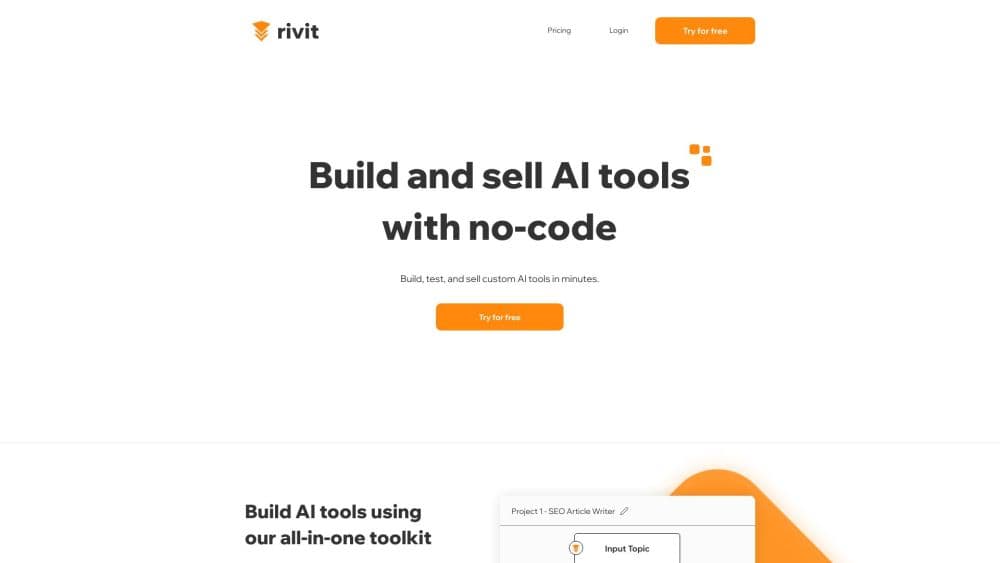
Rivit was a no-code AI app builder that turned PDFs, websites, and Notion pages into shareable copilots, with visual workflows and built-in subscription billing. Its site is now offline.
About Rivit
What Is Rivit
Rivit was a no-code AI app builder aimed at teams that wanted a working AI tool without hiring developers. You pointed it at your own material, chose a model, adjusted how the assistant answered, and published the result as an internal tool or a paid product. The company described the platform as a set of building blocks rather than a single chatbot template.
The workflow had three parts. A visual builder assembled multi-step automations, a playground let you test prompts and compare variants, and a publish step pushed the finished tool out to a team or the public. Because model access was bundled, you could call top LLMs without collecting API keys from each provider. Image and voice models were part of the same account, so a copilot could answer in text, produce visuals, or speak.
The limits mattered as much as the features. Message volume and training pages were metered per plan, which pushed heavy users toward the top tier. The entry price started at $99 per month, high for a solo builder testing an idea. And the platform is no longer running: the main domain now redirects to a domain-for-sale page, the bare domain serves a default server screen, and the app subdomain does not respond. Treat what follows as a record of what the product offered, not as a buying recommendation.
Getting Started
- Create an account at app.rivit.ai and pick a workspace for your team.
- Connect the material the copilot should learn from, such as PDFs, a website, or a Notion workspace, and stay inside the training page allowance for your plan.
- Choose a model for the task, then shape the instructions and test answers in the playground.
- Add steps to the workflow if the tool needs to look things up, branch, or hand off to a human.
- Publish the copilot, embed it on your site or share a link, and connect billing if you plan to charge for access.
Product Information
A quick look at Rivit's pricing, supported platforms, and performance.
Best for
The users, tasks, and scenarios where this tool fits best.
Users
- Small product teams
- Agencies building tools for clients
- Solo founders testing a paid AI product
Tasks
- Answering questions from a document library
- Drafting personalized outbound messages
- Reviewing content for compliance
- Generating API documentation from code
Scenarios
- Standing up an internal knowledge assistant in a week
- Selling access to a niche AI tool
- Comparing prompt variants before launch
Key features
Document-Grounded Copilots
The core job was answering from your own sources rather than from a general model. You connected PDFs, a website, or a Notion workspace, and the copilot cited that material when it replied. Training pages were capped by plan, from 100 pages on Starter to 2,000 on Enterprise, so the size of your knowledge base decided the tier.
No API Keys, Several Model Providers
Rivit bundled access to major LLMs and media models, so a team could build with GPT-4, Hugging Face, Leonardo.ai, or Eleven Labs without opening accounts at each provider. That removed a common setup hurdle for non-developers. It also meant model choice lived inside Rivit's billing rather than in your own cloud contract.
Visual Workflow Builder
The AI workflow builder arranged prompts, integrations, and handoffs as a sequence of steps you could see on screen. Multi-step automations covered cases a single prompt cannot, such as pulling a record, checking it against a policy, and then drafting a reply. Teams edited the flow by moving steps rather than rewriting code.
Playground Testing and A/B Comparison
Prompts could be tested in a sandbox before anything went live, and two versions could run side by side to see which handled real questions better. For anyone tuning tone or accuracy, that loop was faster than editing live and watching support tickets. It is also the feature that separates a serious AI copilot builder from a simple chat widget, and the one most teams miss when they shop for a custom AI copilot.
Embed, Share, and API Access
Finished tools could be shared by link, embedded in a site as an AI chatbot, or connected to your own product through API endpoints. The same copilot served internal staff and external customers, which cut down on duplicate builds. For teams with a customer portal, the API route kept the assistant inside their own interface.
Subscription Billing Built In
Rivit handled plan management and payments for tools sold to customers, including a reseller license and removal of the "Powered by" branding on the top plan. That turned a prompt workflow into a product without a separate billing stack. The tradeoff was dependence on one platform for both the AI and the revenue side.
Pros and cons
Pros
- Source-grounded answers from PDFs, websites, and Notion cut down on invented responses, which is the main failure mode of generic chatbots.
- Bundled model access removed API key setup, so a non-technical team could start building the same day.
- Playground A/B testing made prompt quality measurable instead of a matter of opinion.
- Publishing, embedding, and subscription billing shipped together, which shortened the path from internal tool to paid product.
- Plan limits were stated in plain numbers, so you could size message and page needs before committing.
Cons
- The $99 monthly entry price with 500 messages is steep for a solo builder who wants to test an idea.
- Training pages were capped low on cheaper plans, which forces you to trim a document library before the copilot is useful.
- The service is no longer available. The domain is listed for sale and the app subdomain does not respond, so existing links and embeds cannot be relied on.
- Model selection sat inside the platform, so moving a finished workflow to another stack would mean rebuilding it.
Frequently asked questions
It was used to build AI tools without code: document assistants, support copilots, content review flows, and small paid products. You connected your own sources, tested the answers, then published the result.
Related content
Explore related tools, skills, and articles for Rivit.
Rivit Alternatives

Udon
Udon · Coding · ProductivityUdon turns an Apple Silicon Mac into a home server you run from a browser, with container controls, file shares, and an optional AI sysadmin.

offstage
offstage cloud · Coding · Productivityoffstage gives AI coding agents and CI jobs a real Mac: a fresh macOS account on Apple silicon, driven over an API and billed by the second.

BotBus
Chengdu Tuyang Tusen Technology Co., Ltd. · Coding · ProductivityBotBus lets you control AI coding agents from your phone and watch: approve commands, start tasks and read results while the code stays on your desktop.